Download SAP
A timesheet can be downloaded anytime after it is created. However, by default, it will be marked with a “Draft” watermark and is not authorized for use. Once a timesheet is approved and has a status of Complete, the watermark is removed and the timesheet is ready to use.
There are three ways to download a timesheet:
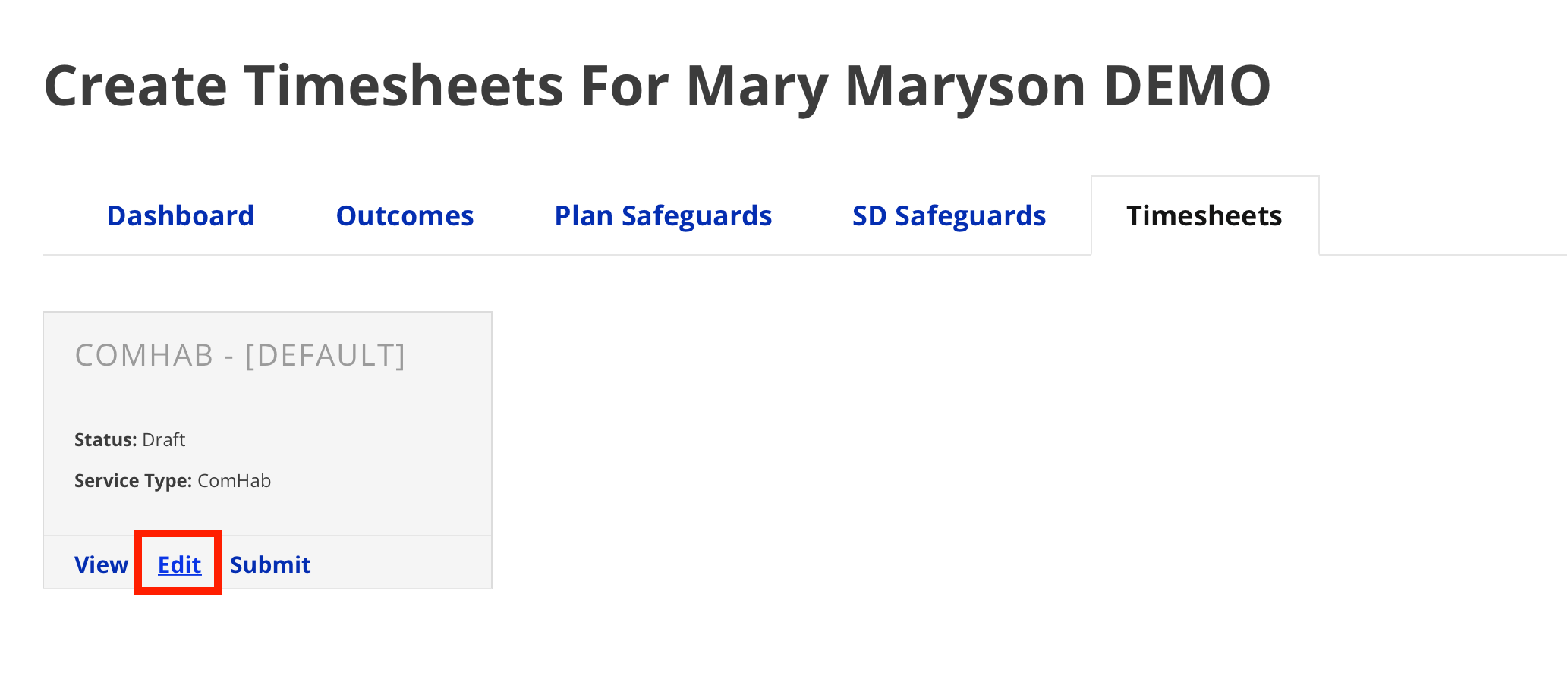
- The Edit Timesheet page (Draft timesheets only)
- The View Timesheet window (all statuses)
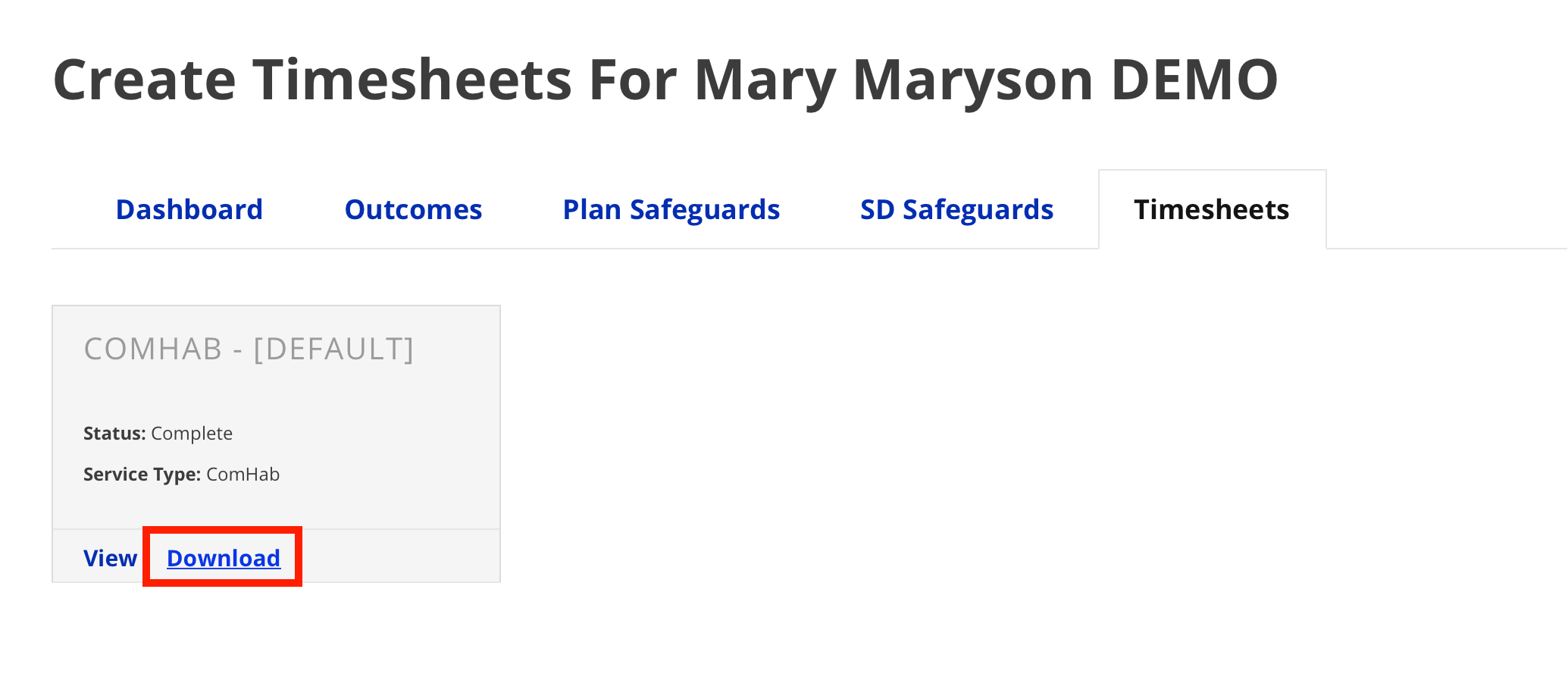
- Download button (Complete timesheets only)
Edit Timesheet Page (Draft timesheets only)
- From the timesheet section, click Edit on the tile of the timesheet you wish to
download.
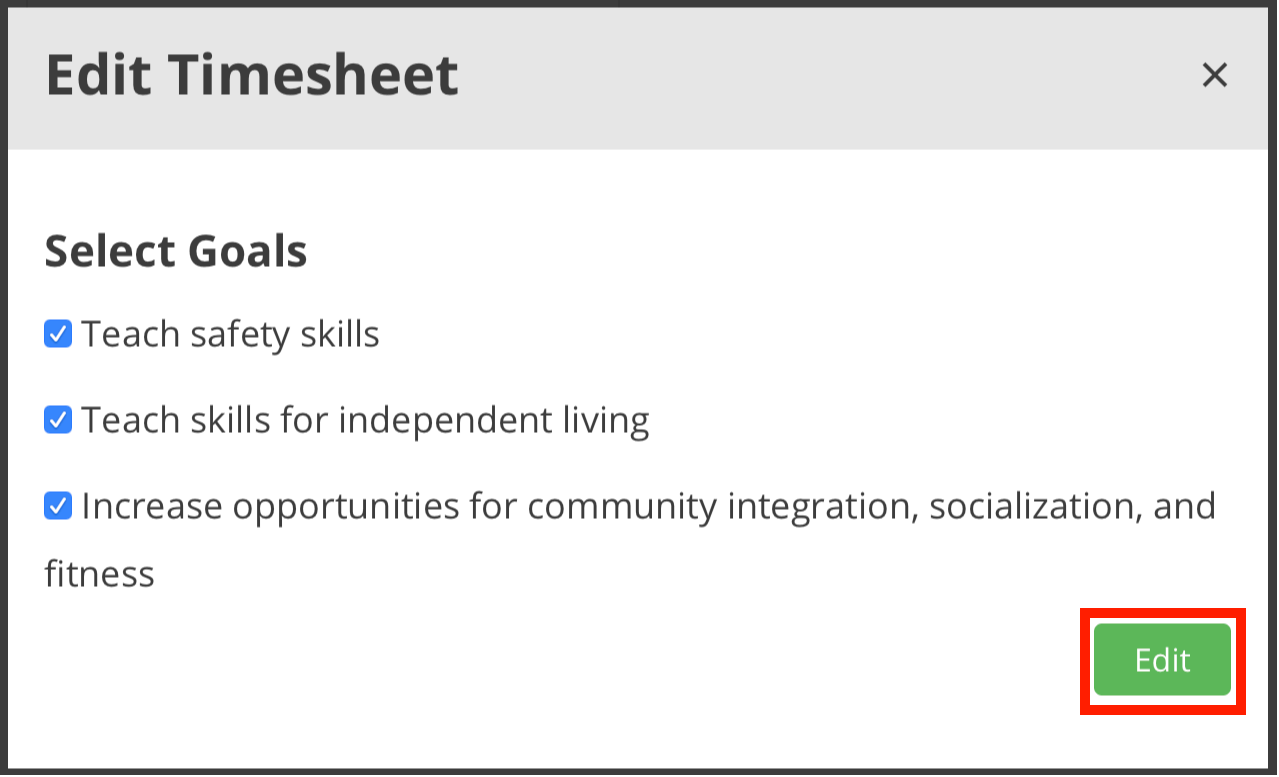
- Click Edit.

- Click Download.

View Timesheet window (all statuses)
- From the timesheet section, click View on the tile of the timesheet you wish to download.

- Click Download Timesheet.


Download button (Completed timesheets only)
- From the timesheet section, click Download.