Payee Details - ePay Enrollment

ePay Enrollment may be filled out after completing the Tax Information form.
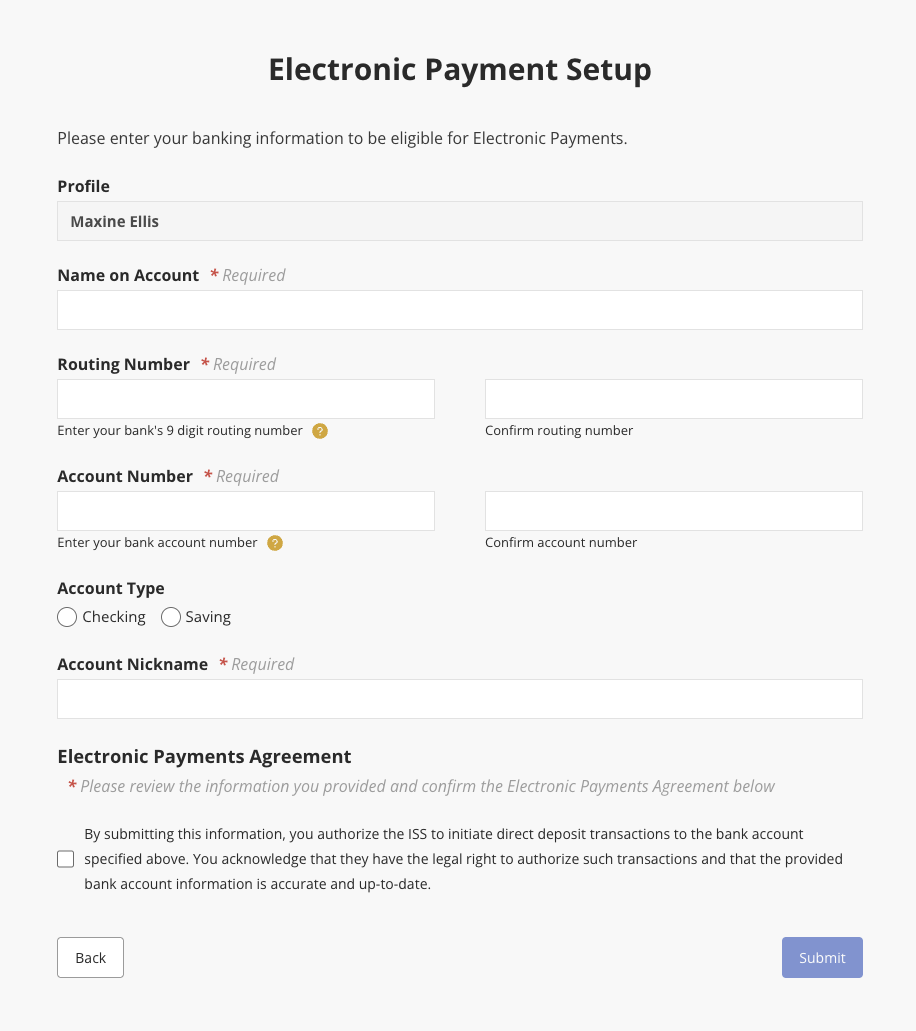
From the My Expenses page, select View Details to open the Payee Details screen. Then click the Enroll for ePay button on the left.
Once finished filling out the Electronic Payment Setup form, click Submit to save changes and submit the form.
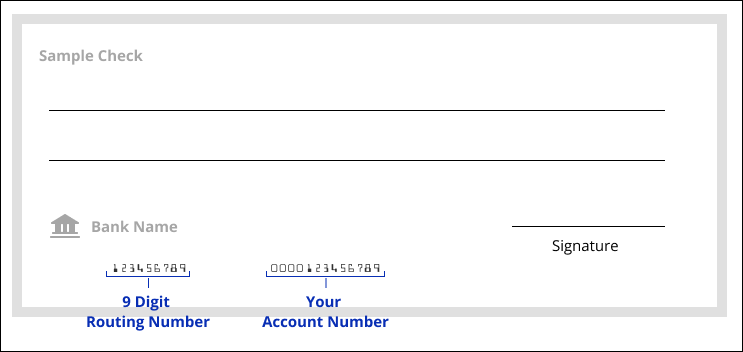
You will need your bank's routing and account number. Below is an example of where you would find these on a check.
Once you submit the Electronic Payment Setup form
- It will take up to seven calendar days for the ePay indicator to update as verified or not.
- Every form submission will restart this clock.
- ISS will send our bank a pre-note which will confirm your banking information.
- This pre-note is a zero dollar transaction. You will not receive any electronic payment at this time.
- ISS will receive a notification from the bank if your information is not verified. The icon on your Portal will be red.
- If we do not receive a failure, your ePay status on the Portal will be updated to verified. The icon on your Portal will be green.
Tips and More Info
- The Profile showing at the top of the form is automatically entered based on what ISS has in our system for you. That information is not sent to the bank.
- The Name on Account is limited to 120 characters. Only the first 22 characters will be sent to the bank. This is set by the industry standard file format used to transmit your data securely to the bank. You don't need to do anything, the system will automatically truncate what you enter.
- Your bank Account Number must be five or more digits long. Our form will not accept anything less than five digits. It must be all numbers.
- Account Nickname is the label you create for the banking information you're submitting. You can create any nickname you feel is appropriate.
- If your Routing Number or Account Number begins with a zero, please enter it. Our system does not strip leading zeros. What you enter will be submitted.
You will not be enrolled to receive electronic payments until both the Tax Information and Electronic Payment Setup forms are completed and they are both verified as valid.
Updated 04/15/26.
Disclaimer: All names displayed in the above screen shots are fictional characters. No identification with actual persons (living or dead) is intended or should be inferred.