# Forms
Information relevant to all forms, their use and how to complete them.
# Accessing and Submitting Portal Forms
### Accessing Portal Forms Via the Portal
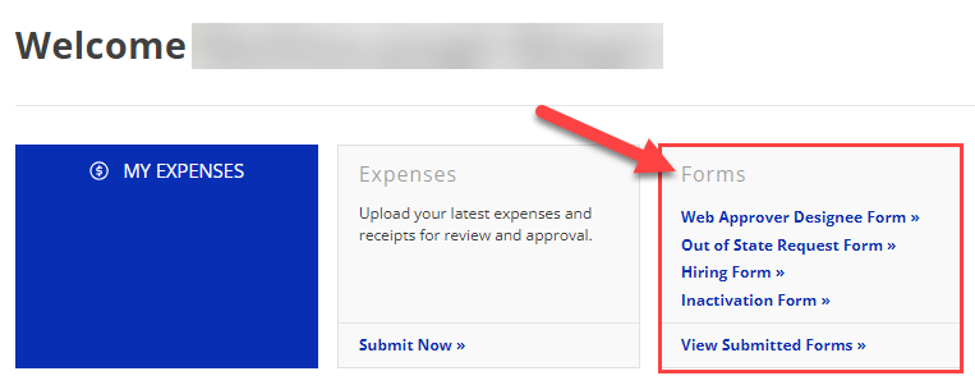
Forms are available on the Portal and located on the homepage upon login. They are accessible from the *Forms* widget.
Click on the form you would like to submit, and it will open the form in a new window. Once the form is filled in and submitted, you will receive a confirmation page informing you that it has been successfully submitted.
[](https://help.issny.org/uploads/images/gallery/2026-06/B8oimage.png)
### Viewing Submitted Forms
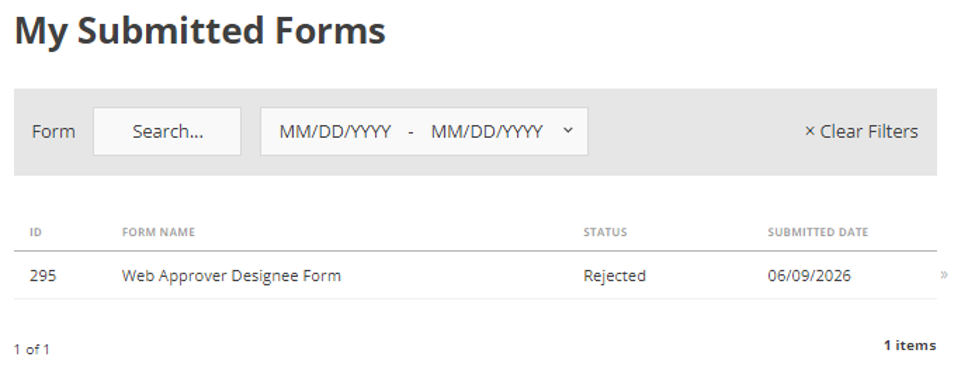
Users can review and check the status of forms that have been submitted via the *My Submitted Forms* page.
[](https://help.issny.org/uploads/images/gallery/2026-06/m0Fimage.png)
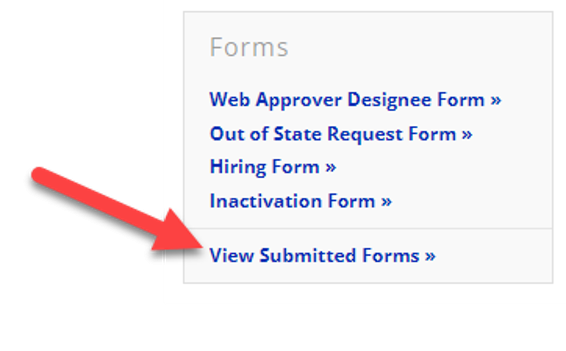
Clicking on the *View Submitted Forms* link in the *Forms* widget will take you to the *My Submitted Forms* page where you can see a full history of submissions made. At a glance, you can see the *ID*, *Form Name*, *Status*, and *Submitted Date* of every submission. For more detail, you can click on a submission to see the full submission.
[](https://help.issny.org/uploads/images/gallery/2026-06/vBXimage.png)
### FAQ
#### Which fields need to be answered?
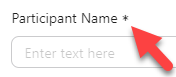
If a question has an asterisk (\*), it is a required field and must be filled in before proceeding or submitting. You will not be able to proceed or submit if those fields are left empty.
#### Why can I not proceed past the first page of the Web Approver Designee form?
You will need to review and check off the acknowledgments before proceeding. Once those three check boxes are selected, the “Next” button will appear.
---
Created 06/10/2026.
# First Time Accessing Portal Forms
#### 1. Opening a Portal Form for the first time
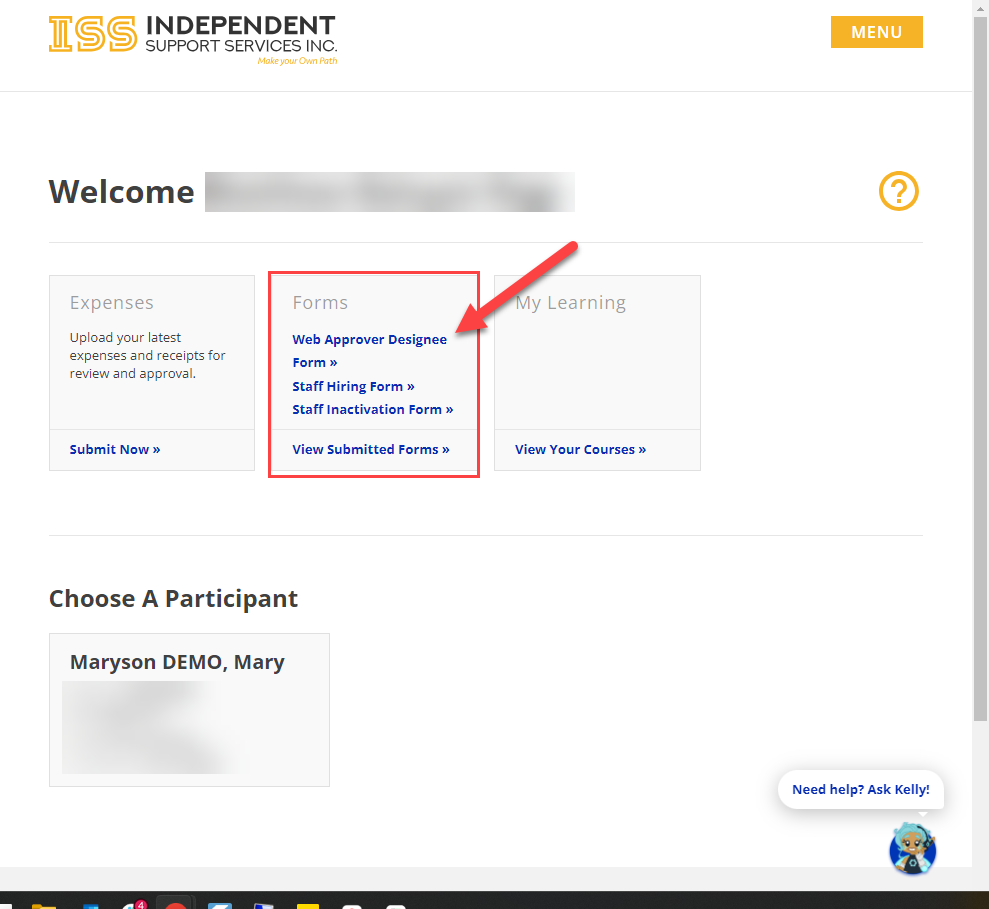
[Login to your ISS Portal account.](https://help.issny.org/books/portal-basics/page/how-to-login-to-the-iss-portal) Once logged in and on your homepage, click on any form you'd like to complete and submit.
[](https://help.issny.org/uploads/images/gallery/2026-07/qwPimage.png)
#### 2. Opening a form and authorizing
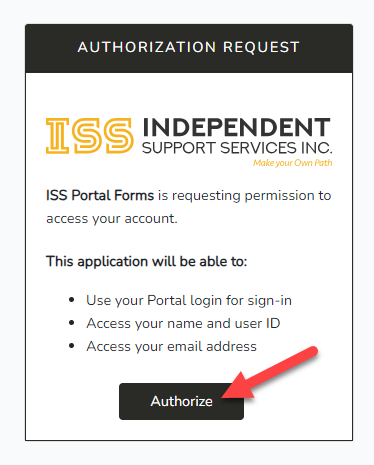
A new webpage window will popup. Since it is your first time opening a Portal Form, it will ask you for permission to access your account. To proceed, click "Authorize"
Authorizing allows the Portal to use your information to help verify and complete documentation using your Name, User ID, and Email Address already in your account.
[](https://help.issny.org/uploads/images/gallery/2026-07/Nqeimage.png)
#### 3. You are now viewing a Portal Form
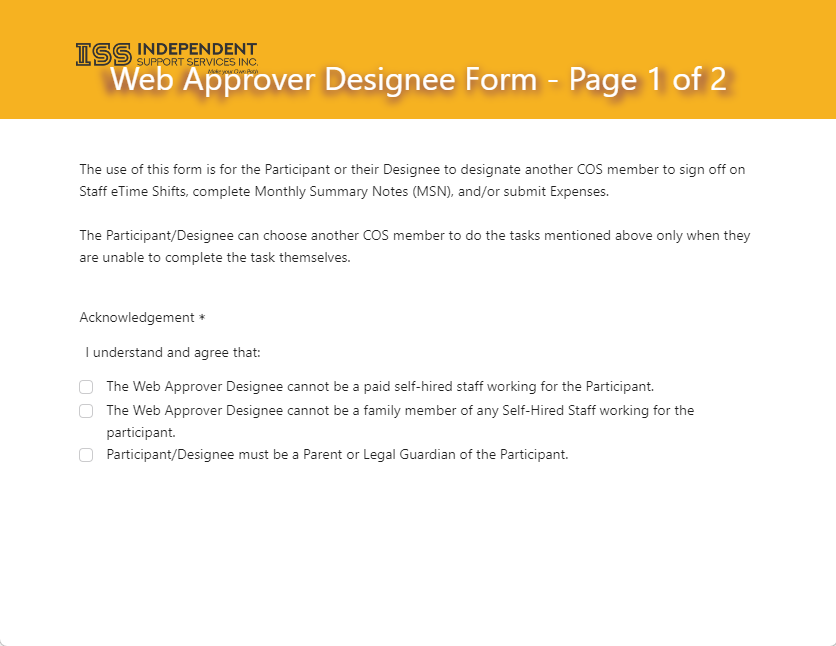
Once authorized, the web form you clicked on will load and you'll be able to complete and submit it. You will now be able to click on any form on your homepage and have the ability to complete and submit
[](https://help.issny.org/uploads/images/gallery/2026-07/R5Iimage.png)
---
Created 07/28/26.
# Self-Directed Service Termination/Transfer Form
This form is used as a communication and process coordination tool when Support Brokerage and/or Fiscal Intermediary (FI) services are terminating, changing, or transferring, and/or when a Participant is transferring between OPWDD Developmental Disabilities Regional Field Offices (DDRFO).
This form does not approve or deny services and does not by itself remove authorization of services from the participant’s Self-Direction Budget or Life Plan.
The form is used to document notice, establish effective dates, and support coordinated action among the Participant/Representative, providers, Care Manager, and OPWDD.
**Per OPWDD, effective 06/04/26, all forms submitted to the Regional Field Office (RFO) must use the revised form (Rev. 5/18/26).**
[Self-Directed Service Termination/Transfer Form Rev. 5/18/26 (PDF)](https://help.issny.org/attachments/132)
### Instructions
The instructions provide guidance on completing and submitting the form and are intended to promote consistent processing of Self-Directed terminations and transfers.
[OPWDD's Self-Direction Services Termination/Transfer Form Instructions Rev. 5/18/26 (PDF)](https://help.issny.org/attachments/133)
---
Updated 06/05/26.