The Index Discovery method can be used when the who (name, payee) and what (timesheet or expense) are known.
Document Index View
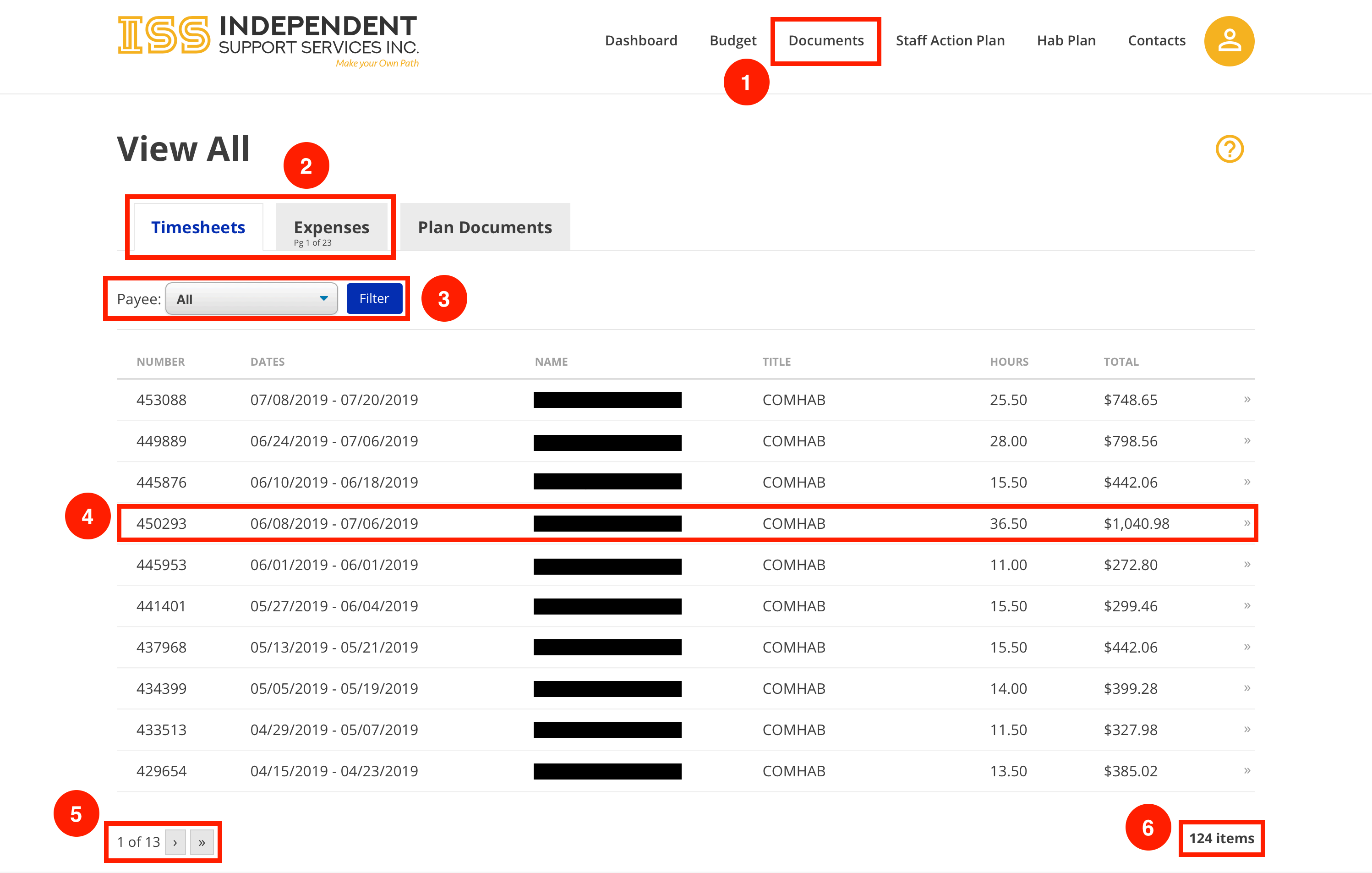
Navigate to the Document Index page by clicking the Documents tab across the top.
Switch between Timesheets and Expenses using the tabs.
Use the dropdown to filter timesheets or expenses by Payee. *Click Filter to filter the list after making a dropdown selection.
Select an item to view its Item Detail page.
Timesheets and expenses are broken down into pages. Use the navigation arrows to move between pages in the list.
Notice the total count of items. This is specific to the active tab. • In the example shown, there are 124 timesheets and 226 expenses. Since the Timesheets tab is active, 124 is displayed.
Revision #3
Created 19 November 2020 23:07:24 by Admin
Updated 9 February 2023 17:10:30 by Admin