Participant Portal v1.1 - Web Budget Summaries Quick Start Guide
Created 5/11/2018
Introduction
Welcome to Participant Portal v1.1 with new web-based Budget Summaries!
Highlights of what's new:
- Summaries are now updated nightly. There is no need to wait until Monday for a new summary.
- Amounts on the summary are accurate as of our most recent processing runs and unprocessed bills and staff time may not be reflected
- It's now easy to pick a summary and download it by budget year.
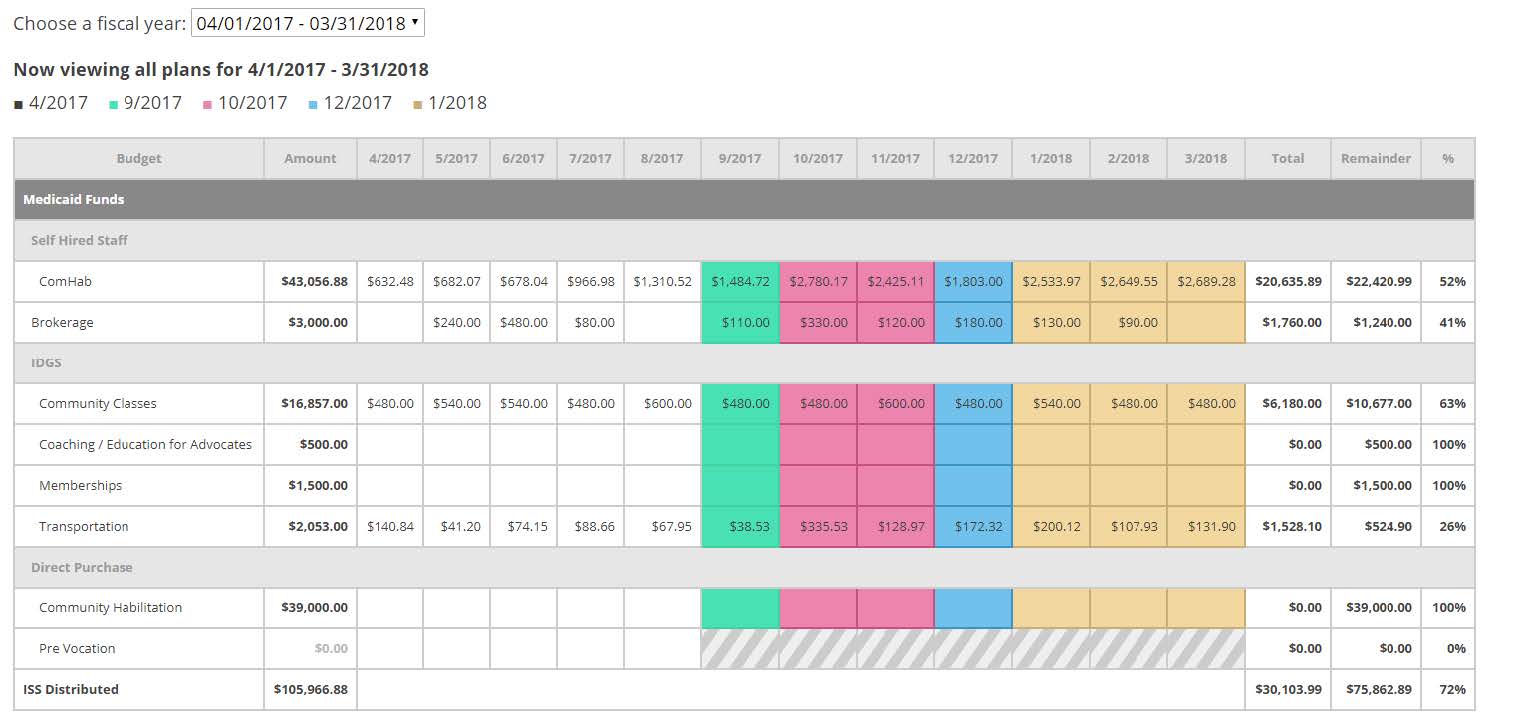
- The stop and start dates of plans within a budget year are clearly indicated by different color blocks for easy viewing, so you can see exactly when a new budget took effect.
- Overages are highlighted for easy identification with a red box
View All Budget Summaries
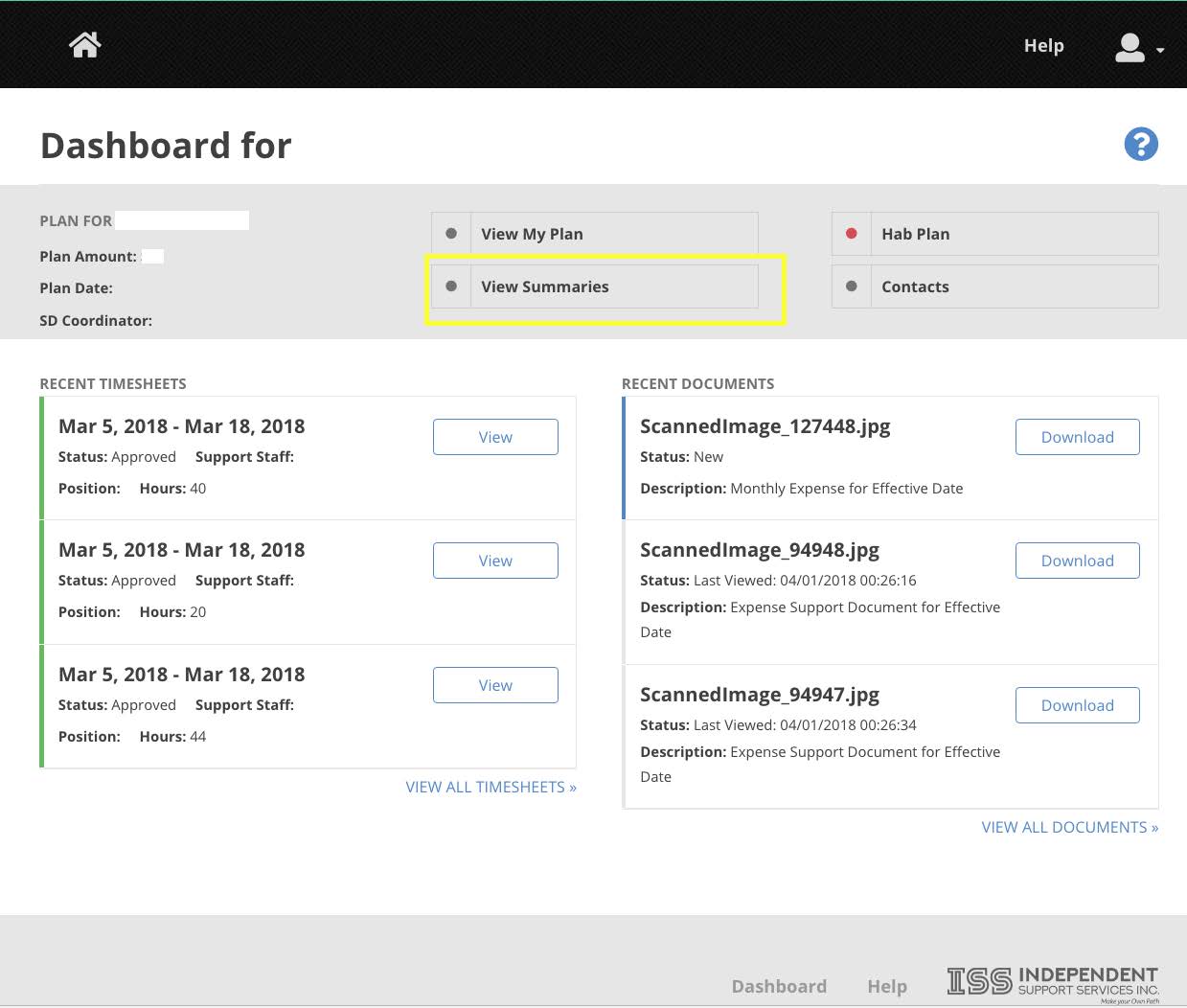
On the portal dashboard for the participant, click the View Summaries button:
Download by Budget Year
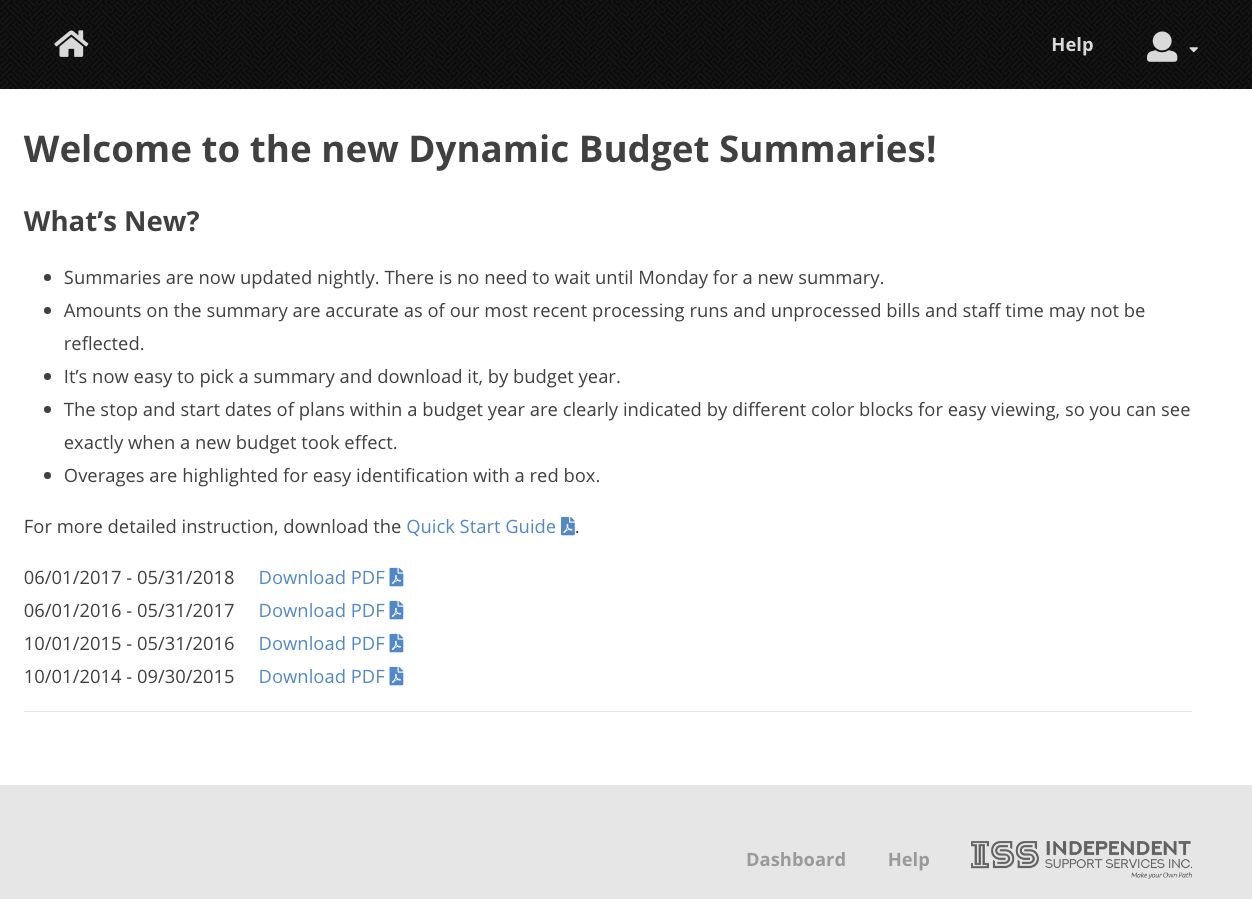
Choose which summary to download:
-
- Click Download PDF for the summary you want.
- The Budget Summary will open in a new tab of your browser, where you can use the browser controls to scroll, zoom, or print the summary.
- Not that the PDF will be 2 pages long, with Medicaid budget lines on page 1 and State budget lines on page 2.
Multiple Budget Years
Color coding is now used to indicate when a budget was amended. The original budget's months are displayed with a white background. Subsequent amended budget months are displayed using different colors, for easy identification of when one budget ended and another began:
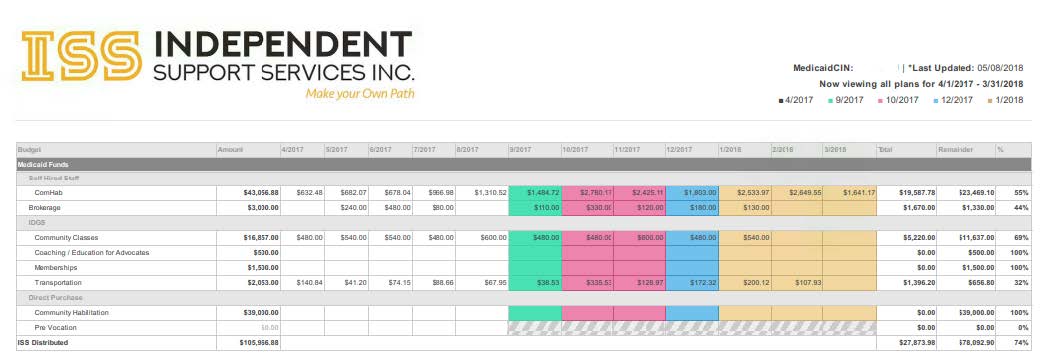
A legend in the upper right-hand corner displays the start date of the new budget (for example, the pink months indicate a budget that started 10/1/2017):
-
- Note the date this was last updated also appears in the upper right-hand corner -- in this case, May 8, 2018.
Budget Funding Start & End Within A Plan
A gray hash is used to indicate when a budget line was ended:

Overspent Budget Lines
Budget lines that are overspent are surrounded by a red line for easy identification:

IRA
If your participant lives in an IRA, the related budget lines and applicable months will have a red triangle at the top, and the start date will be indicated with a thick red vertical line:

Exceptions & Hospital Stays
A hospital stay is indicated with a red hash and the start date will be indicated with thick red vertical lines:

-
- This exception example also illustrates budget dollars spent during the hospitalization
Inactive Status
When a participant becomes inactive / terminates from the program, a solid gray bar is used to indicate the date the inactivation was effective:

Conclusion
The new web-based Budget Summaries are easy to use and are more accurate since the reflect more recent processing. Furthermore, they clearly show funding consumed by budget year.
Still Need Help?
If you still have questions, please reach out to your Self Direction Coordinator. If you are experiencing problems with the website, please email websupport@issny.org.