As an example, if my name were **John Smith** and my birthday was on **1/1/1999**, my username would be **JOHNSMITH@I** and the password would be **01011999**
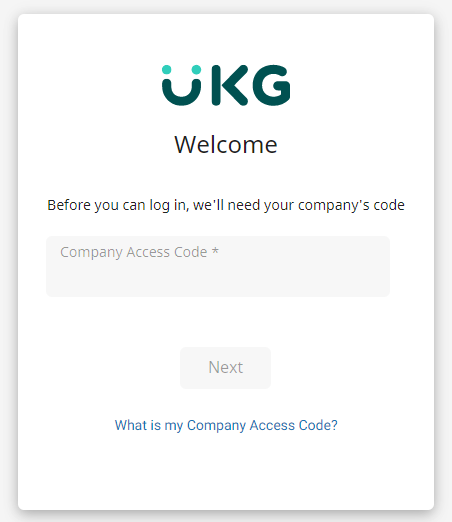
Once you log in using these credentials, you will be prompted to create a new password. Your account can be accessed through the UKG app, the UKG widget on your portal home page or on the desktop website of ew33.ultipro.com # Company Access Code #### First Time Logging in When logging into UKG for the first time, you will be asked for a company access code. ISS' Company Access Code is **ISS03**This is required only for the first time you login. However, if you ever delete the App, you'll have to put the code in again.
[](https://help.issny.org/uploads/images/gallery/2022-07/image-1658415266856.png) --- Updated 08/09/24. # How to Check your Pay Statements Updated 10/19/2022.Payday is Friday. UKG is the source for your paystubs. Please get them there. Paystub and check information on the Portal is not guaranteed to be displayed.
In your web browser, go to [https://ew33.ultipro.com/](https://ew33.ultipro.com/) and log in using your user name and password. [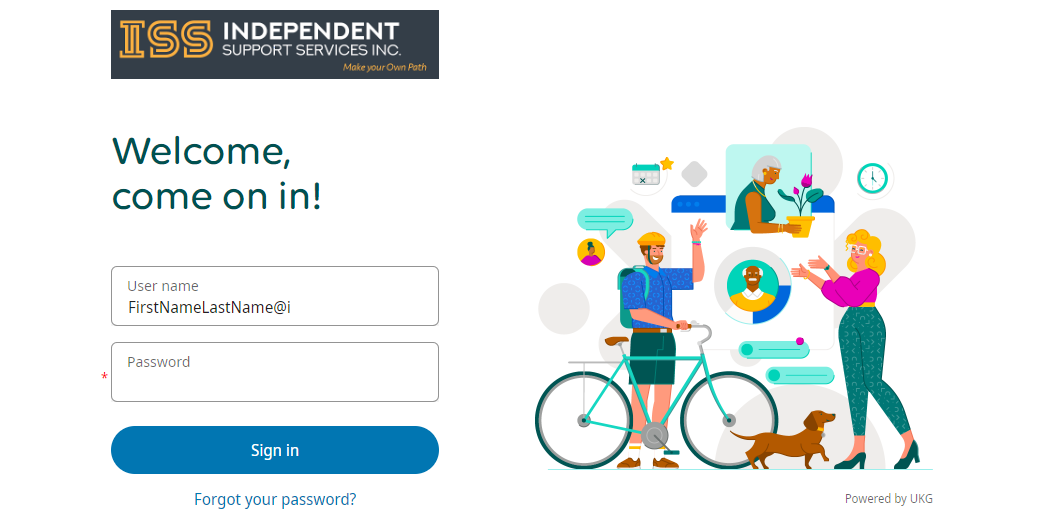](https://help.issny.org/uploads/images/gallery/2022-10/image-1666209096681.png) Click on the menu icon (☰) at the top left. Under the “**Myself**” tab, locate the “**Pay**” section. Under that section, you can choose the following options: - **Current Pay Statement** – This allows you to see the most recent Paystub. Alternatively, you can quickly access this by clicking on “View pay statement” link in the Pay section of your homepage. - **Pay History** – This allows you to see everything, going as far back as 2016. [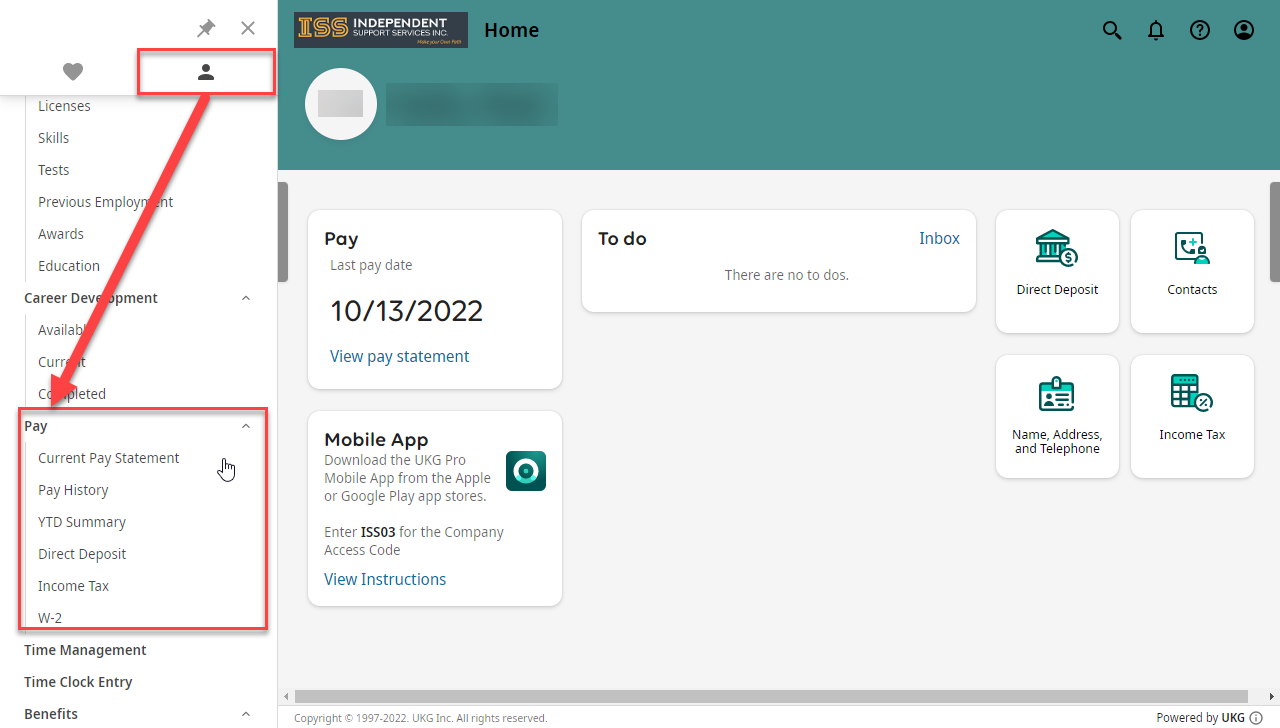](https://help.issny.org/uploads/images/gallery/2022-10/image-1666209111524.png) # How to Find Your W-2 Updated 7/21/2022. ##### Login to UKG Login to UKG by going to [https://ew33.ultipro.com/](https://ew33.ultipro.com/) and using your username and password. [](https://help.issny.org/uploads/images/gallery/2022-07/image-1658417011207.png) ##### Access W-2 from the Menu Click on **Menu**, at the top left of the webpage. Click on the **Myself** tab, Scroll down to the **Pay** Section, and click on the **W-2** link. [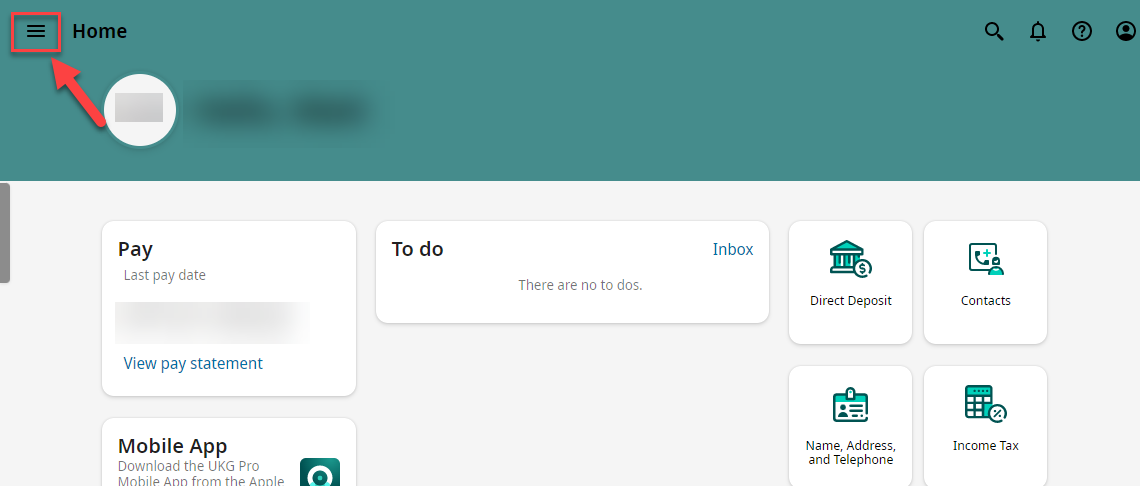](https://help.issny.org/uploads/images/gallery/2022-07/image-1658417548809.png) [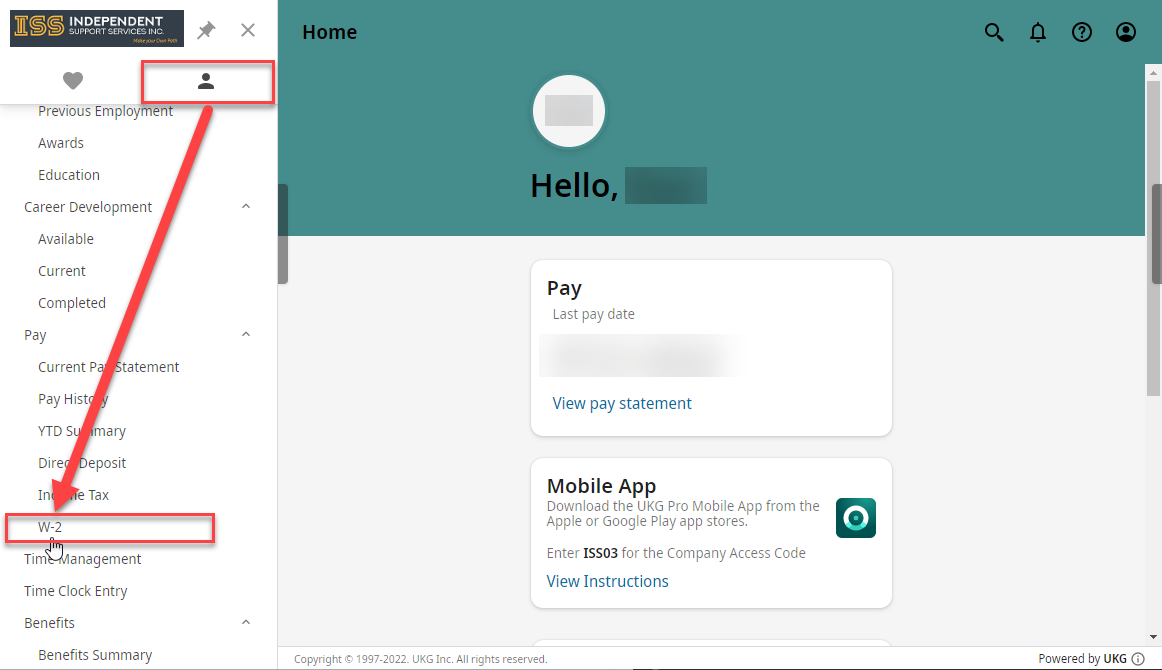](https://help.issny.org/uploads/images/gallery/2022-07/image-1658417553599.png) ##### Selecting the Year & How to Print Here, you can click on the year of the W-2 you are looking for to access it. You can also print the document by clicking on the Print Icon, at the top right of the screen. [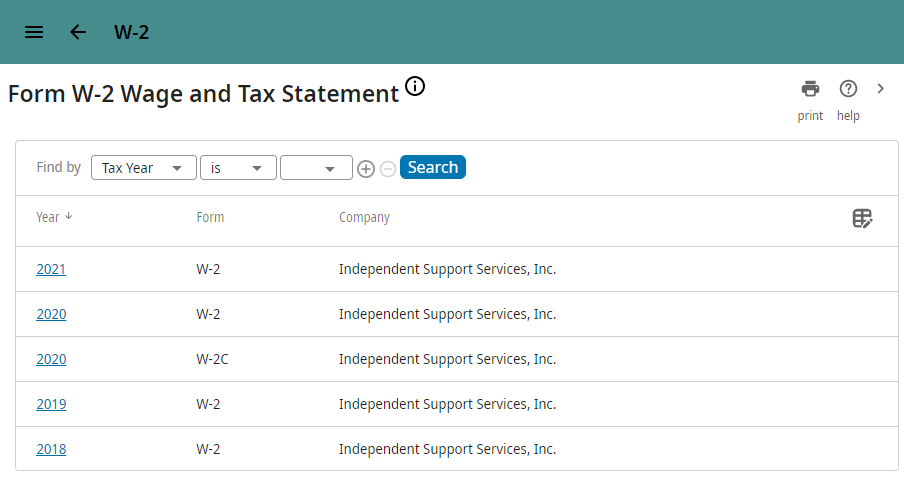](https://help.issny.org/uploads/images/gallery/2022-07/image-1658417736441.png) [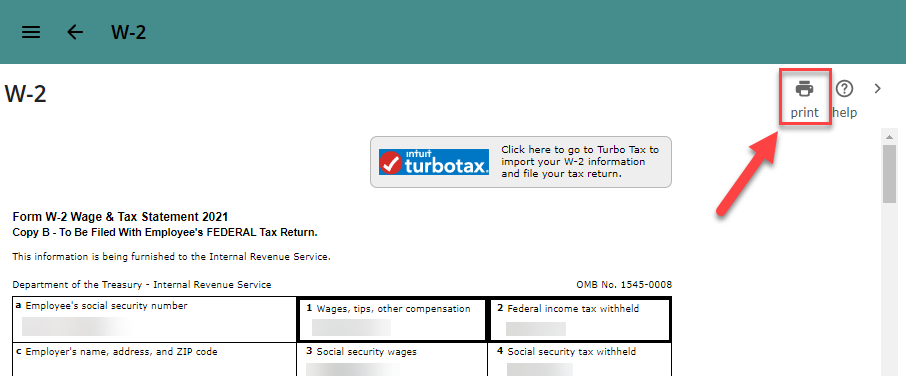](https://help.issny.org/uploads/images/gallery/2022-07/image-1658417745042.png) # Update Contact Info on UKG Updated 05/10/22. To update any of your contact information on UKG (formerly UltiPro), please email**User Names are created using the staff’s first name followed by their last name then “@i”. For example, a staff named “Joe Dirt” would be “JoeDirt@i”**
[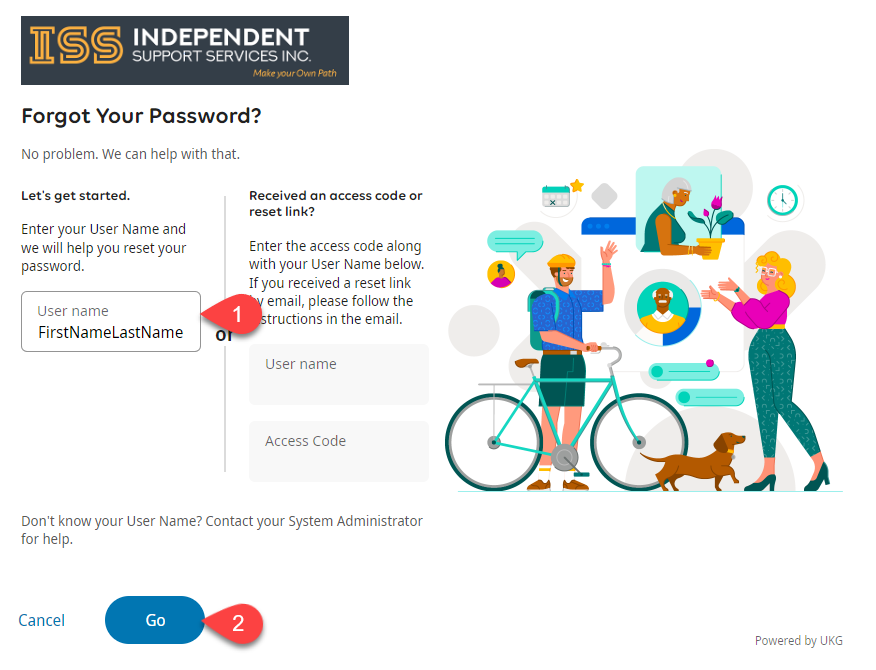](https://help.issny.org/uploads/images/gallery/2022-10/image-1666211669215.png) If you have further issues with this, please reach out to