
Expense Submission Form 1.5 Updates Effective 03/07/25
We've made some updates to our expense upload form to make it more efficient and improve the upload process. Here's what's new:
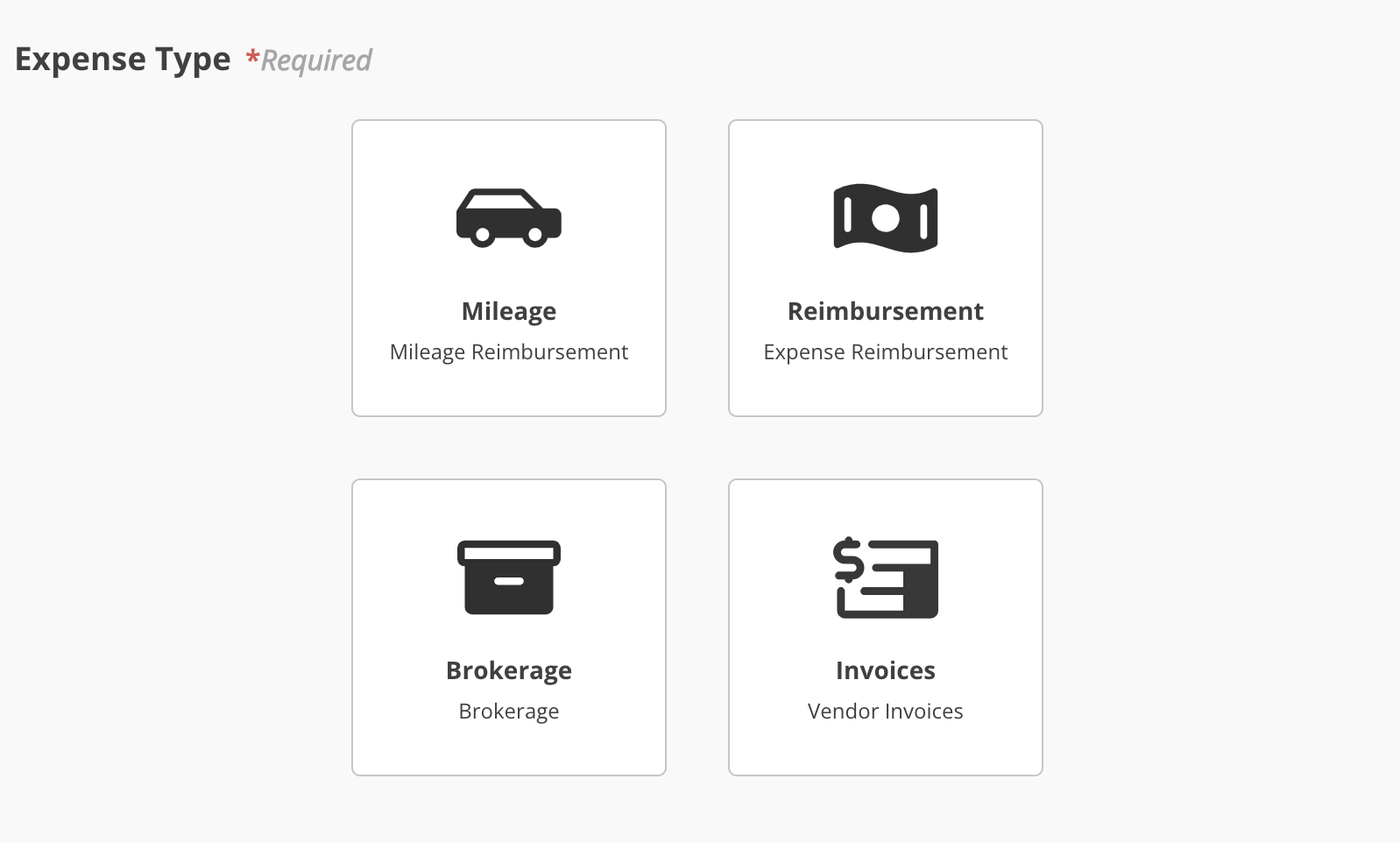
Expense Type Selection
You can now select your expense type from visual tiles instead of a drop drop-down list, making it easier to find the right category at a glance. list. Once an expense type is selected, you will be able to fill out the rest of the form.
Payee Selection
Instead of answering "Yes" or "No" to whether you're the payee, youYou can now directly select the payee from a drop drop-down list. If the payee isn't listed, simply select "Other" and type the name.
The payee's electronic payment (ePay) status will be indicated below their name.
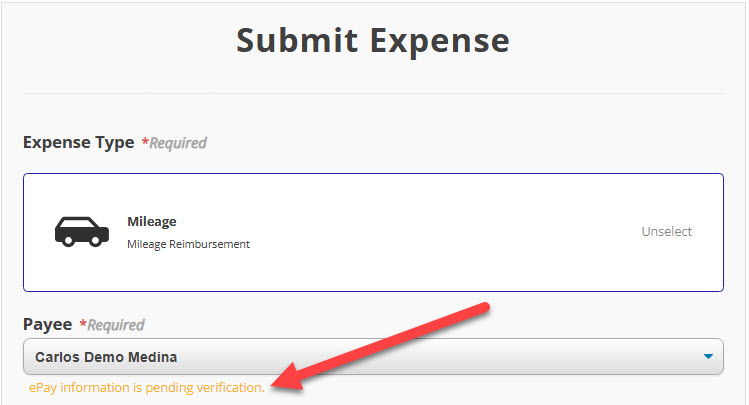
In the screenshot above, our demo user's ePay status is pending, but in the one below, the payee is not enrolled in ePay at all.

ePay status will not impact your ability to submit an expense. The status is included for your information.
Increased Upload Limits
You will also notice that theThe form now supports larger file uploads. It may take a little more time to process, but this allows for smoother submissions.

Updated 03/06/25.