
*DRAFT* Expense Submission Form - Changes Effective 09/10/24
ISS has made improvements to the Expense Submission Form on our Portal.
The revised Expense Submission Form is more mobile friendly and mobile aware which means that it will look better on both a desktop, phone, and tablet. It will also work better with your phone or tablet's camera app.

Name and Email
The form will no longer show your name and email address. We know who you are because you logged into our Portal, we don't need to show it as it just takes up space on the form. It is still being gathered and sent along with your submission.
Phone
We have removed this field from the form. It was optional and majority of our users never filled it out. We know how to get in touch with you if we need you.
Expense Type
Unchanged. We still need you to tell us what type of expense you are submitting: Mileage, Reimbursement, Brokerage, or Vendor Invoice.
Supporting Documents
max file size?
max submission size?
acceptable file formats?
reword this: update the upload functionality to accept images from the device camera, but in doing so, to tell the camera what file type and resolution to provide
Participant Name
Unchanged. We still need you to tell us which Participant the expense is for. If you are connected to only one Participant, their name will be pre-filled. If you are connected to multiple Participants, you will have a drop down list to choose from.
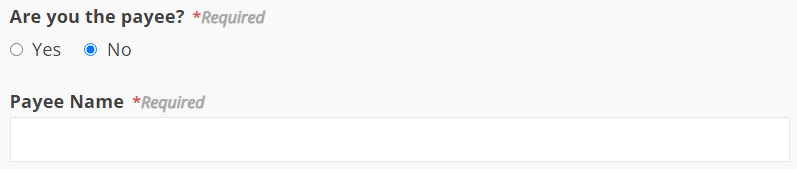
Are you the payee?
Unchanged. If you are the payee, choose Yes. If you are not, choose No and a new field will expose for you to type in who the payee is. For example, If ISS needs to pay your Organization instead of you as an individual, this is where you would enter the name of that Organization.
Comments
Unchanged. This is where you would add an optional comment if you needed to.
Created 09/06/24.