
Payee Details - ePay Enrollment
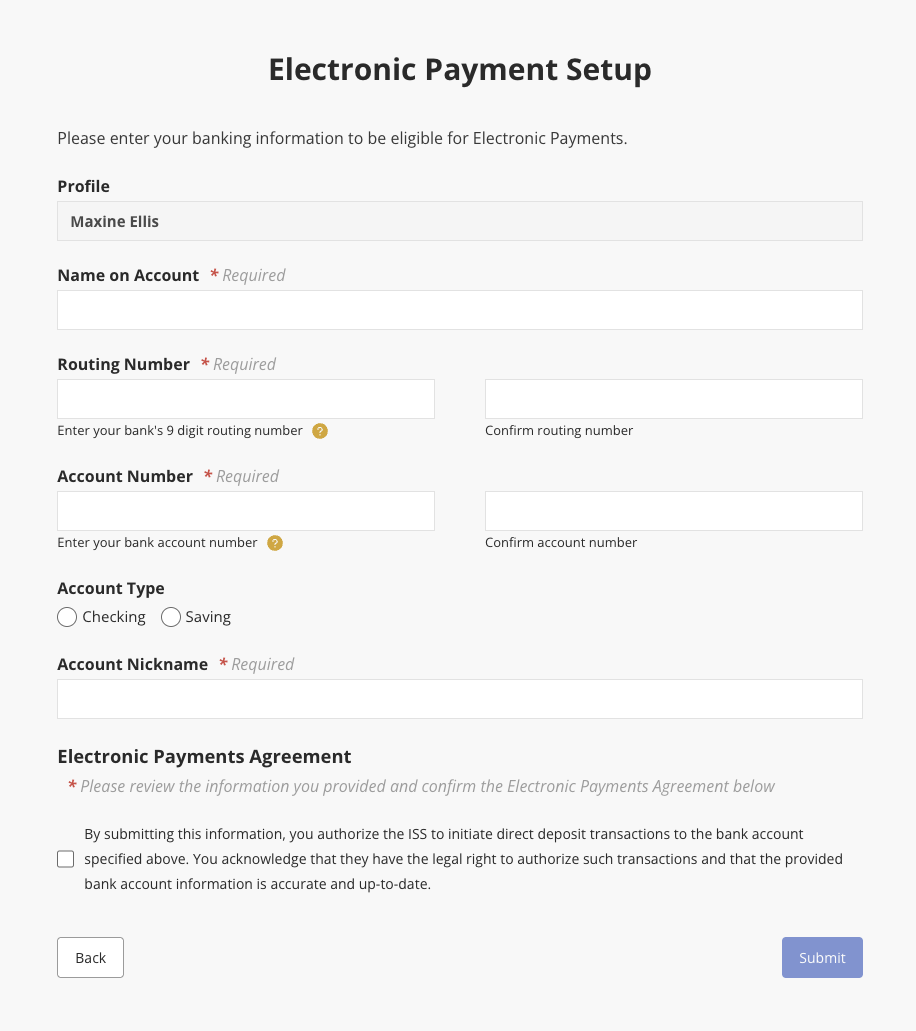
ePay Enrollment may be filled out after completing the Tax Information form. From the My Expenses page, select View Details to open the Payee Details screen. Then click the Enroll for ePay button on the left.
Once finished filling out the ePayElectronic EnrollmentPayment Setup form, click Submit to save changes and submit the form.
Please note that we have taken measures to protect your banking and tax information.
Updated 12/06/23
Disclaimer: All names displayed in the above screen shots are fictional characters. No identification with actual persons (living or dead) is intended or should be inferred.