
Viewing My Expenses page as an Organization
If you have a corporate association that was submitted and approved, you will have permission to view your organization's My ExpenseExpenses page.
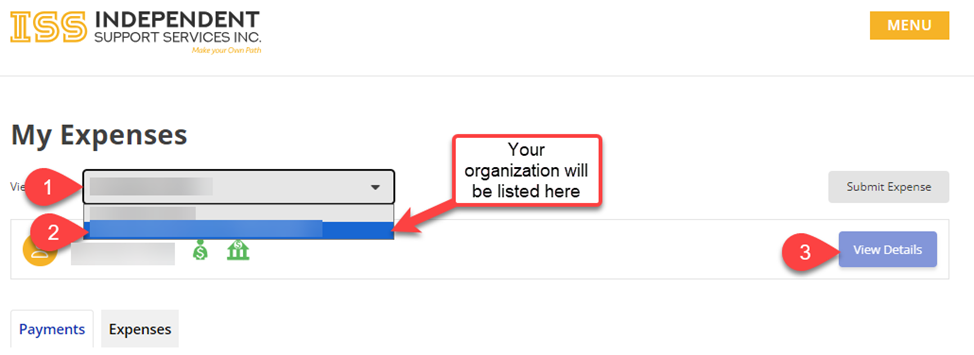
From the My Expenses page, click on the Viewing as: drop down menu and select the organization that you want to review.
Once the organization is selected, the page will update so you can view the organization's details and expenses.
Not seeing your Organization?
If you do not havesee an association to an organization, please reach out to the SDCSelf-Direction Coordinator assigned to your case so they can assist you with application process.
Updated 08/14/20242024.
Disclaimer: All names displayed in the above screen shots are fictional characters. No identification with actual persons (living or dead) is intended or should be inferred.