
Budget Discovery (When & Which)
The Budget Discovery method can be used when the when (month, year) and which (budget line) of a timesheet or expense are known.
Budget Summary View
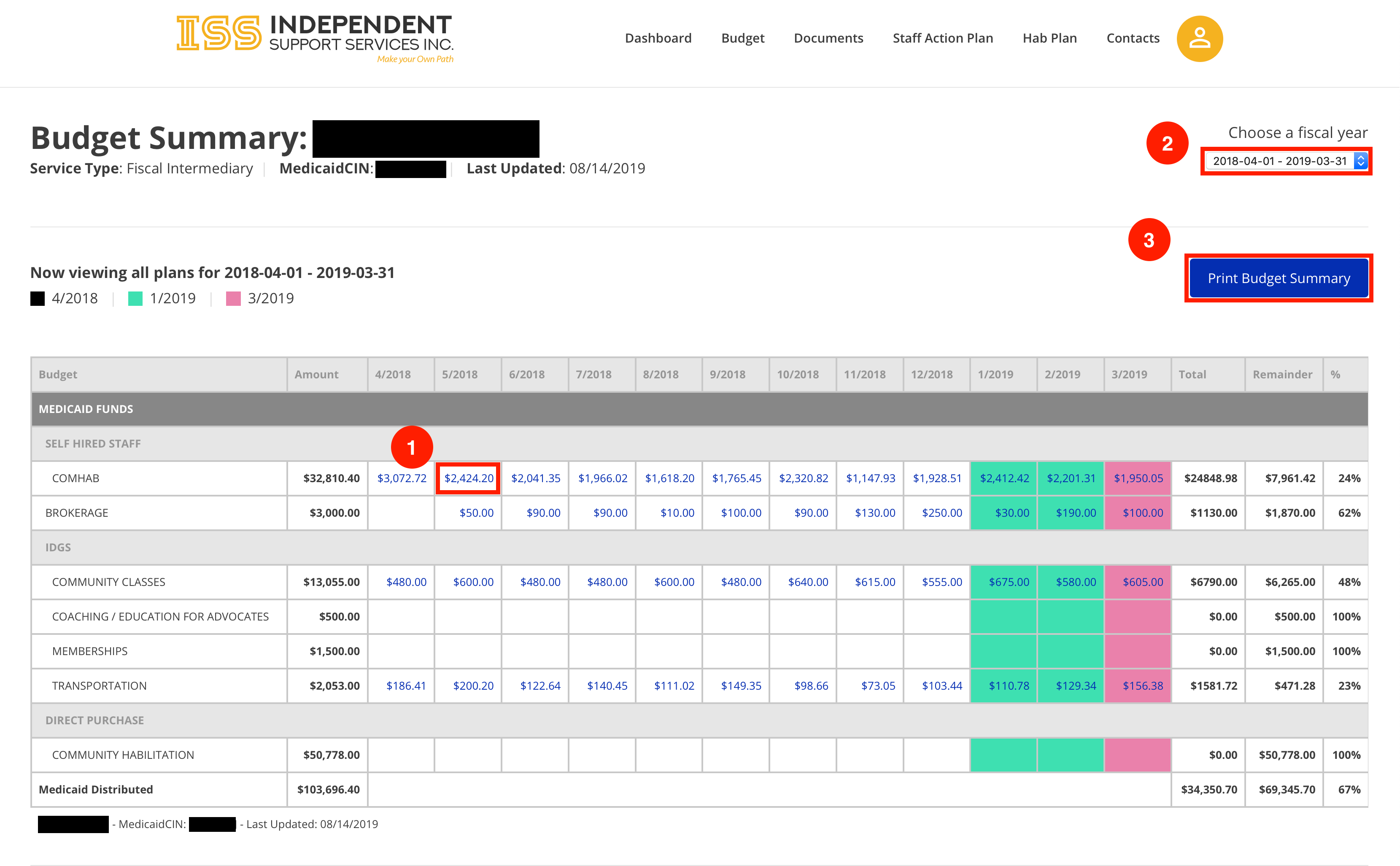
- Click any linked item to view the Budget Month page.
- Use the dropdown to change the fiscal year being viewed.
- Click Print to print the currently viewed Budget Summary
Budget Month View
The Budget Month view shows the intersection of a given budget line with a given month. It provides summary data and list of all items that contribute to the total of a given Budget Month.
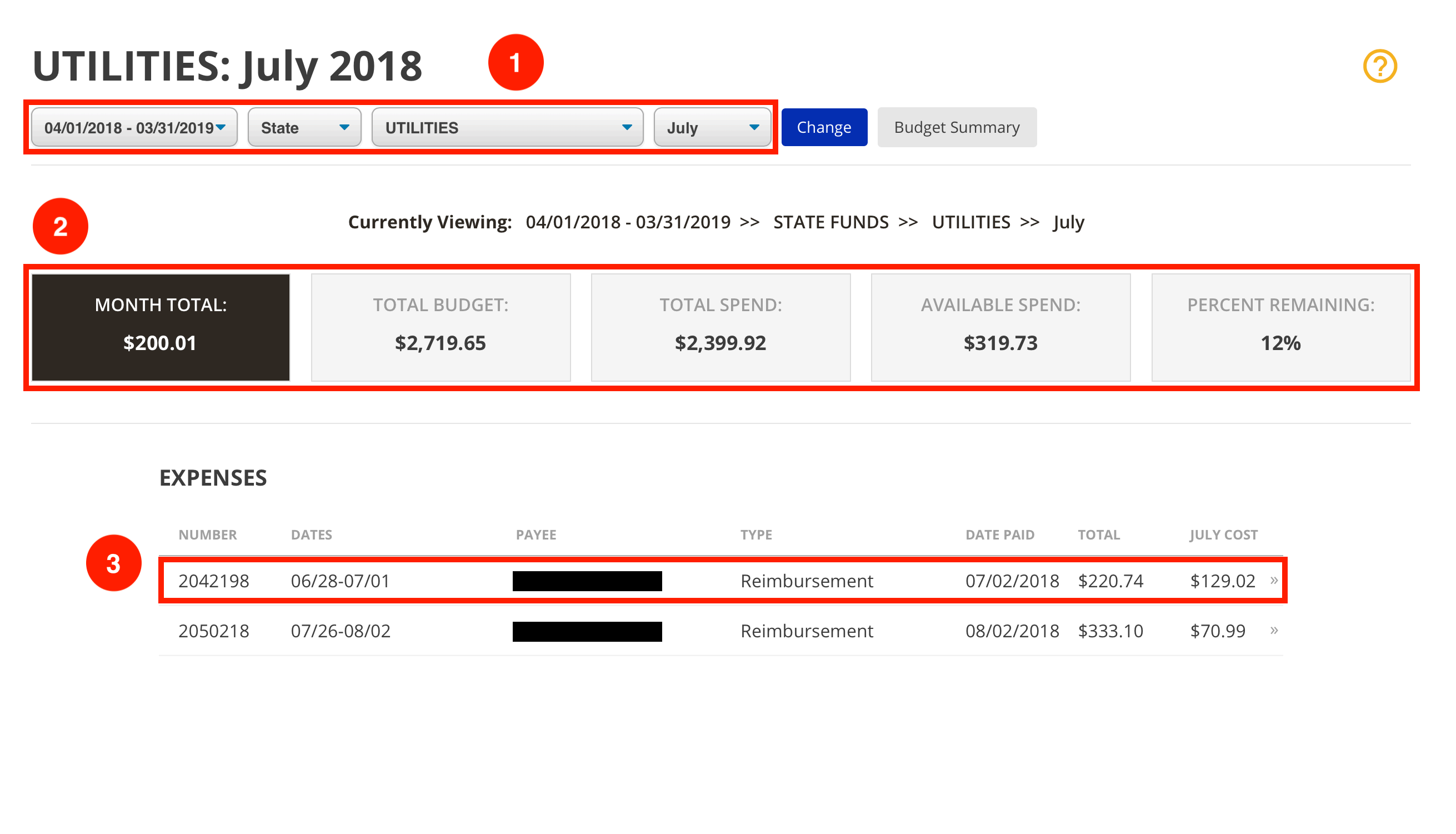
- Use the dropdowns to quickly navigate between fiscal years, fund types, budget lines, and months without returning to the Budget Summary.
*Click Change to refresh the page according to the new dropdown selections. - This section provides a summary of information for the given budget line and month. These include:
• Month Total - total dollar amount spent on the budget line in the currently Mth Ttl
• Total Budget - total dollar amount allocated for the budget line for the fiscal year
• Total Spend - total dollar amount spent on the budget line from the start of Ttl Sd
• Available Spend - total dollar amount remaining in the budget for the budget line for the fiscal year
• Percent Remaining - percent of the budget line’s Total Budget remaining for Pt Rii of Total Budget) - Select an item to view the Item Detail page.