Index Discovery (Who & What)
The Index Discovery method can be used when the who (name, payee) and what (timesheet or expense) are known.
Document Index View
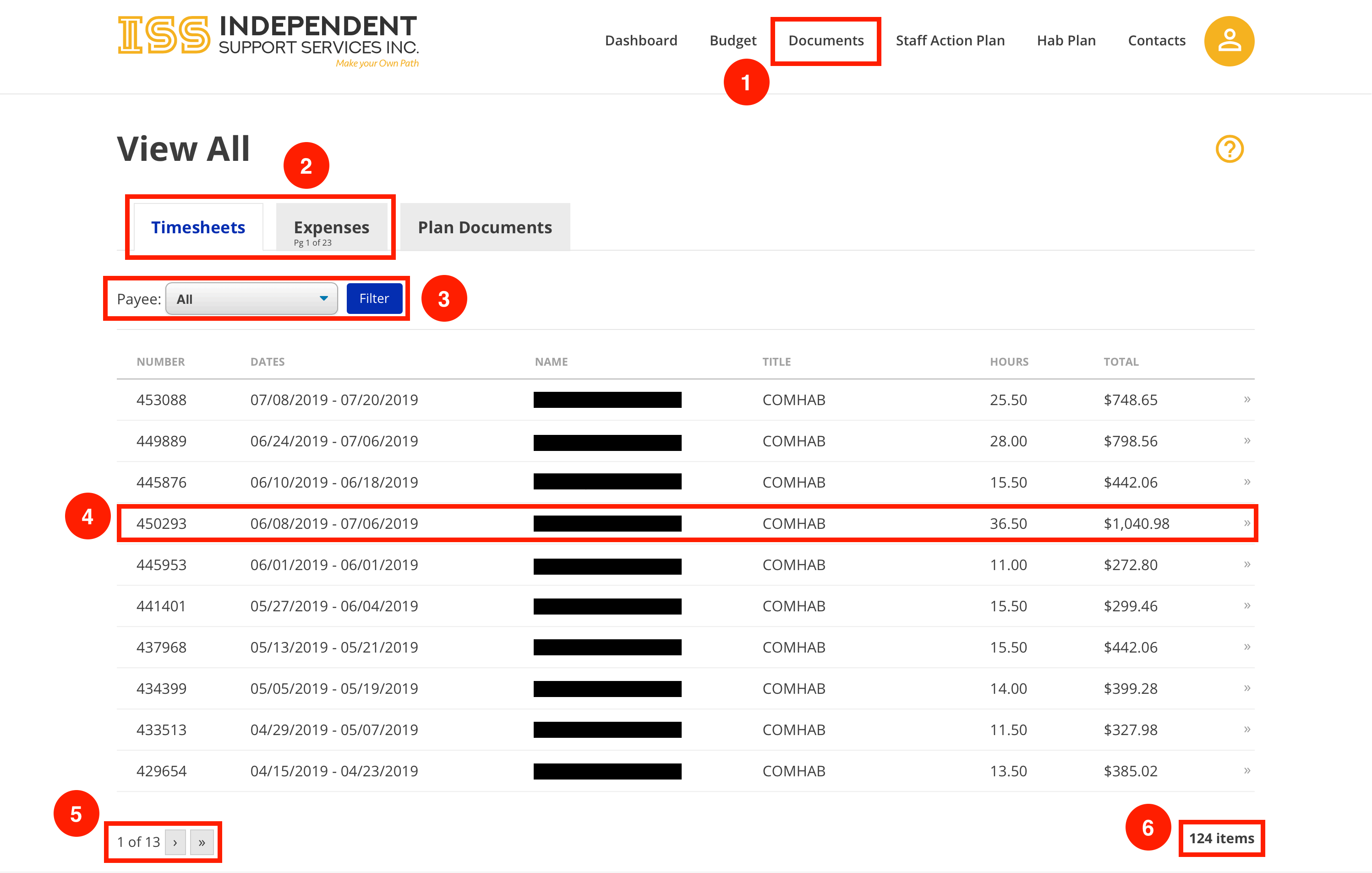
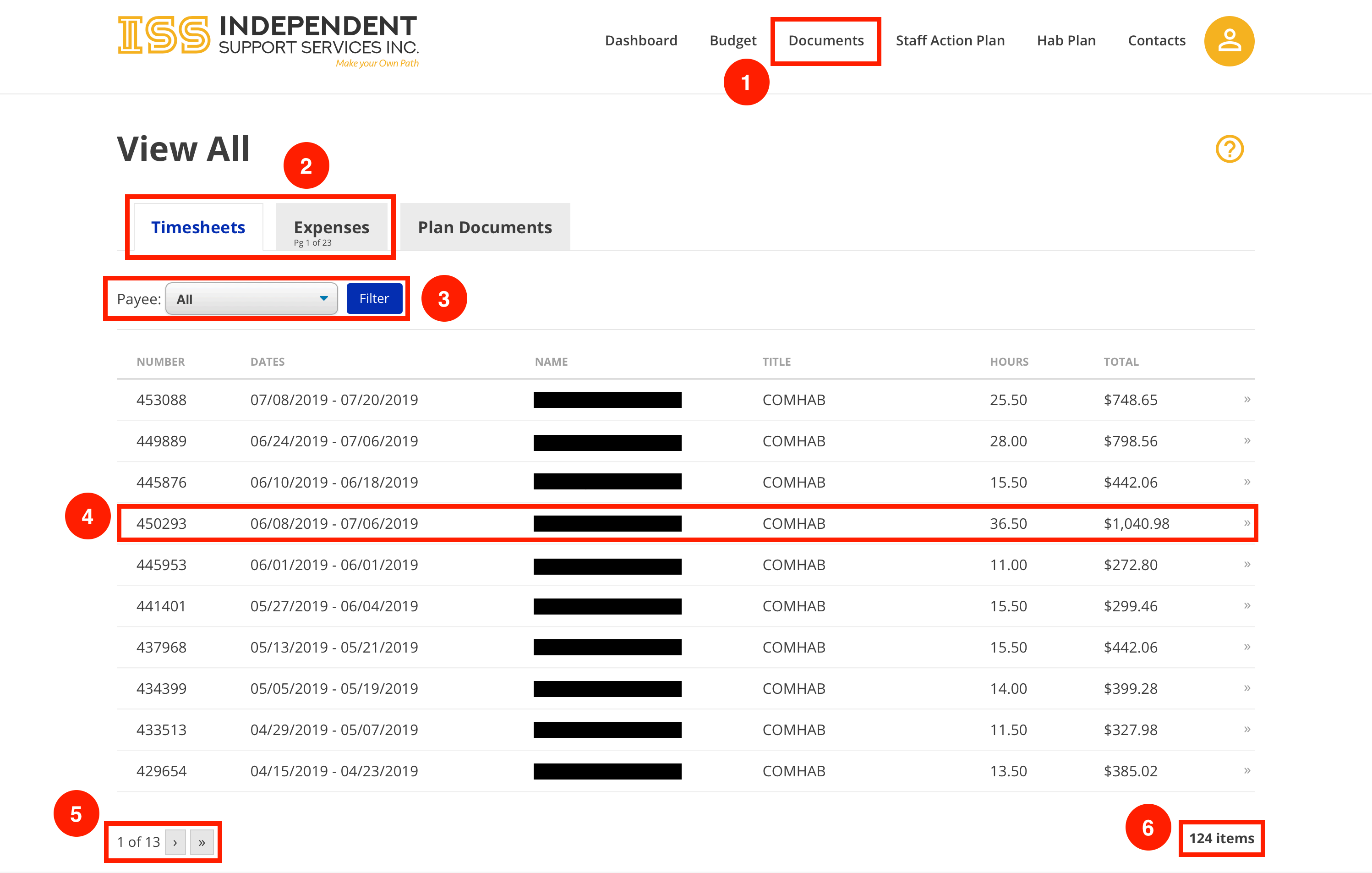
- Navigate to the Document Index page by clicking the Documents tab across the top.
- Switch between Timesheets and Expenses using the tabs.
- Use the dropdown to filter timesheets or expenses by Payee.
*Click Filter to filter the list after making a dropdown selection.
- Select an item to view its Item Detail page.
- Timesheets and expenses are broken down into pages. Use the navigation arrows to move between pages in the list.
- Notice the total count of items. This is specific to the active tab.
• In the example shown, there are 124 timesheets and 226 expenses. Since the
Timesheets tab is active, 124 is displayed.