
Submitting Monthly Summary Notes
Submitting Monthly Summary Notes
Monthly Summary Notes act as progress indicators of the work being done as part of a participant's Staff Action Plan.
The MSN widget on the Portal home page shows any Monthly Summary Notes that are ready to be completed. The new MSN process brings the month's activities, summary, and callouts together in one place. It can also create a draft response for each question to help you get started.
The draft is based on the information shown in the MSN. Be sure to read each response and make any needed changes before submitting it.
The MSN Widget
The MSN widget is located on the Portal home page. It shows:
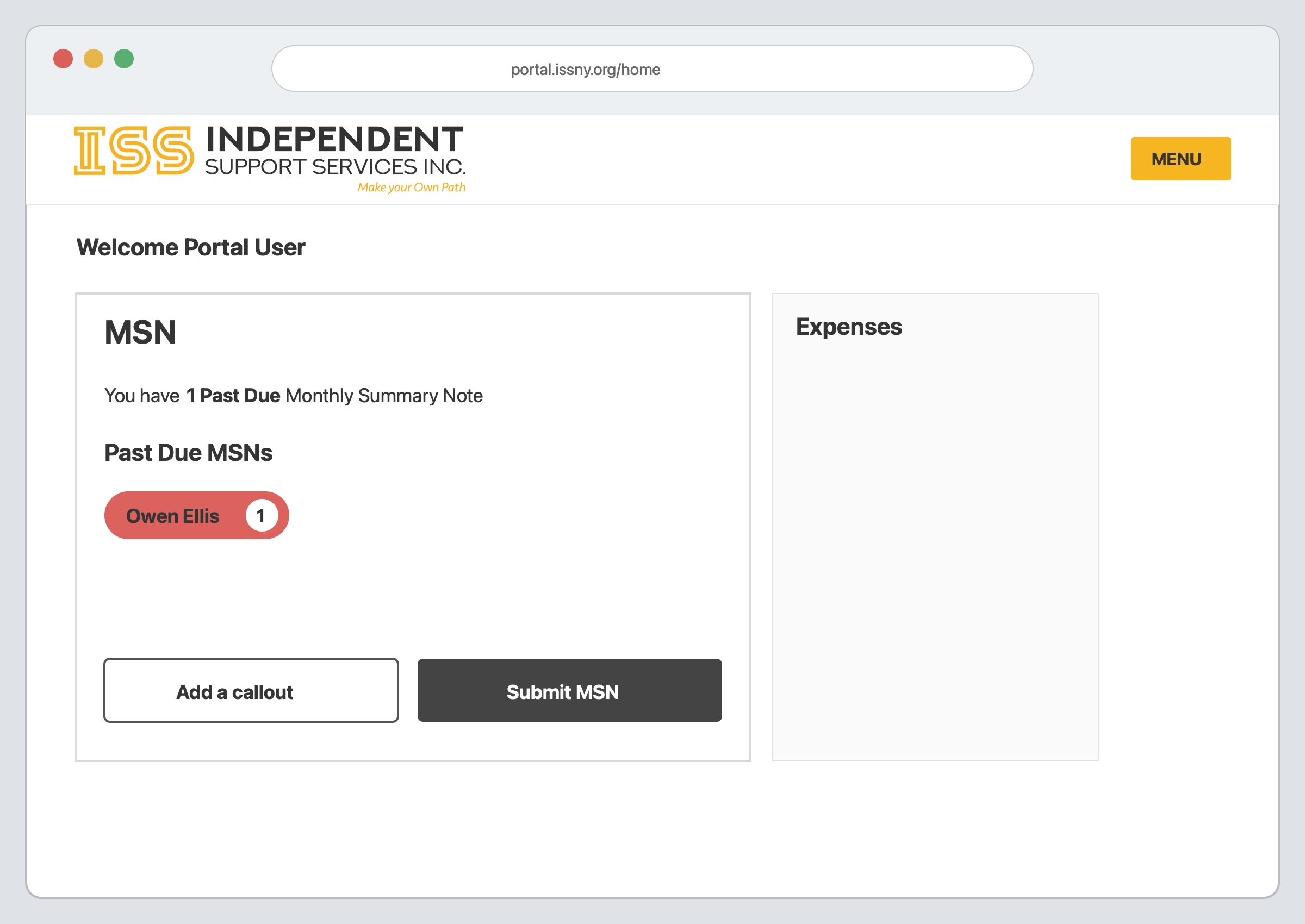
Images in this guide use fictional names and sample information.
Adding a Callout
A callout is a short note about something that happened during the month. You can add a callout for an accomplishment, a new skill, an important event, or a concern.
Callouts are included with the other information used to create draft responses, so make sure the callout is for the correct participant, Bill Type, and month.
From the home page,
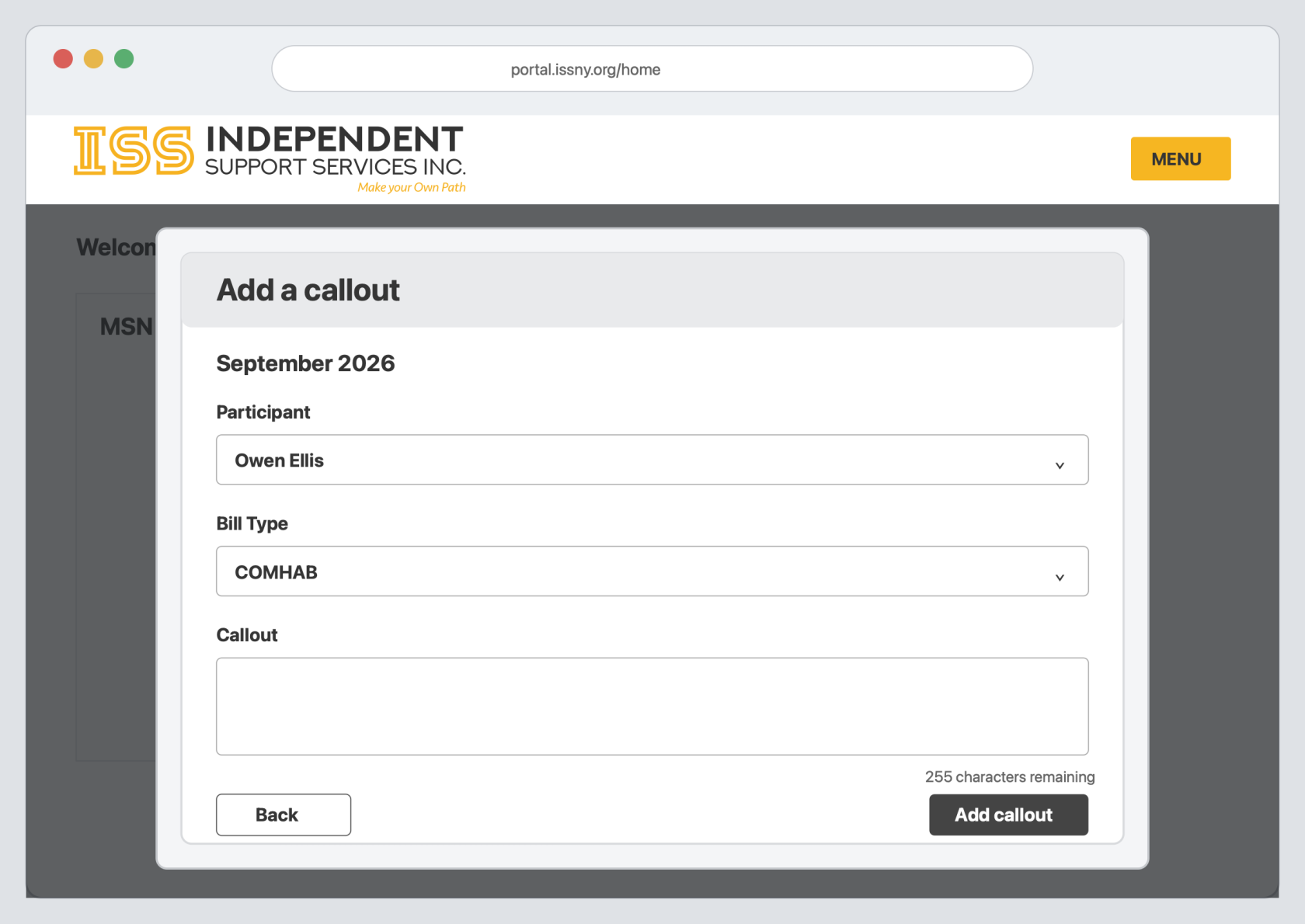 ](https://help.issny.org/uploads/images/gallery/2026-09/ai-msn-add-callout.png)
Use clear and specific information in a callout. Remember that the information may appear in a draft Monthly Summary Note.
Step By Step Instructions
From the home page,
A red Past Due label shows that the Monthly Summary Note is overdue. The number of callouts for the month is shown on the right.
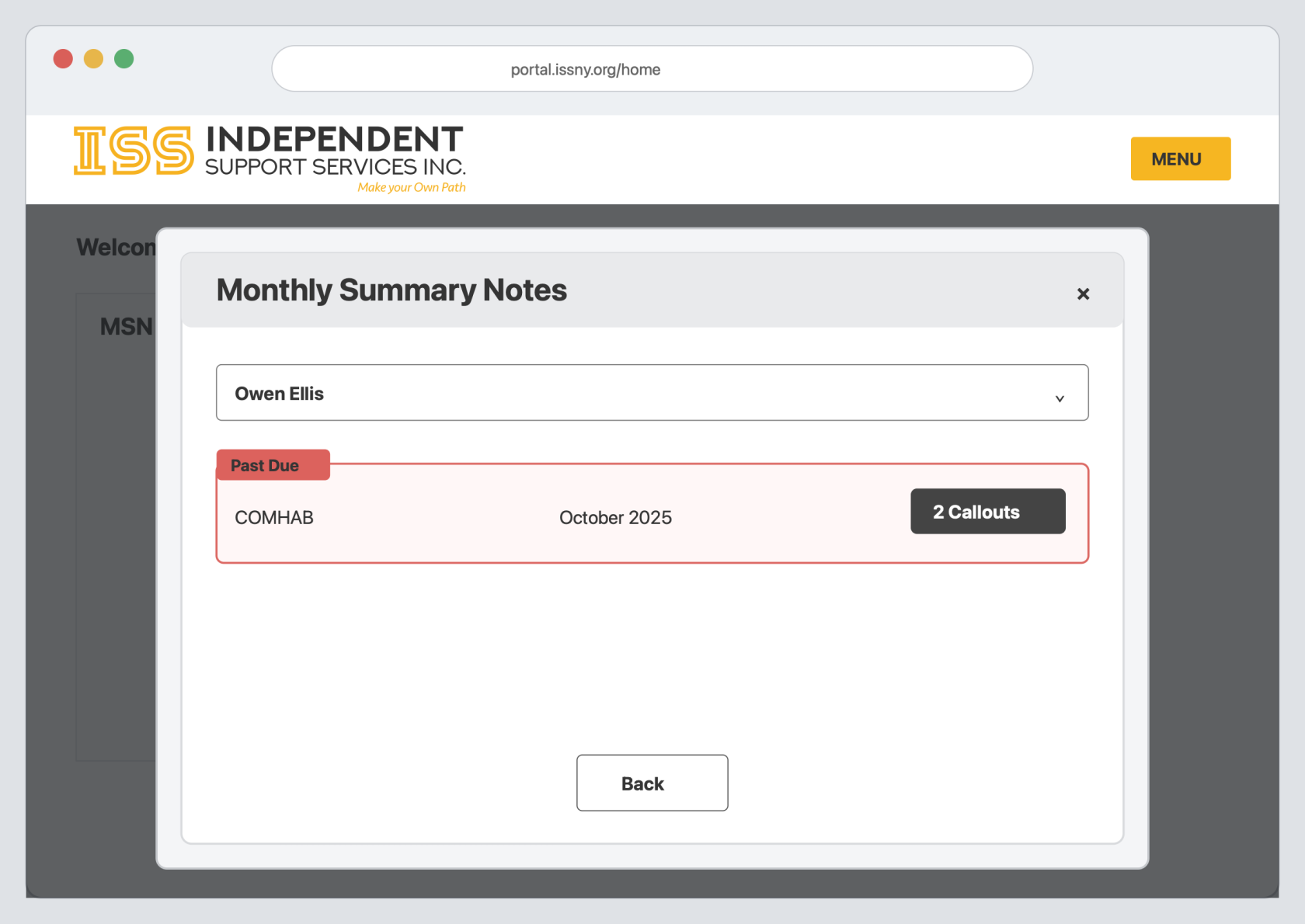 ](https://help.issny.org/uploads/images/gallery/2026-09/ai-msn-select-note.png)
Reviewing the Monthly Information
The Monthly Summary Note opens with three tabs: Activity, Summary, and Callouts. The number beside each tab shows how many items are available.
Review all three tabs before completing the questions.
Activity
The Activity tab shows the activities worked on during the month. It also shows the hours, number of times, and the staff who provided support.
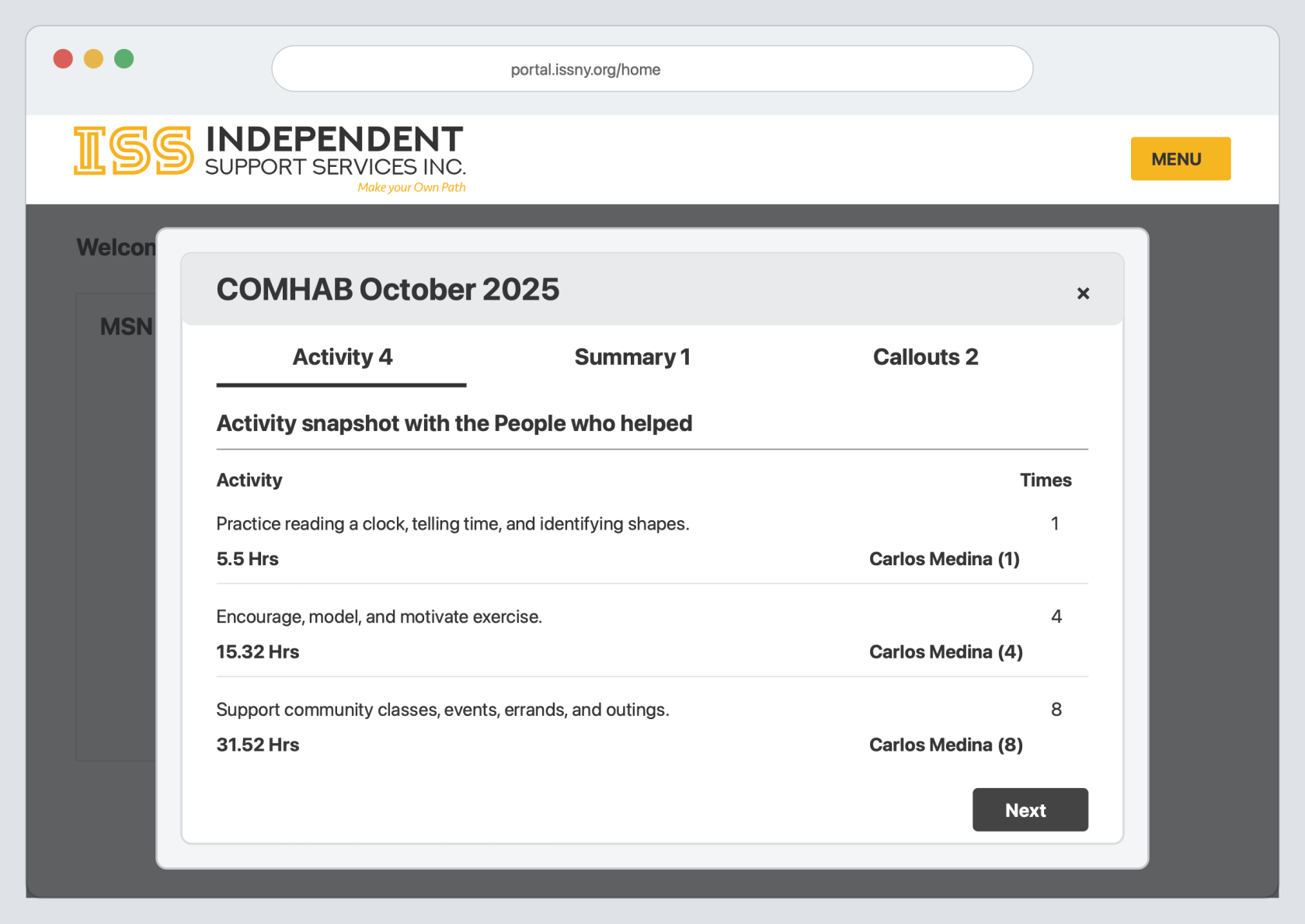 ](https://help.issny.org/uploads/images/gallery/2026-09/ai-msn-review-activity.png)
Summary
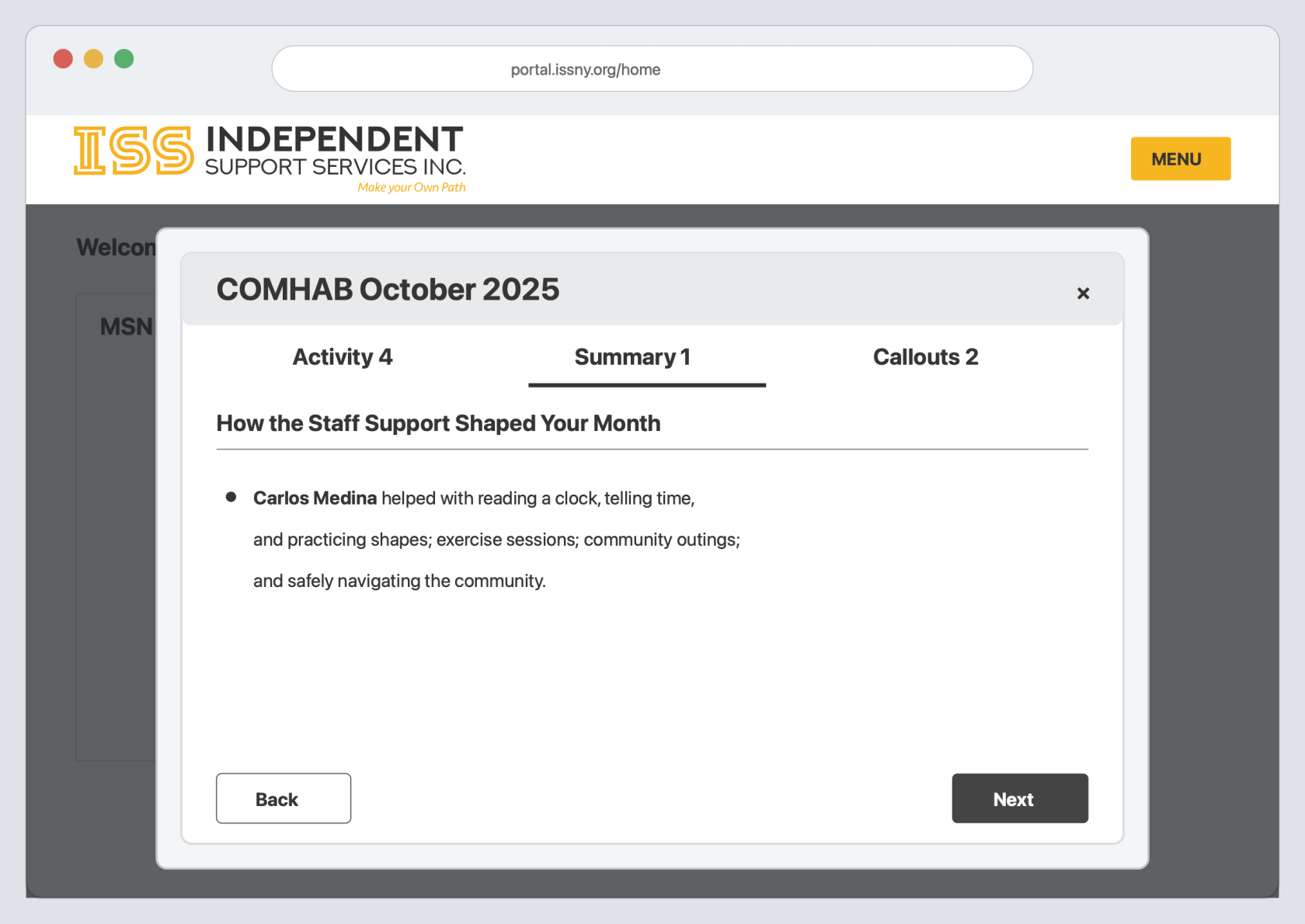
The Summary tab gives an overview of the support provided during the month.
Callouts
The Callouts tab shows the callouts added for the month. Check that each callout belongs to the Monthly Summary Note you are completing.
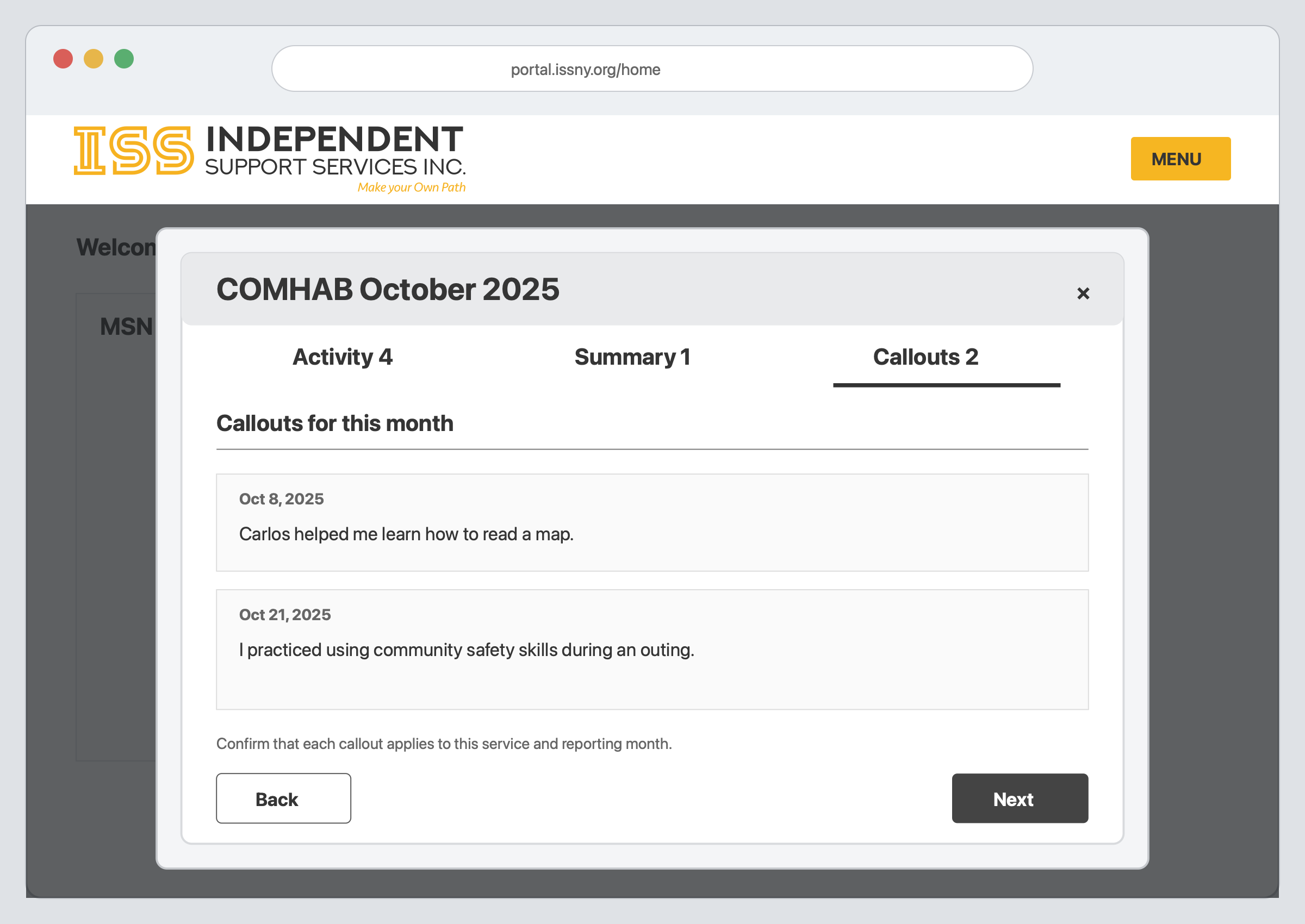
When you are finished reviewing the information, click Next.
Completing the Questions
There are a few questions to complete. The circles and page number at the bottom of the window show your progress.
For each question,
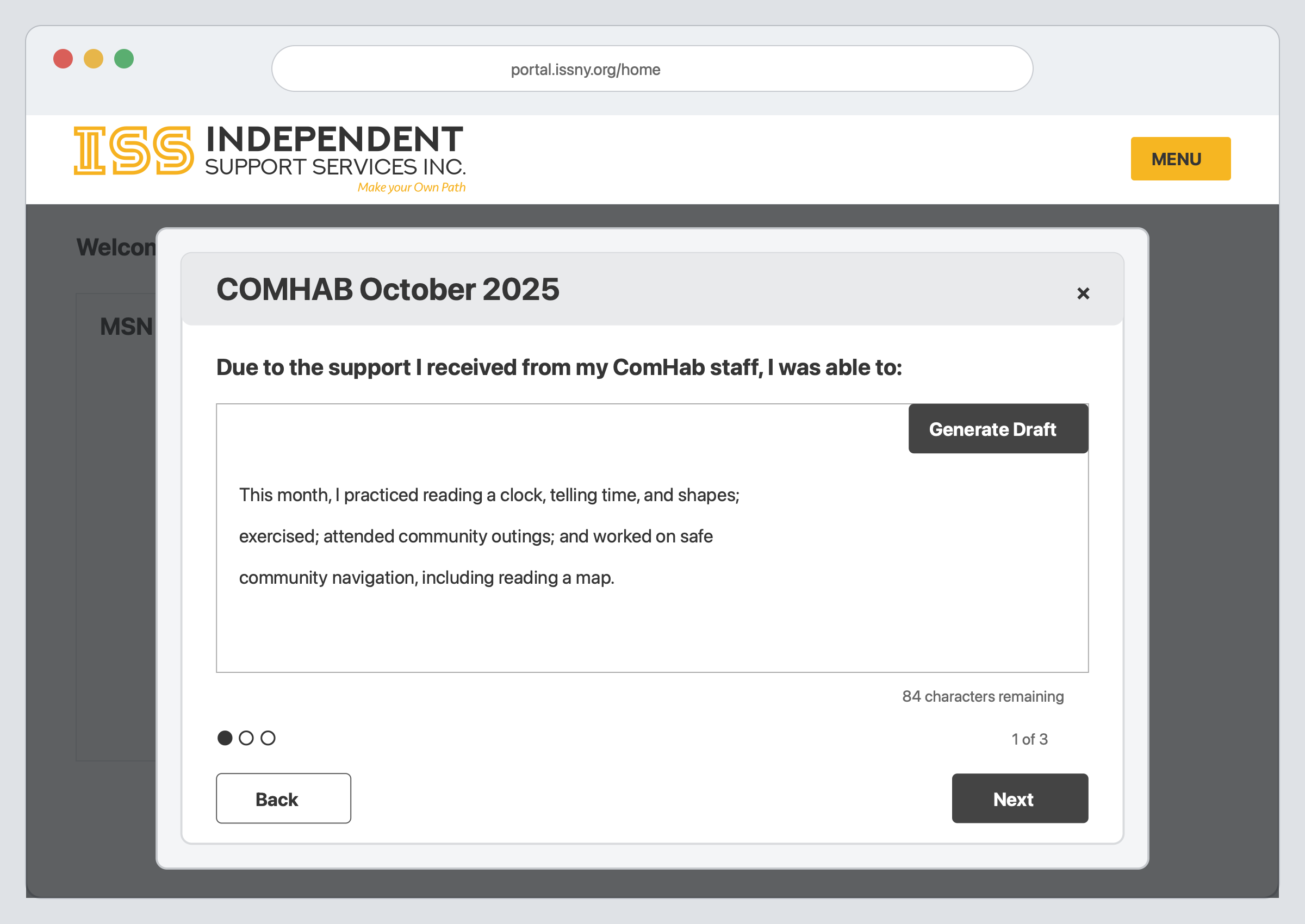
The draft may include information from the Activity, Summary, and Callouts tabs. If you see something you did not expect, go back and check those tabs. Correct anything that is inaccurate before continuing.
Click Previous if you need to return to an earlier question.
Submitting the Monthly Summary Note
On the last question,
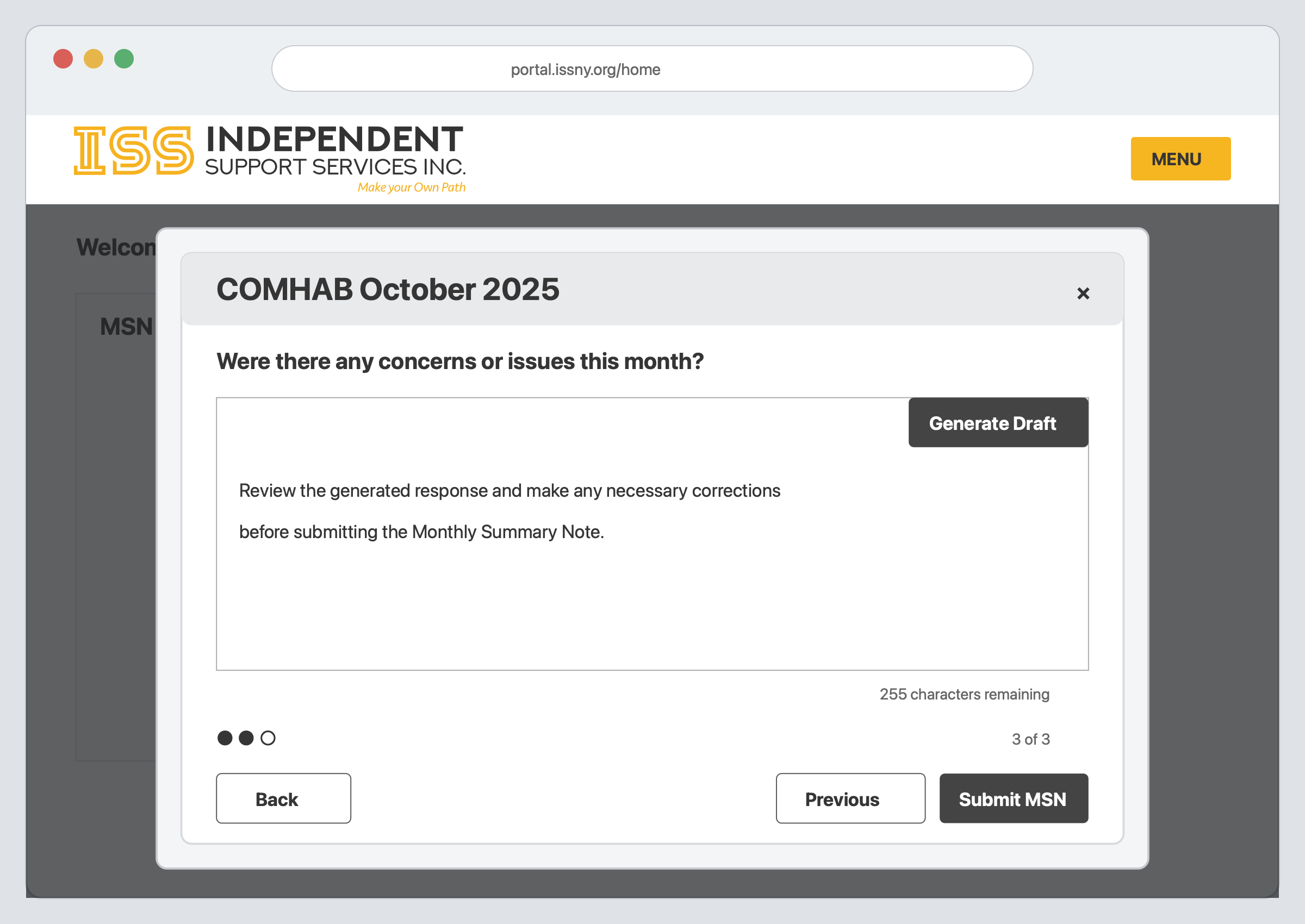
Only one Monthly Summary Note per month and Bill Type can be submitted. After it is submitted, it will no longer show as available in the MSN widget.
You can still add callouts when there are no Monthly Summary Notes ready to submit.
FAQ
Why don't I see the MSN widget or Submit MSN button?
You must be assigned the permission to submit a Monthly Summary Note for a given participant.
If you believe you should have access but do not see the MSN options, reach out to your SD Coordinator.