
Reset Your Password / Forgot Your Password?
To reset your lost or forgotten password:
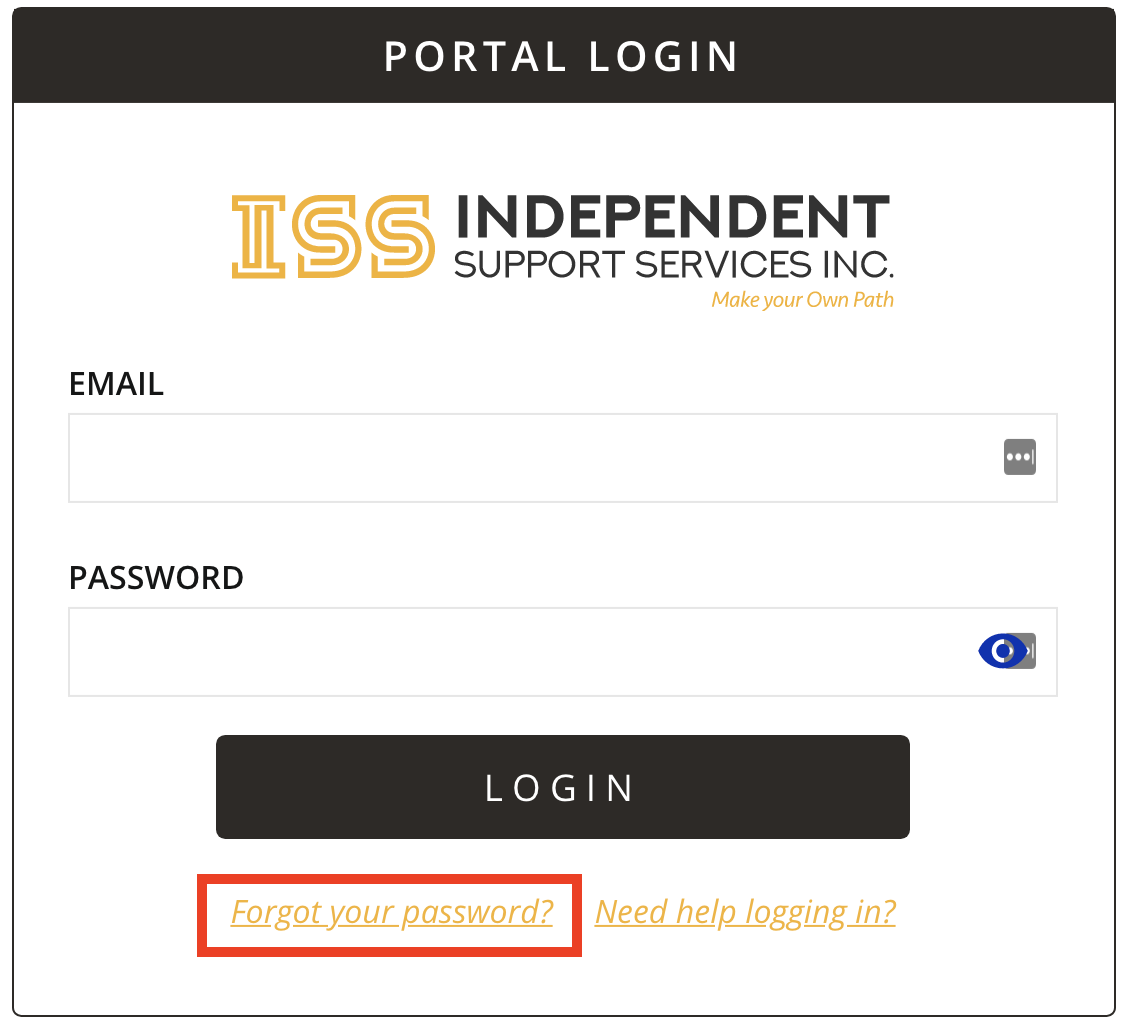
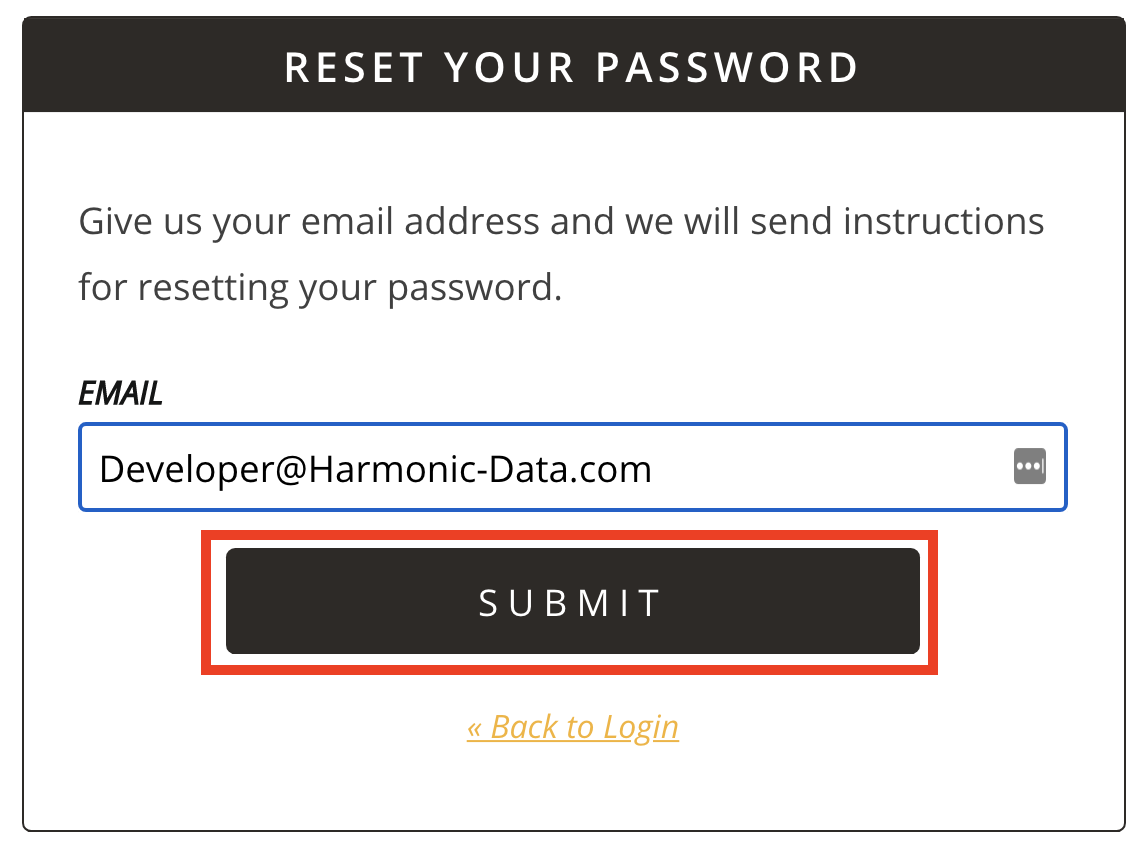
Next, enter the email address on file with ISS and click Submit. Instructions will be sent to the email address you provide.
 Check your email for the instructions sent from websupport@issny.org. Open the email and click the blue Reset Password button.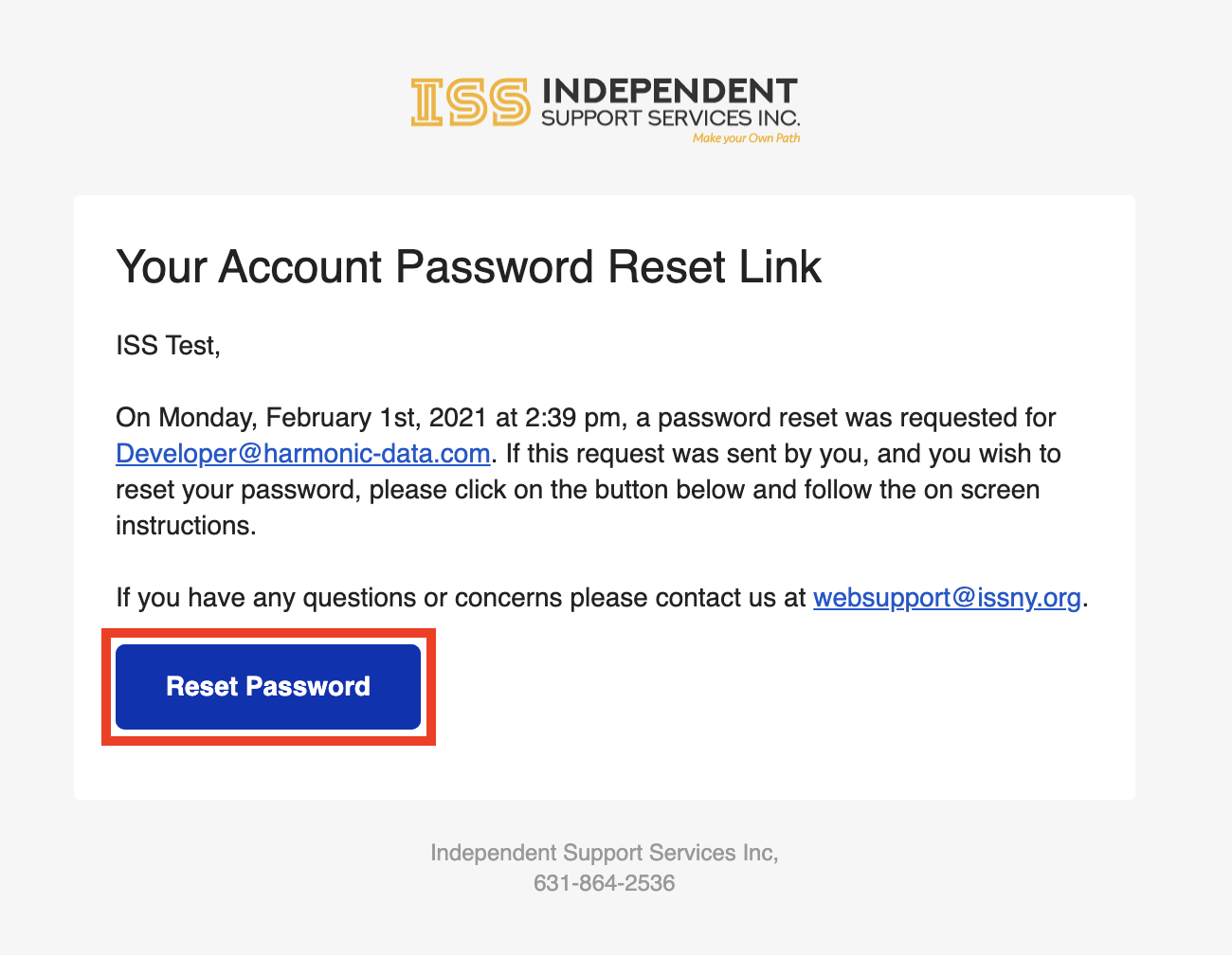
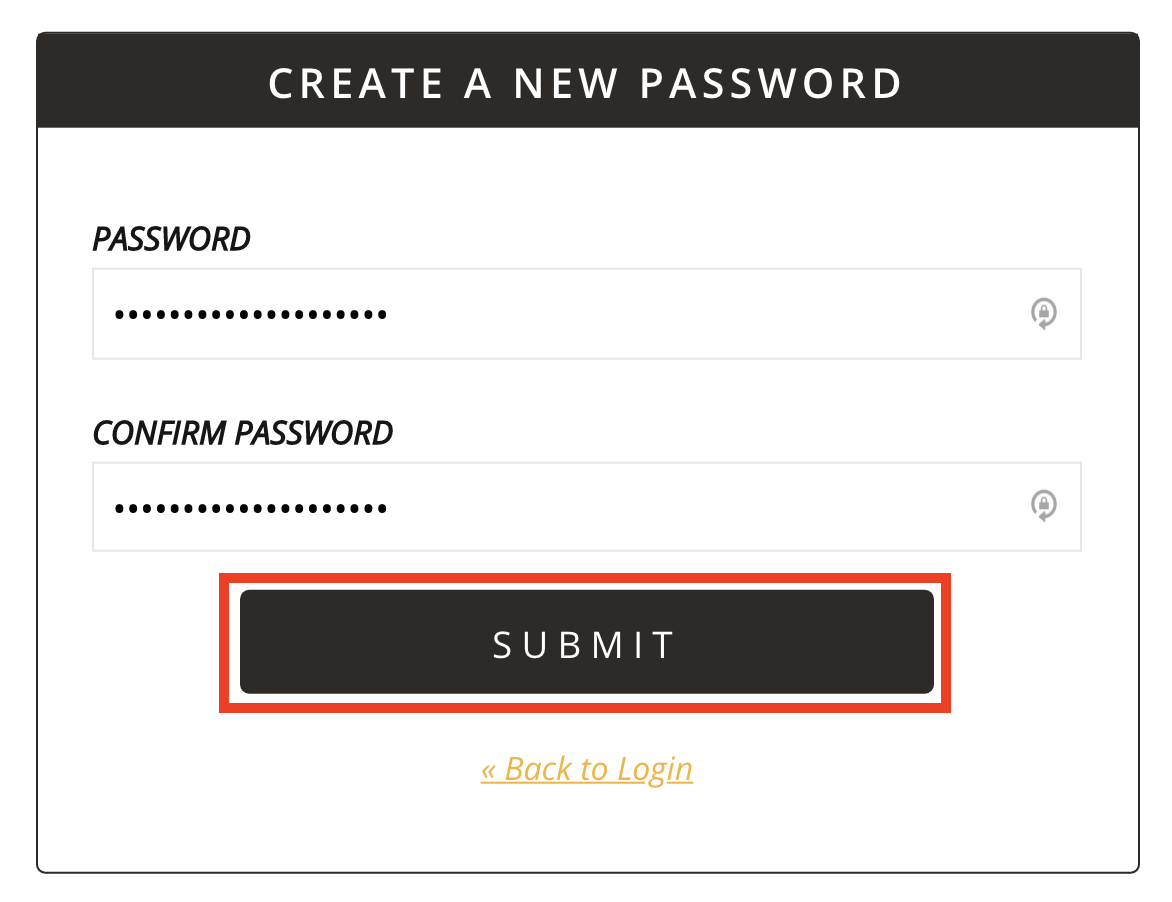
Provide a new password, confirm the password by typing it into the second box and once finished, click Submit. You will be taken back to the login screen after submitting your new password.
 From the login screen, use the password you just set to log into your account.