
Payee Details - Taxpayer Information
Before you can enroll in ePay, you must first complete the Tax Information form. From the My Expenses page, select View Details to begin enrollment.

Once the Payee Details window appears, click the blue Complete Tax Information button at the bottom right of the screen to begin filling out the Tax Information form.
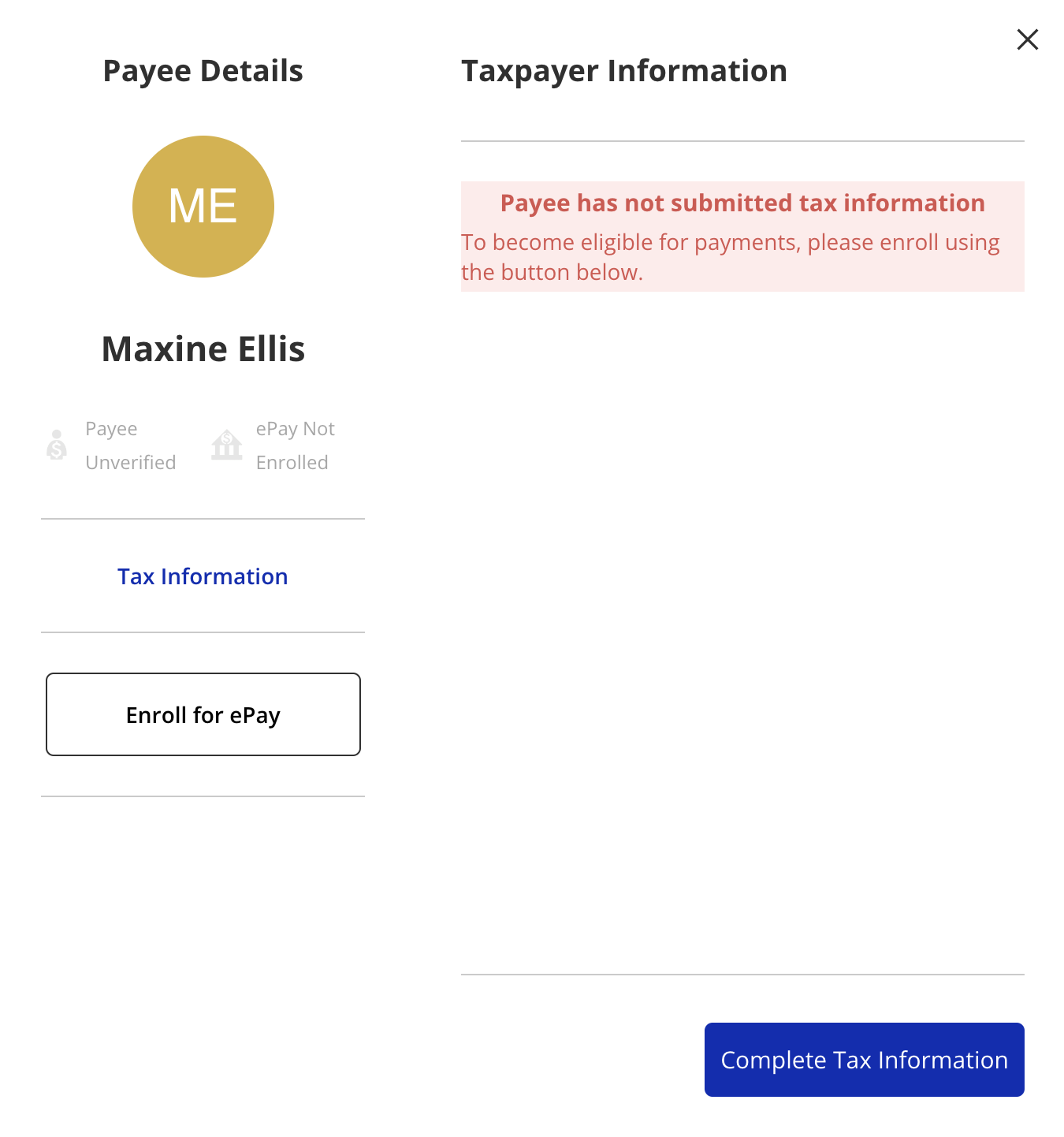
ISS Staff are unable to assist you with the completion of your tax information form. Visit the IRS website at https://www.irs.gov/forms-pubs/about-form-w-9 for more information and contact your tax or accounting professional if you have any questions.
Fill out the form and select Continue on the bottom right to advance to the next page.
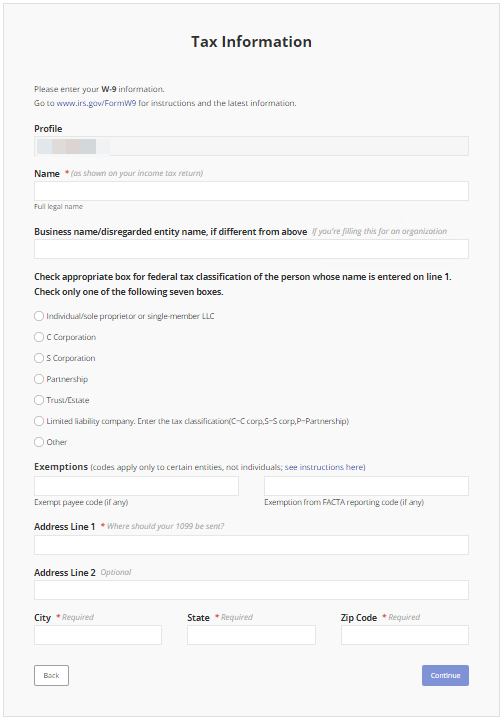
Complete the second page of the form. Once finished, click Submit at the bottom right of the page.

You will not be enrolled to receive electronic payments until both the Tax Information and Electronic Payment Setup forms are completed and they are both verified as valid.
Please note that we have taken measures to protect your banking and tax information.
Updated 12/13/2301/11/24
Disclaimer: All names displayed in the above screen shots are fictional characters. No identification with actual persons (living or dead) is intended or should be inferred.