
How to Login
Updated 2/8/2023
How to login to the Portal
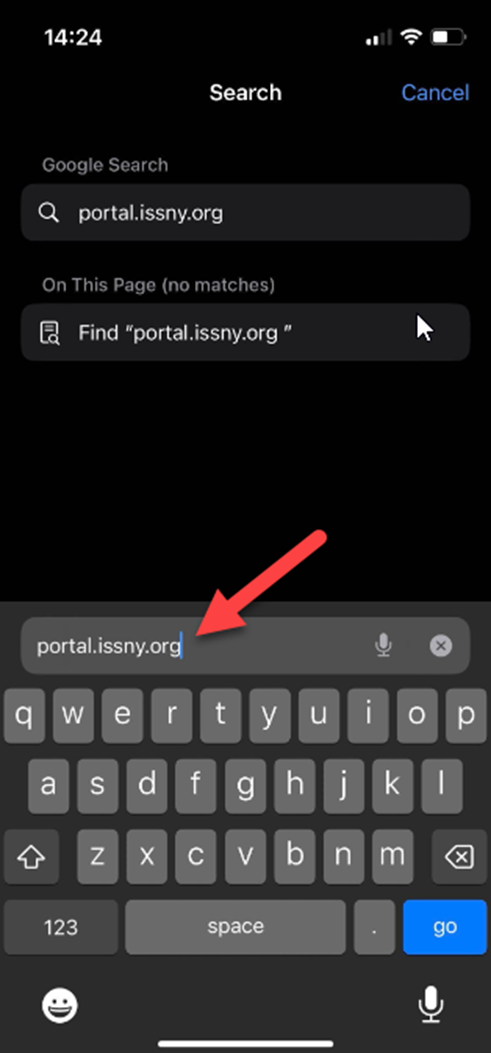
Logging in is a simple 3 step process. In order to start, you’ll need to go to the ISS Portal website. On your device’s web browser, go to the address bar and type in “portal.issny.org” or click on the link here: https://portal.issny.org/

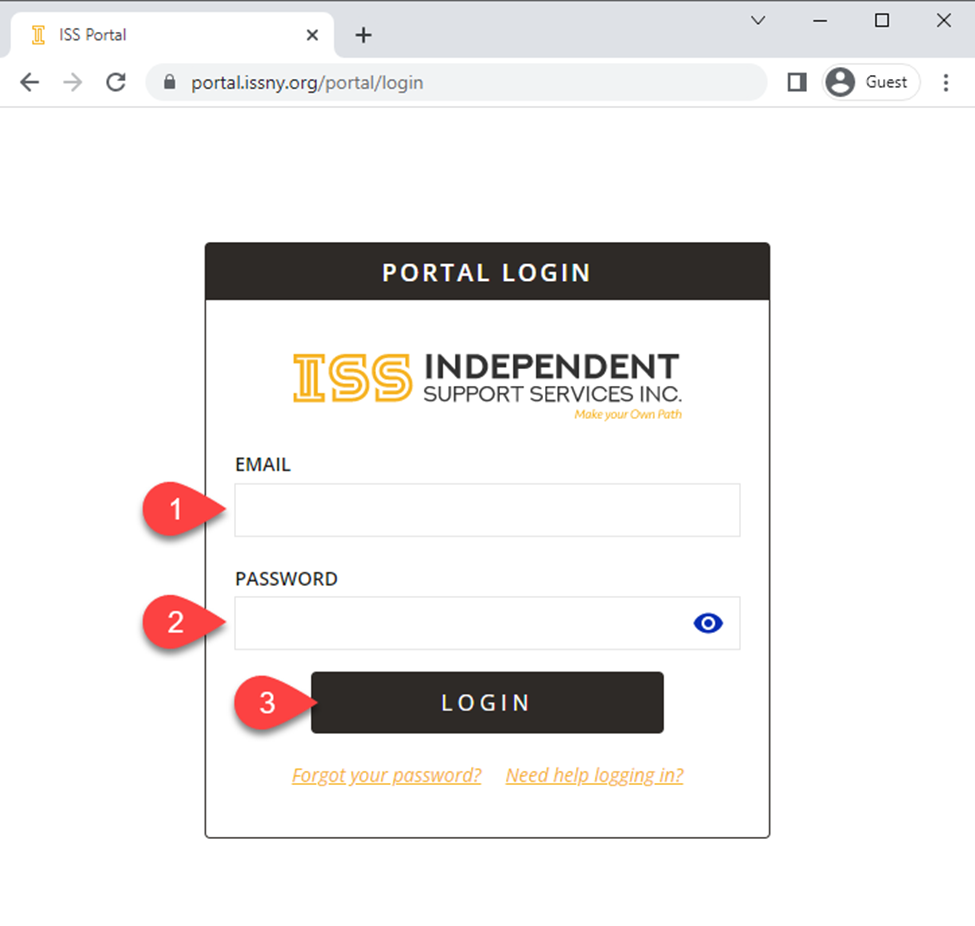
1. At the PORTAL LOGIN page, enter your email address associated to your ISS record and your password. Then click LOGIN .
- If this is your first time using the Portal or you requested a password reset, you were sent an email with a temporary password. Enter your email address and the temporary password then click LOGIN
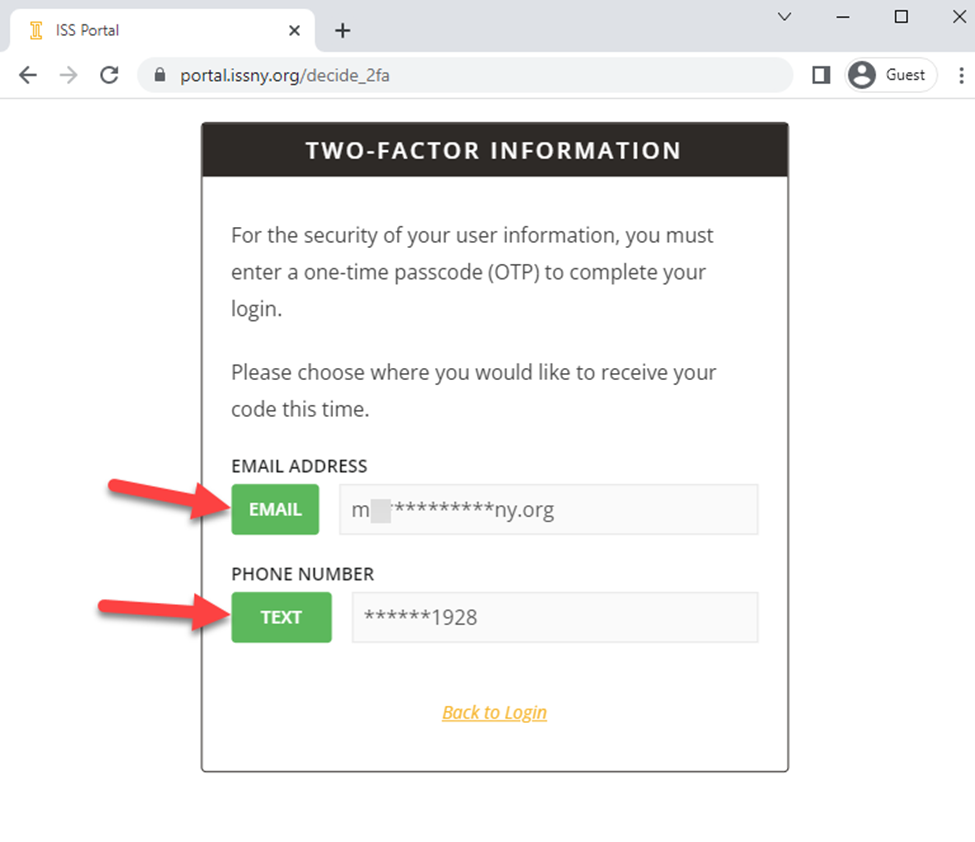
 2. If the login information was correct, you will be taken to the TWO-FACTOR INFORMATION On this page you can choose whether you’d like your One-Time Passcode (OTP) delivered to you via EMAIL or TEXT message. Click on the option you prefer and allow up to 5 minutes for delivery to your phone or email address.
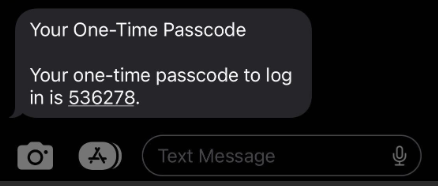
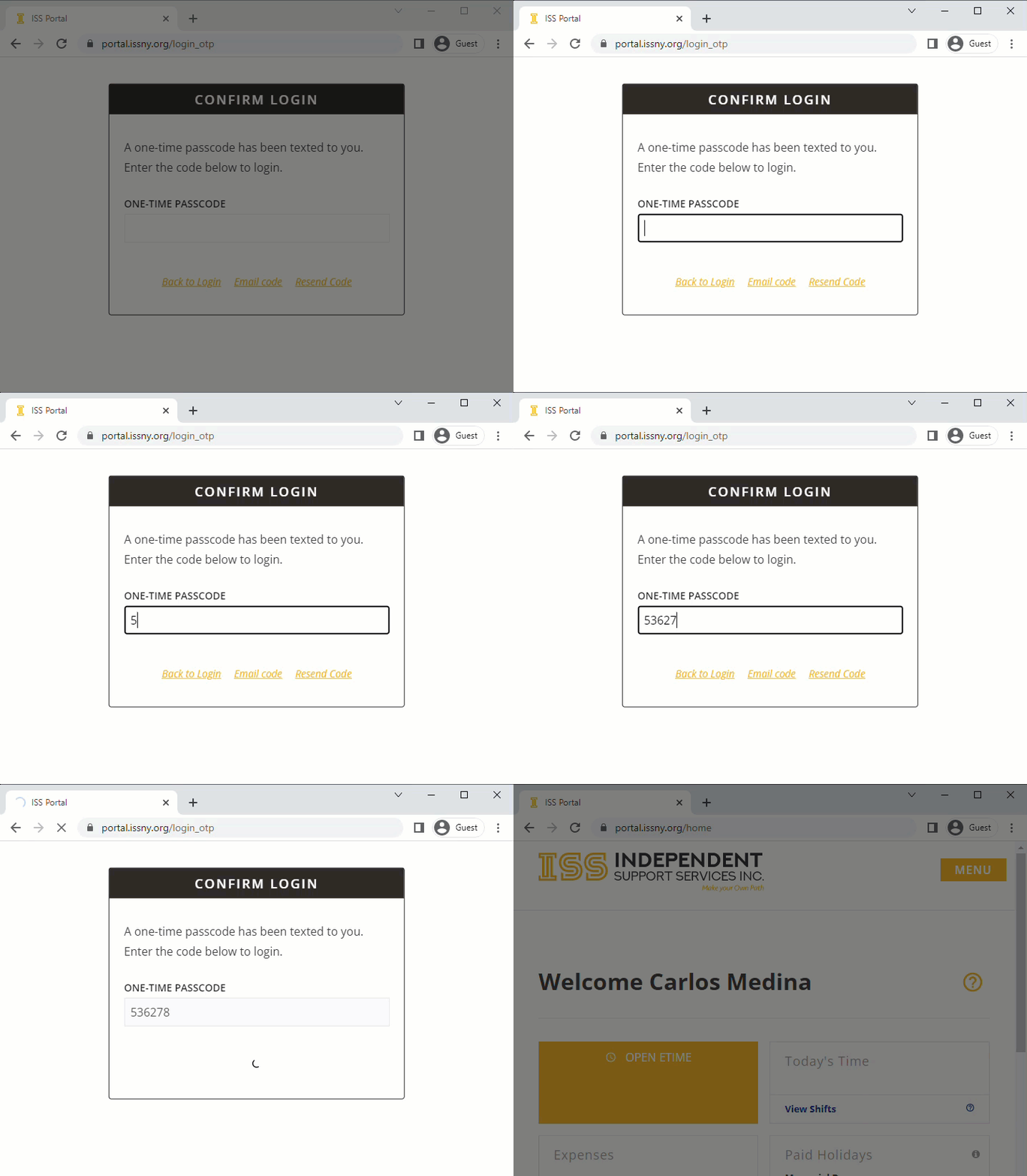
3. Once you choose your OTP delivery method, you will be redirected to the CONFIRM LOGIN When you receive your OTP code, enter the 6-digit number into the ONE-TIME PASSCODE field and your homepage will automatically load after the number is typed in.
- Keep this webpage open while you’re waiting to get your OTP code. Closing, clicking “Back to Login”, or reloading the page will reset the login process and you’ll have to start from step 1 again.
- In the example below, I choose the TEXT Option.
FAQ
What is a web browser?
Your web browser is the application that you use to explore the internet. Common web browsers include Google Chrome, Mozilla Firefox, Safari, etc.
I forgot my login information, how can I reset my credentials?
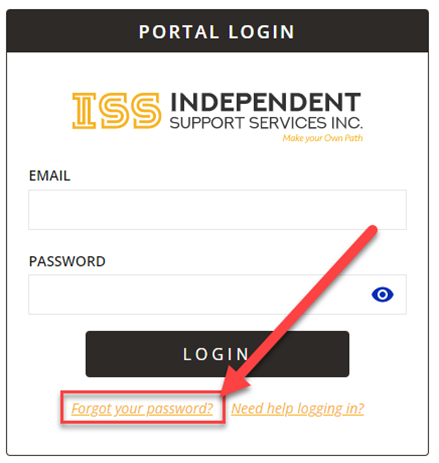
At the PORTAL LOGIN page, you can click on the “Forgot your password?” link. You will be redirected to the RESET YOUR PASSWORD page, enter your email in the field and click SUBMIT.
If you continue to have issues with your login credentials, reach out to websupport@issny.org.