iOS (14.2)
Google Chrome:
First, navigate to
Settings

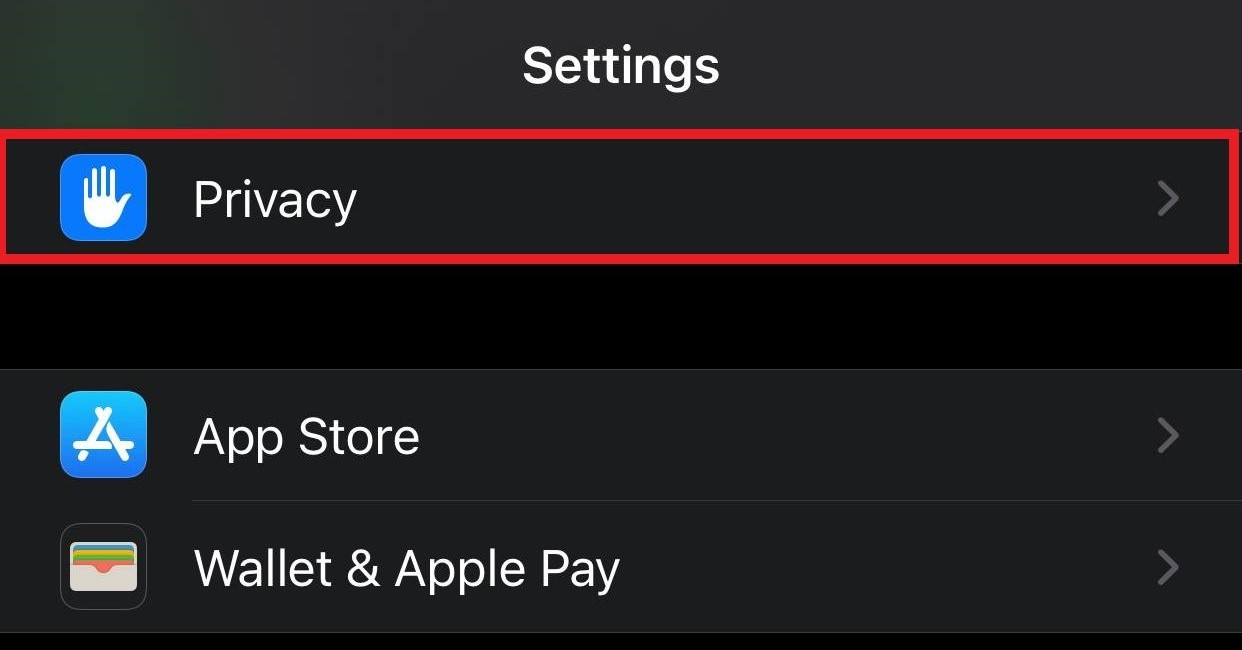
Scroll down to
Privacy and select
Location Services
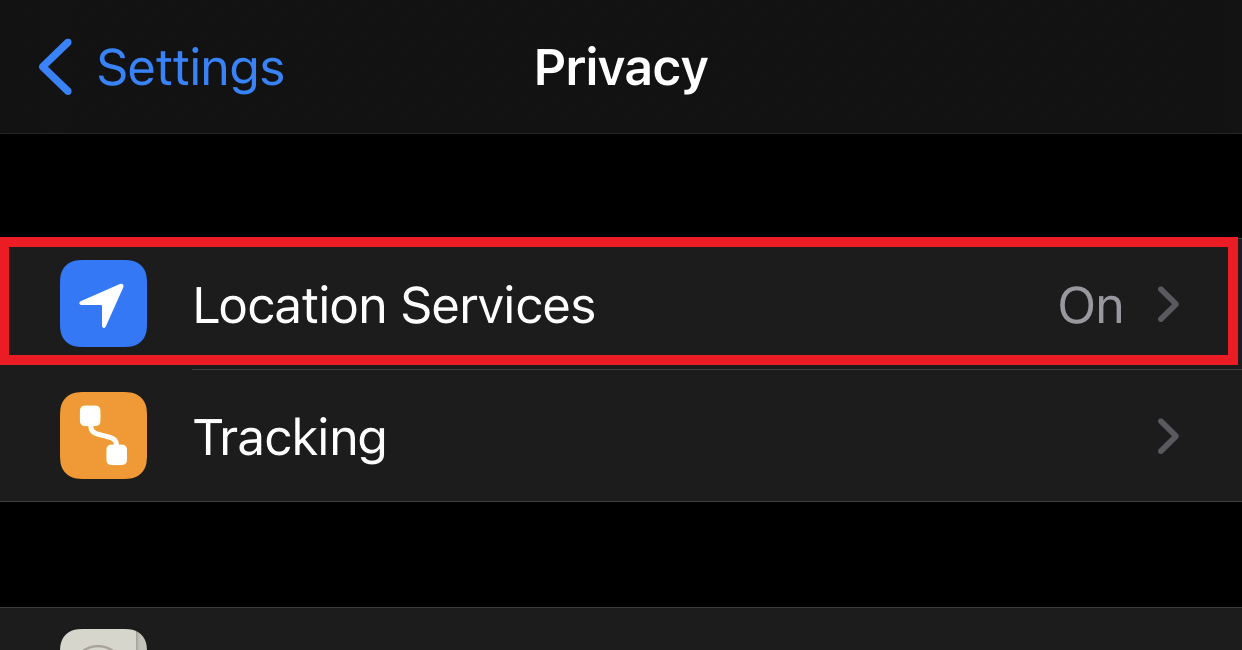
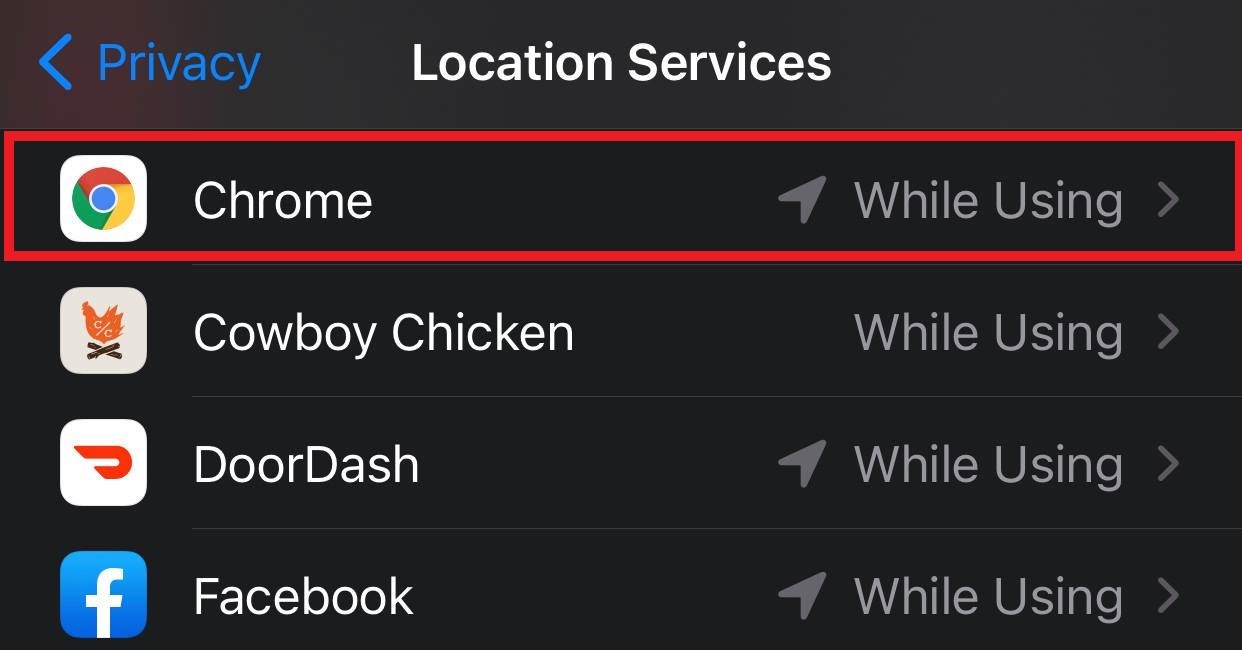
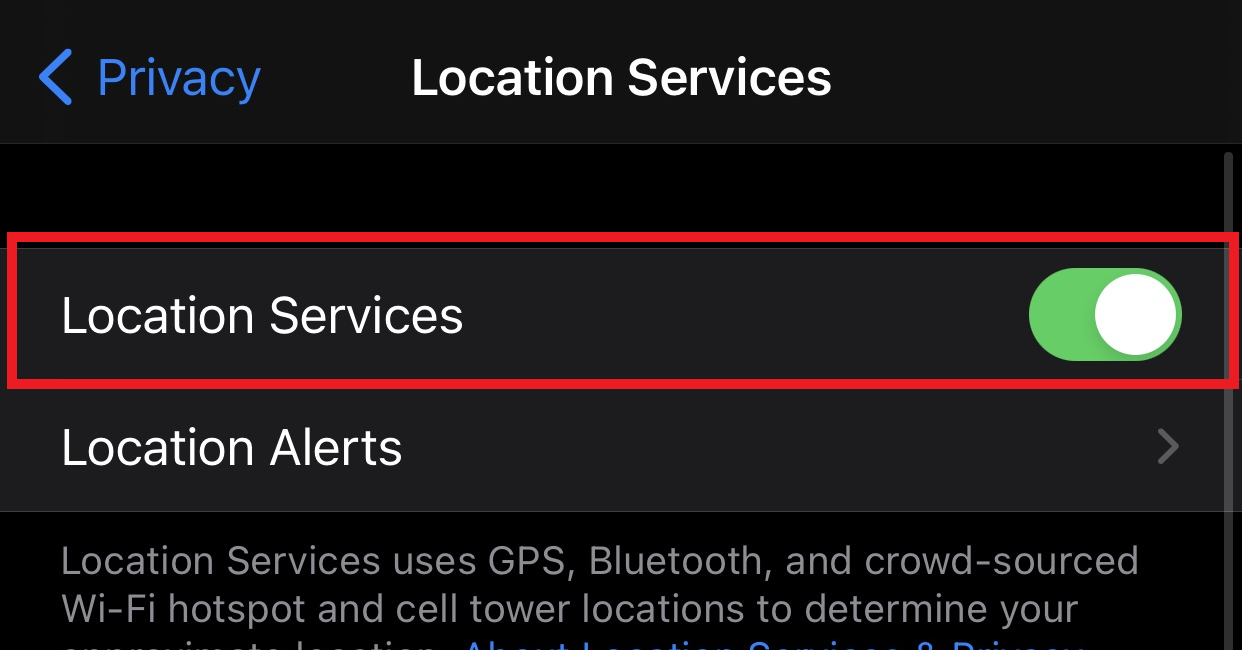
Select
Location to turn on location services, then Scroll down and select
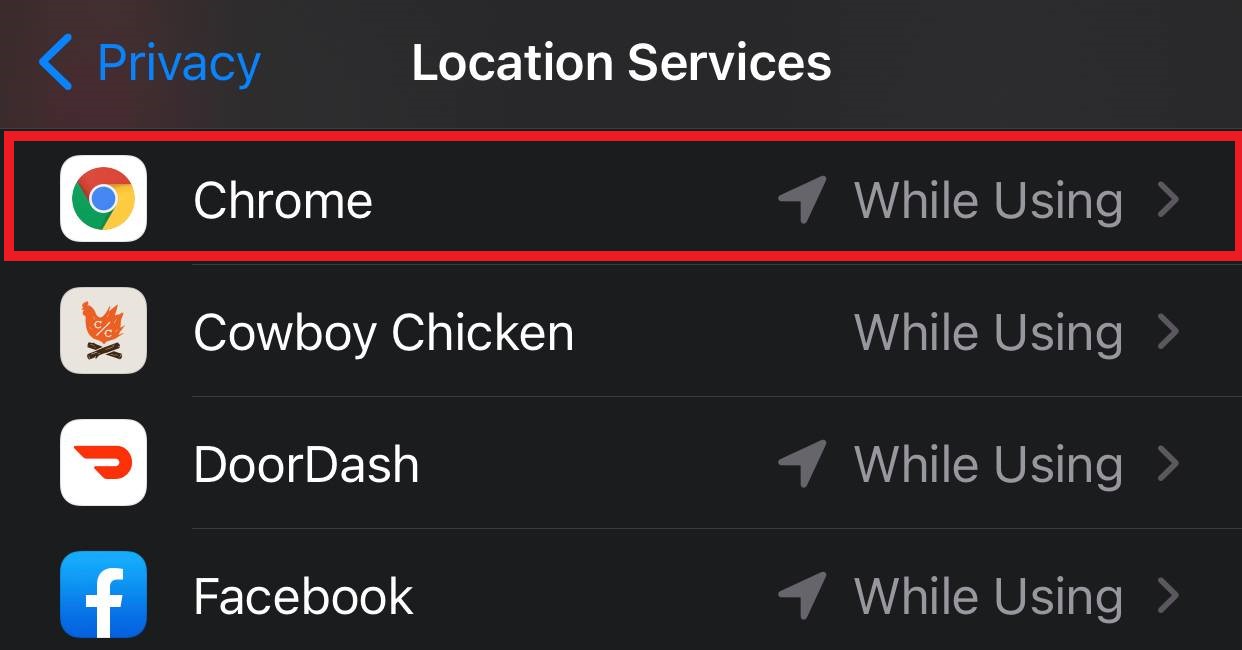
Chrome from the list of installed applications
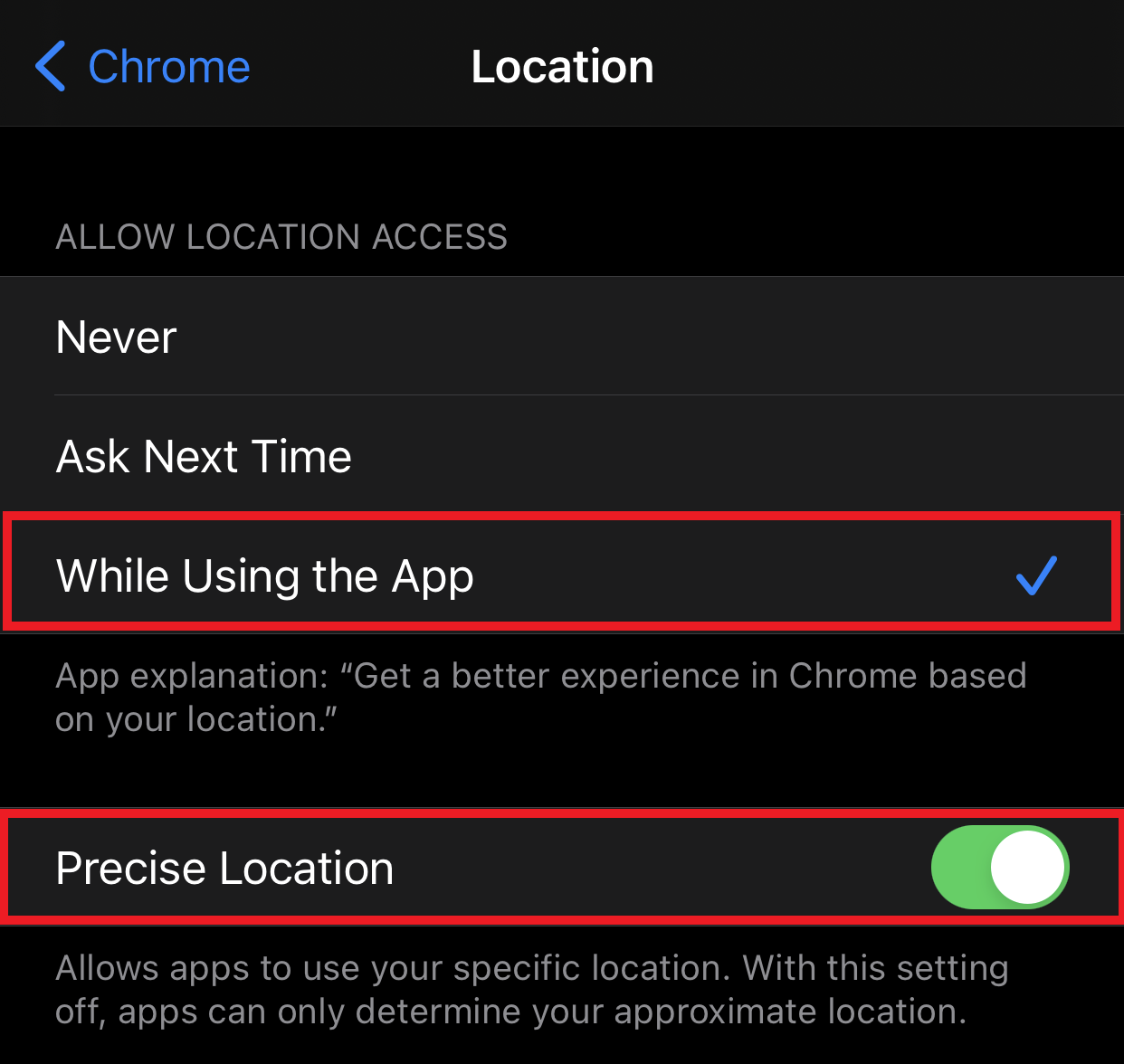
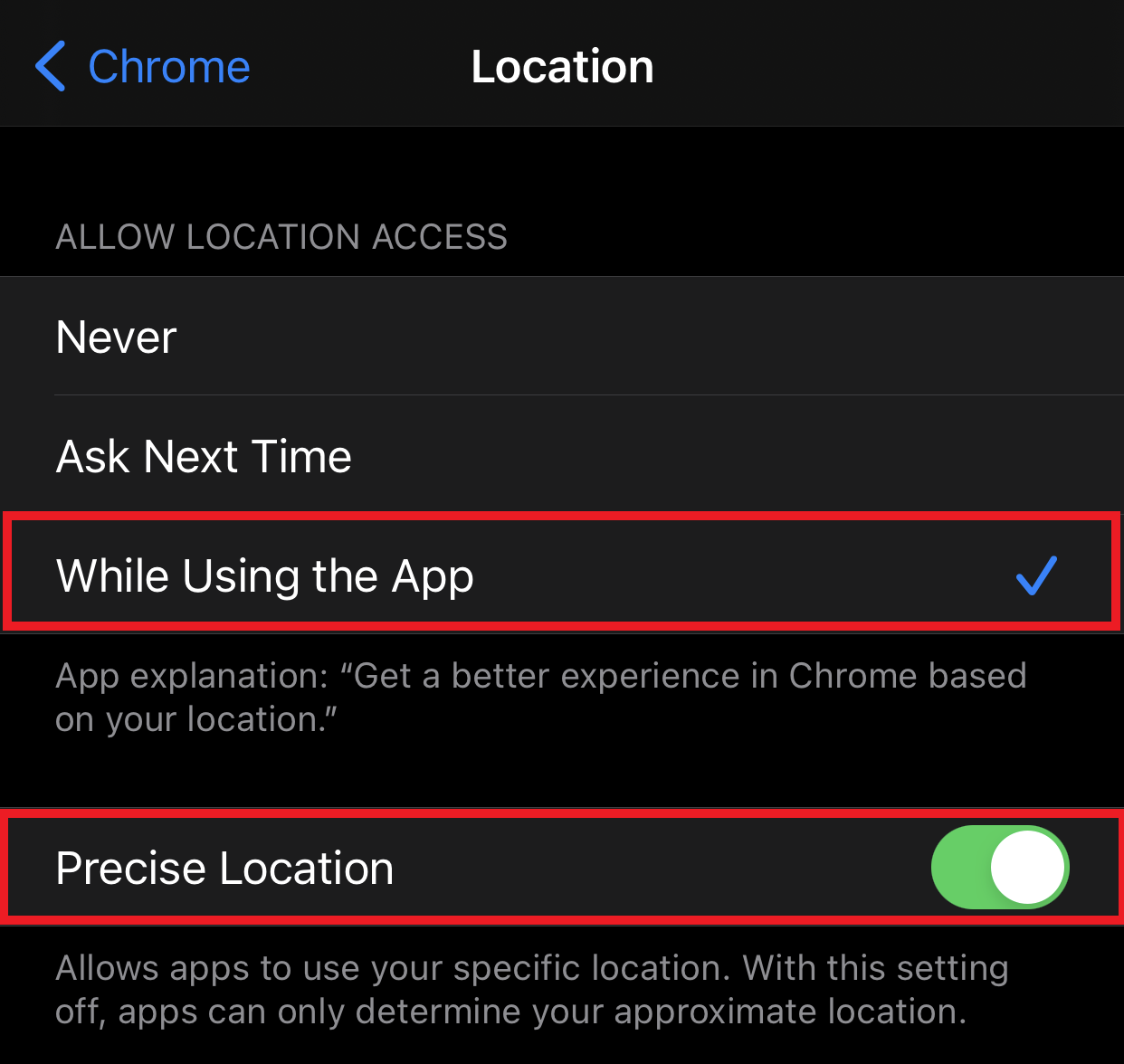
From the Chrome specific Location settings, select
While Using the App and
Precise Location to allow Chrome to use your device location.
Firefox:
First, navigate to
Settings
Scroll down to
Privacy and select
Location Services
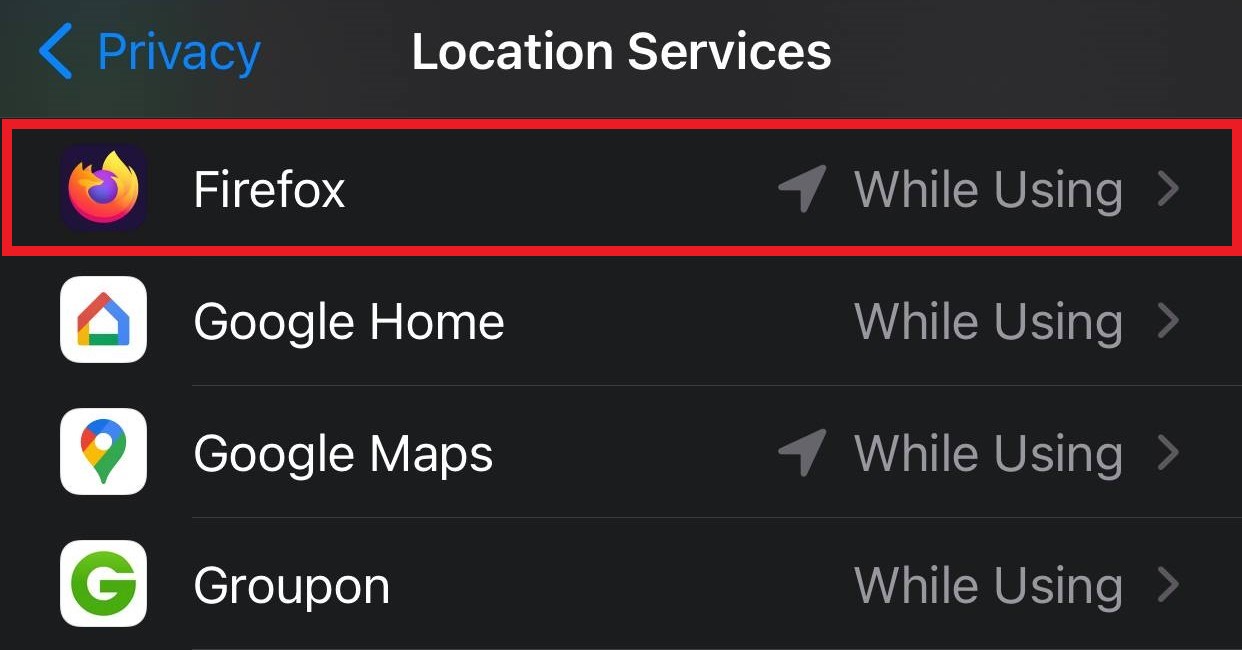
Select
Location to turn on location services, then Scroll down and select
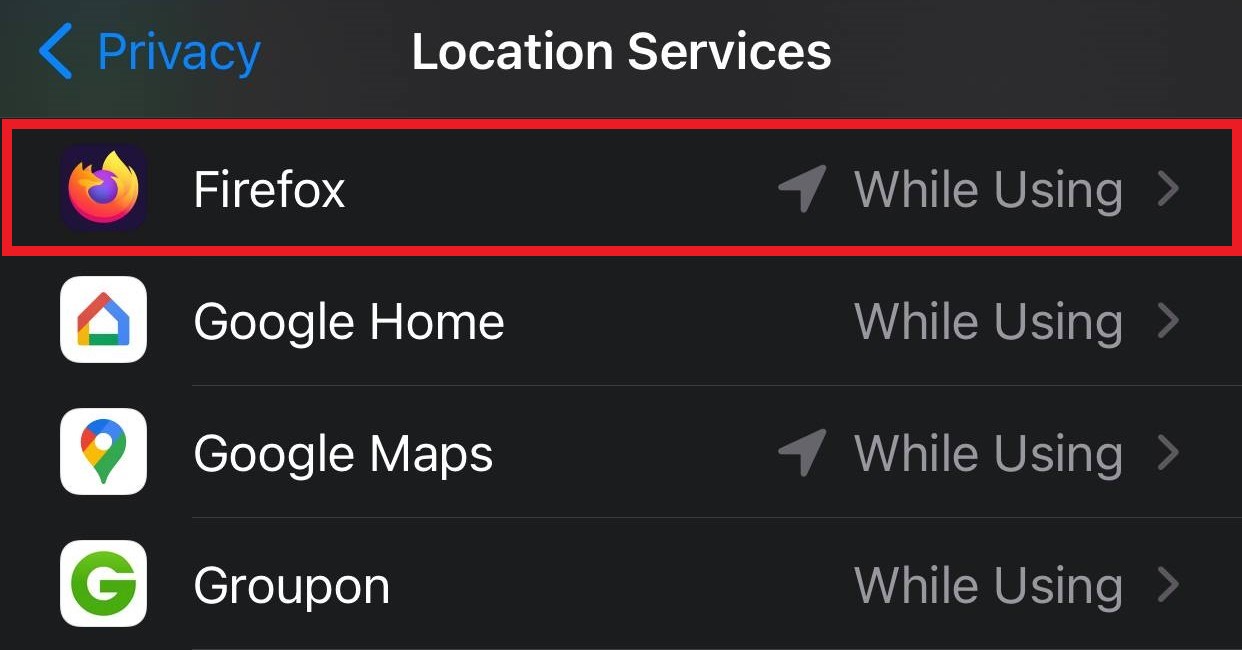
Firefox from the list of installed applications
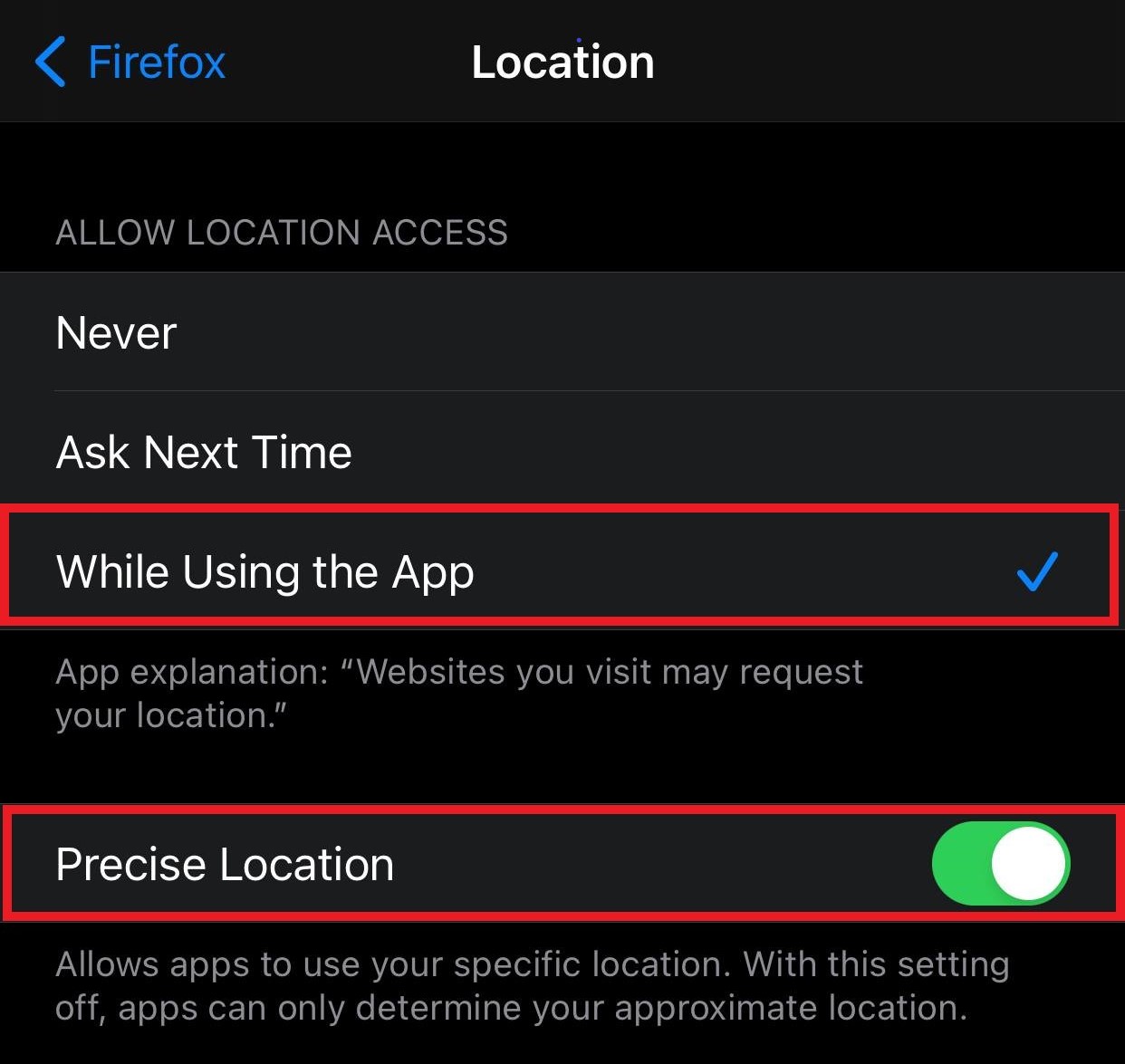
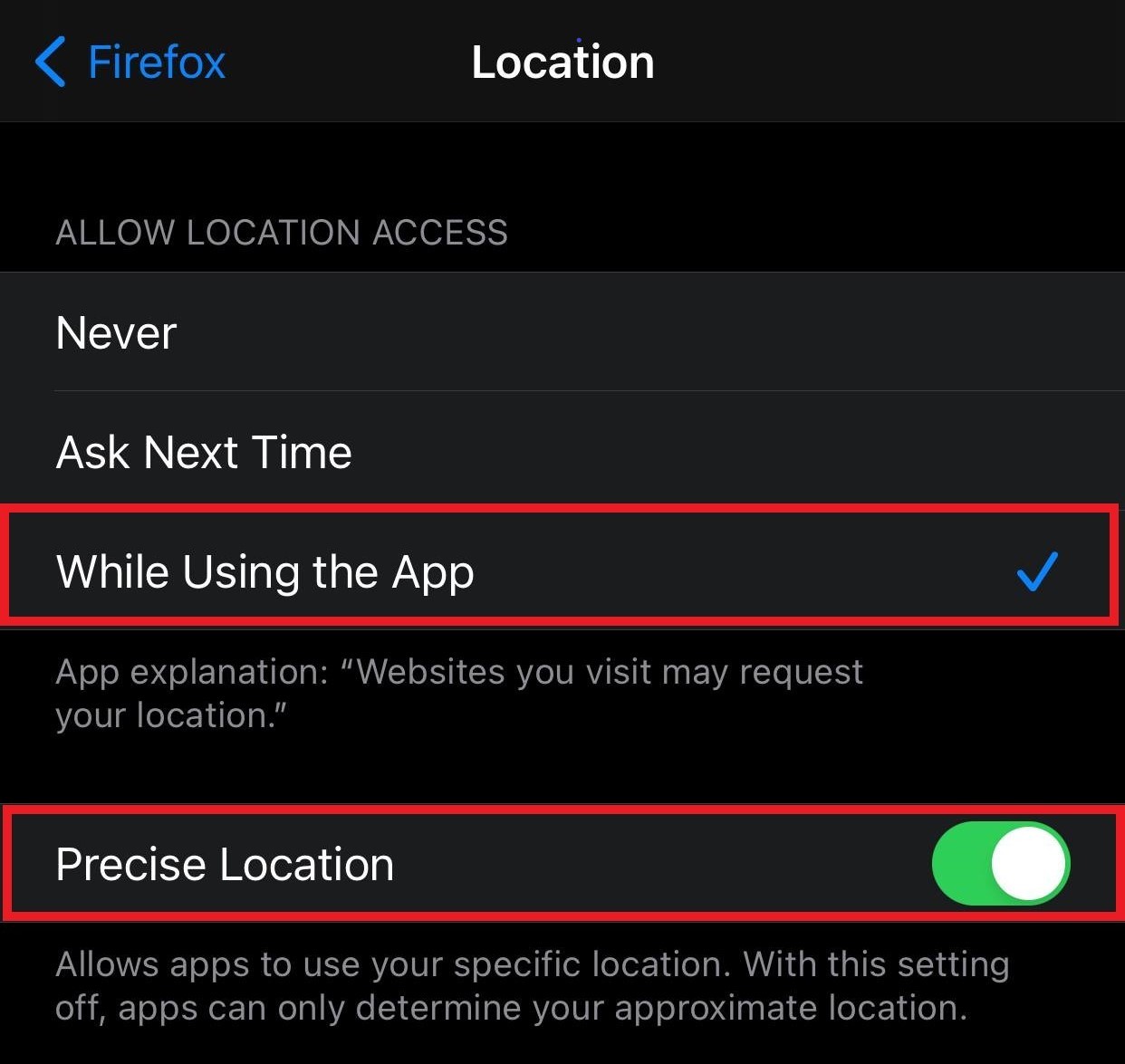
From the Firefox specific Location settings, select
While Using the App and
Precise Location to allow Firefox to use your device location.
Safari:
First, navigate to
Settings
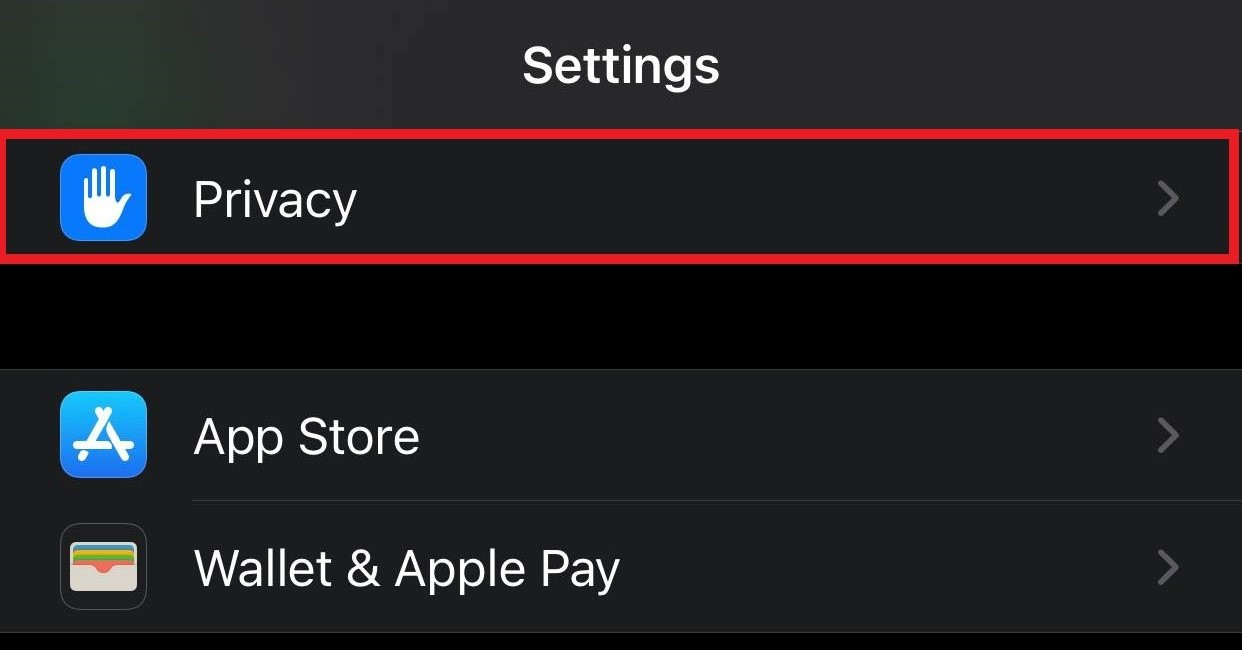
Scroll down to
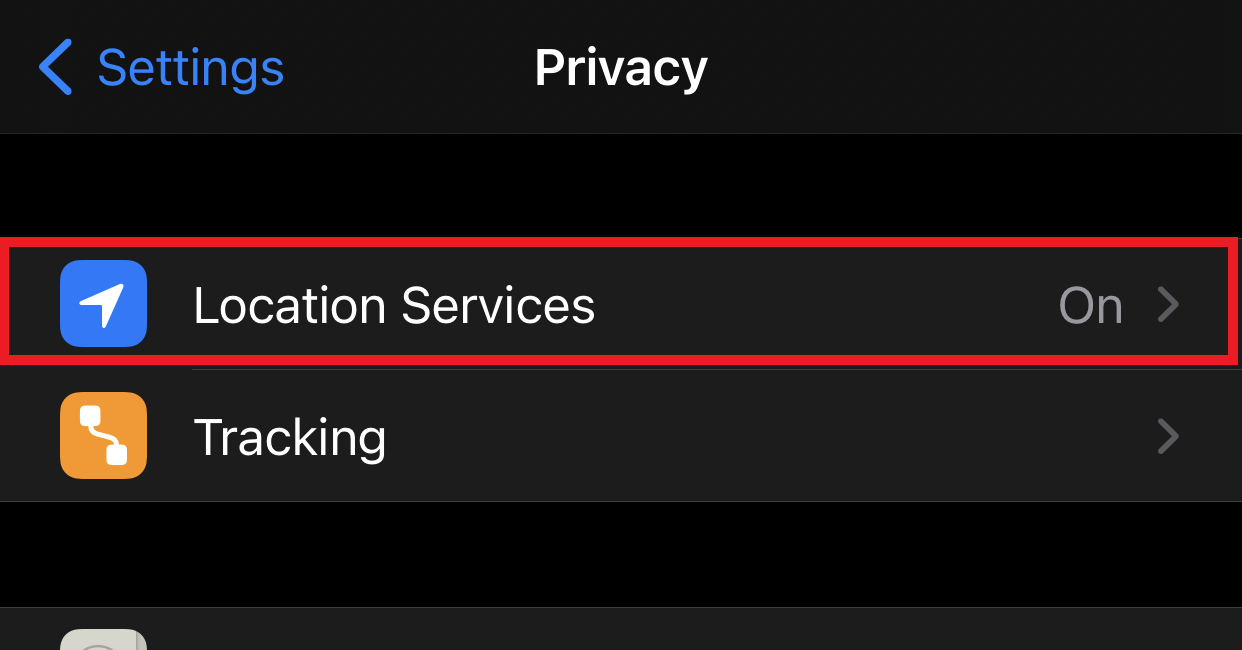
Privacy and select
Location Services
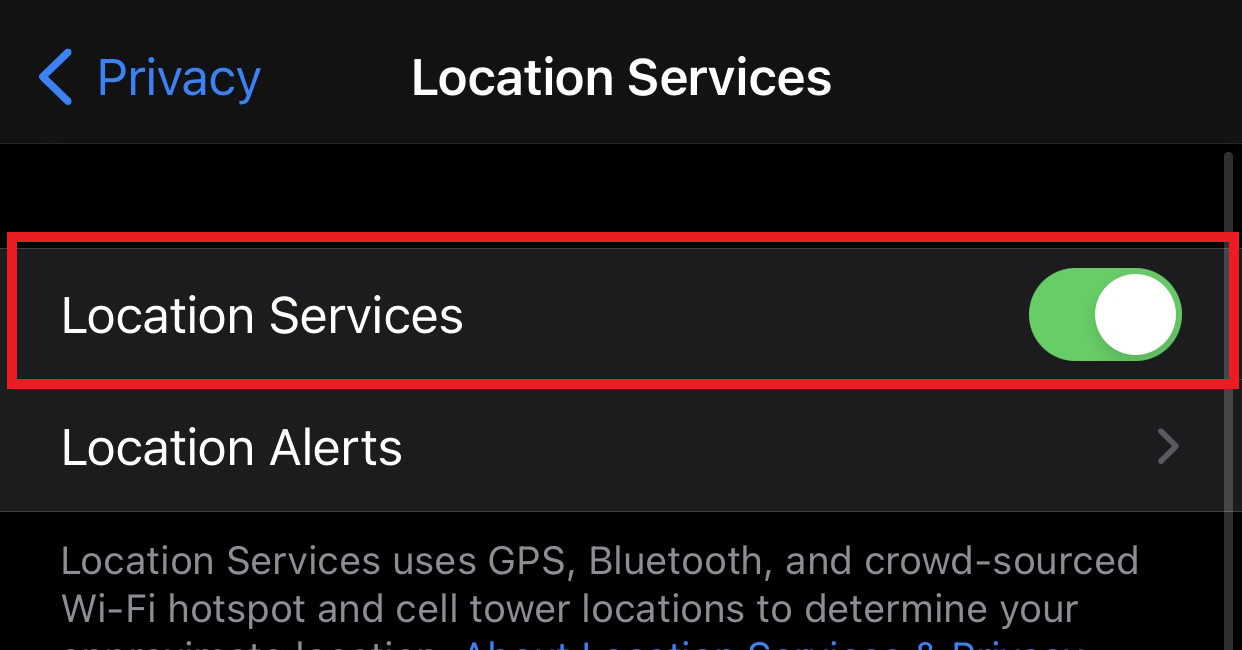
Select
Location to turn on location services, then Scroll down and select
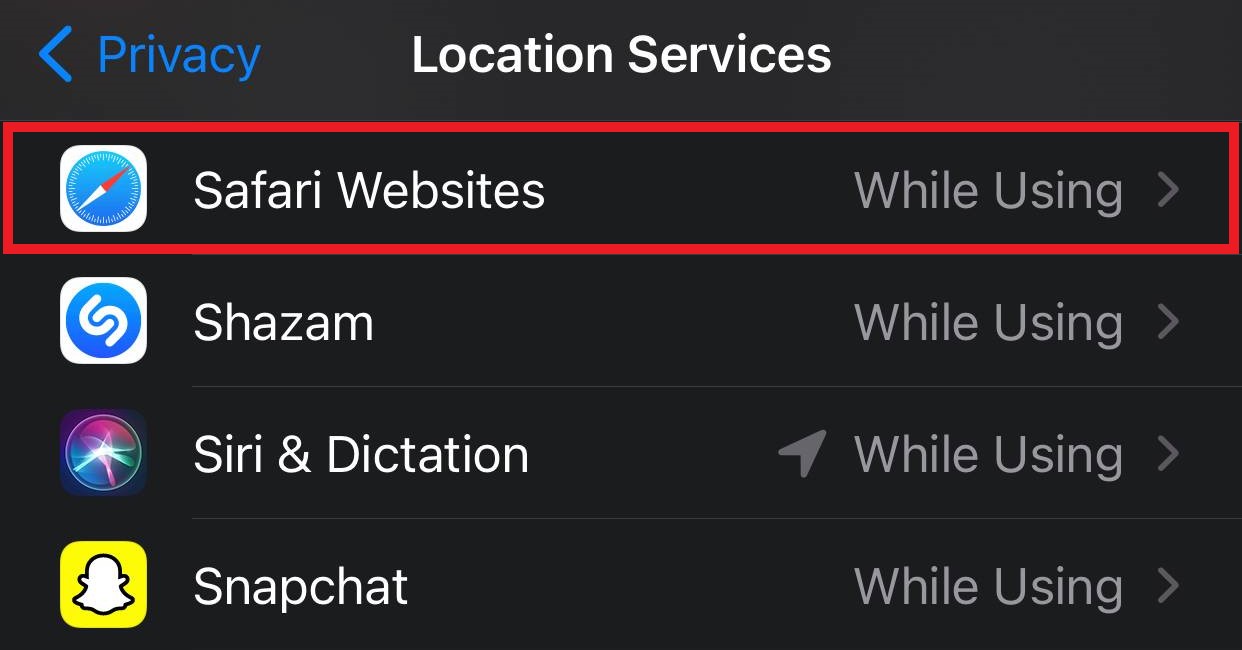
Safari from the list of installed applications
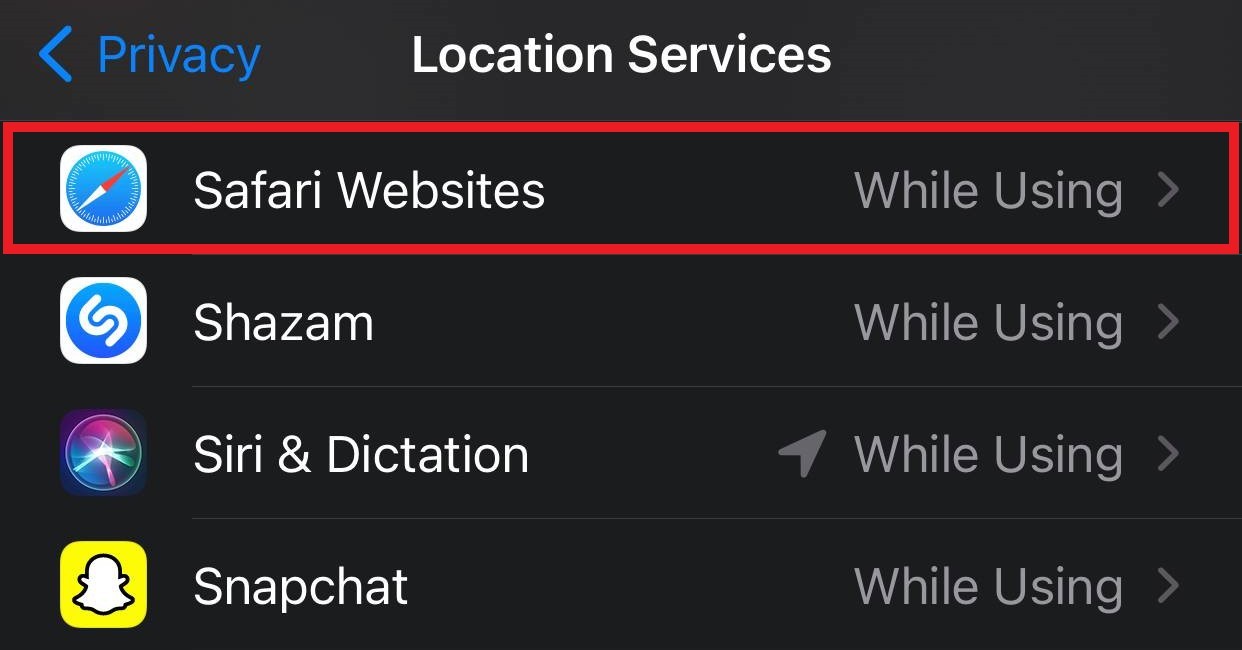
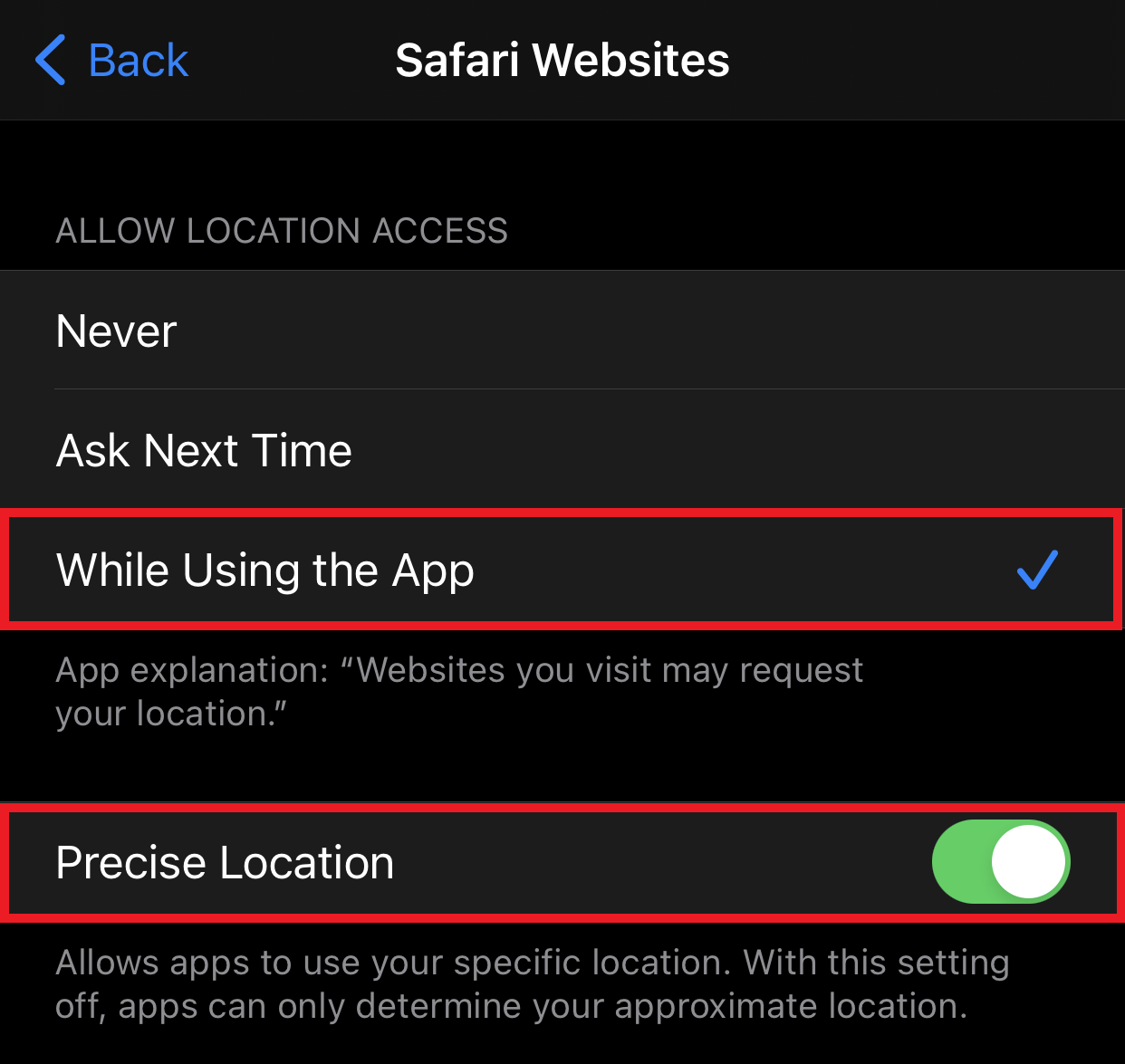
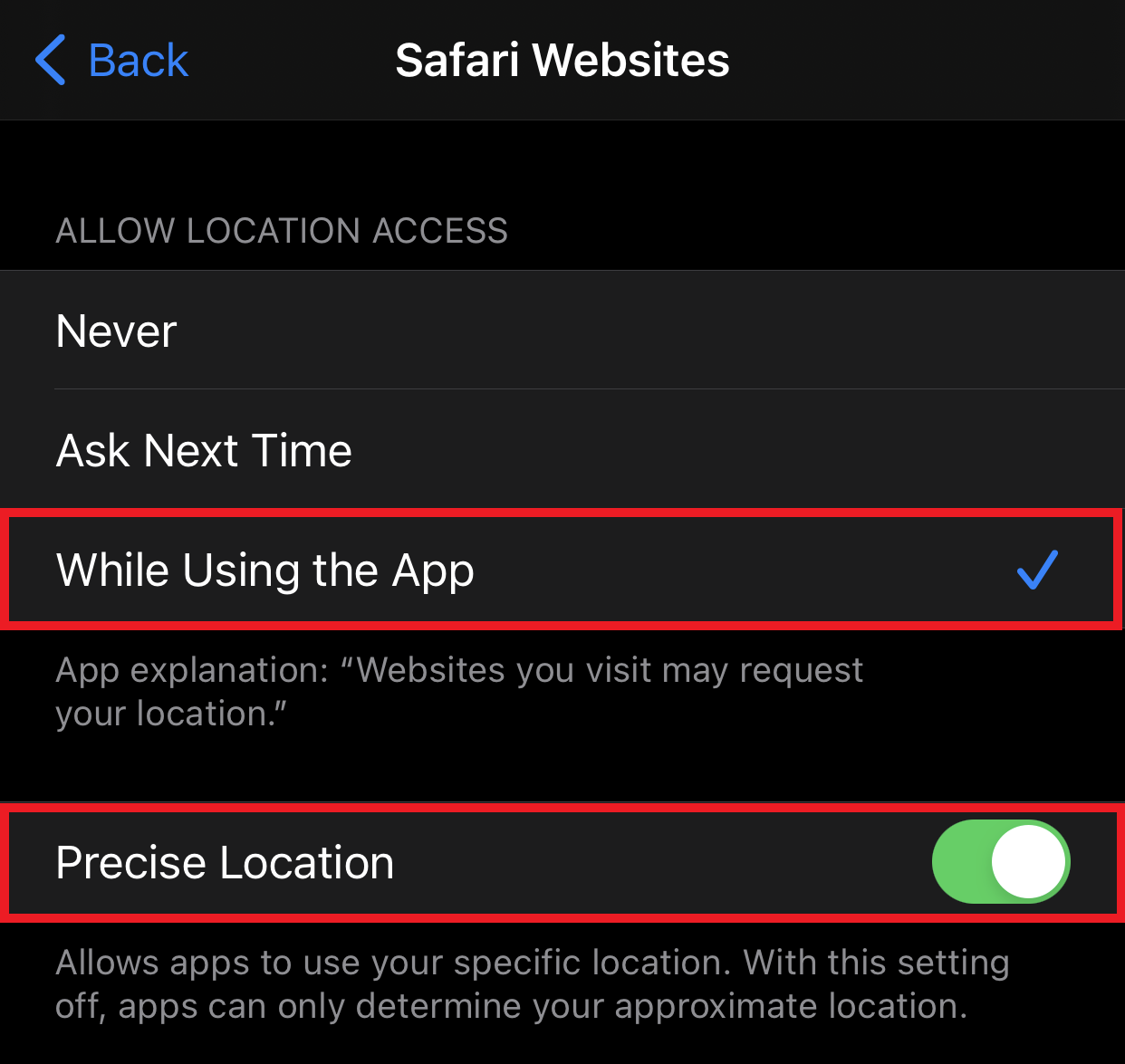
From the Safari specific Location settings, select
While Using the App and
Precise Location to allow Safari to use your device location.