
DRAFT - Requesting/Submitting Time Off
Updated 03/29/22.
The 6 types of time off:
- PTO (Paid Time Off)
- FAPTO (Family Approved Paid Time Off)
- Holiday
- Bereavement
- Jury Duty
- VXPAY (Vaccination Paid Time Off)
The 2 places time off can be submitted:
eTimeMy Work page
Time Off can only be submitted two months into the future.
To request or enter time off from the My Work page:
ClickAdd Time Offin either the Shifts tab or the Job Periods tab, or click Add Time from with a single Job Period view.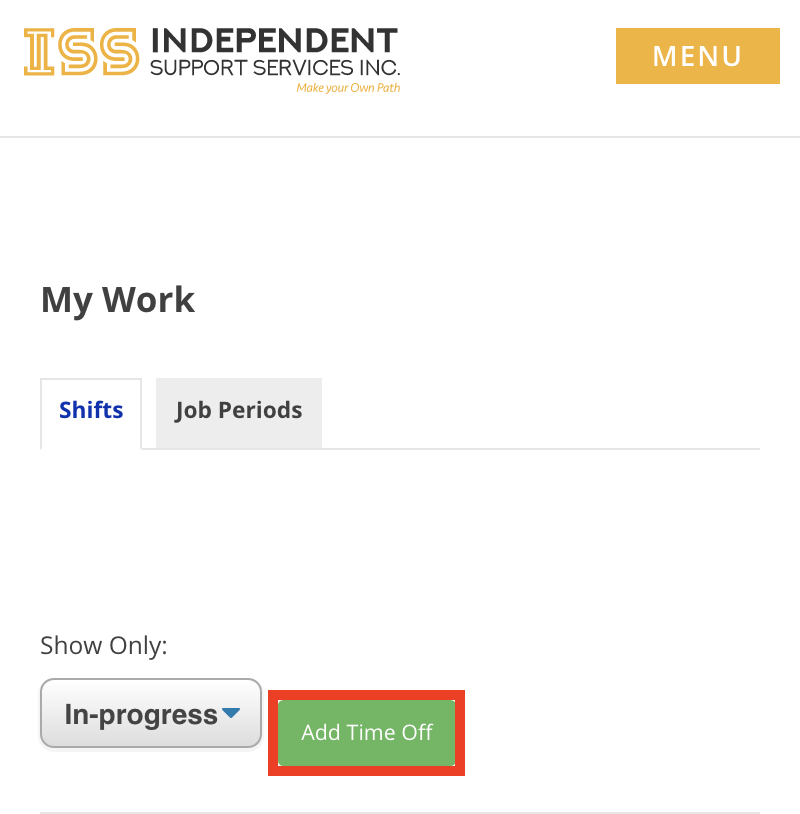
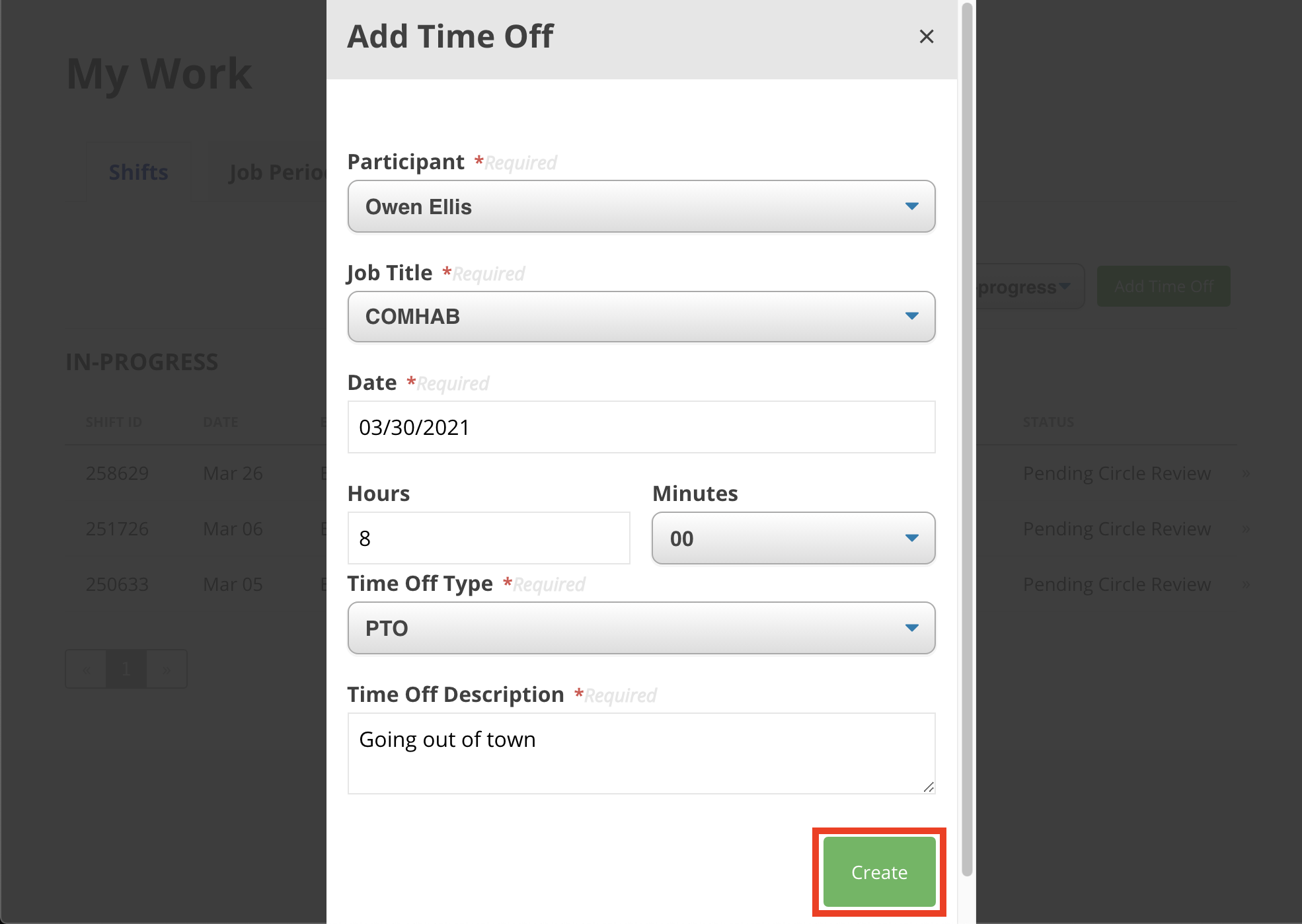
Choose the participant, the job, and fill in a date, the number of hours the time off will span, type of time off and provide a description. Once completed, clickCreate.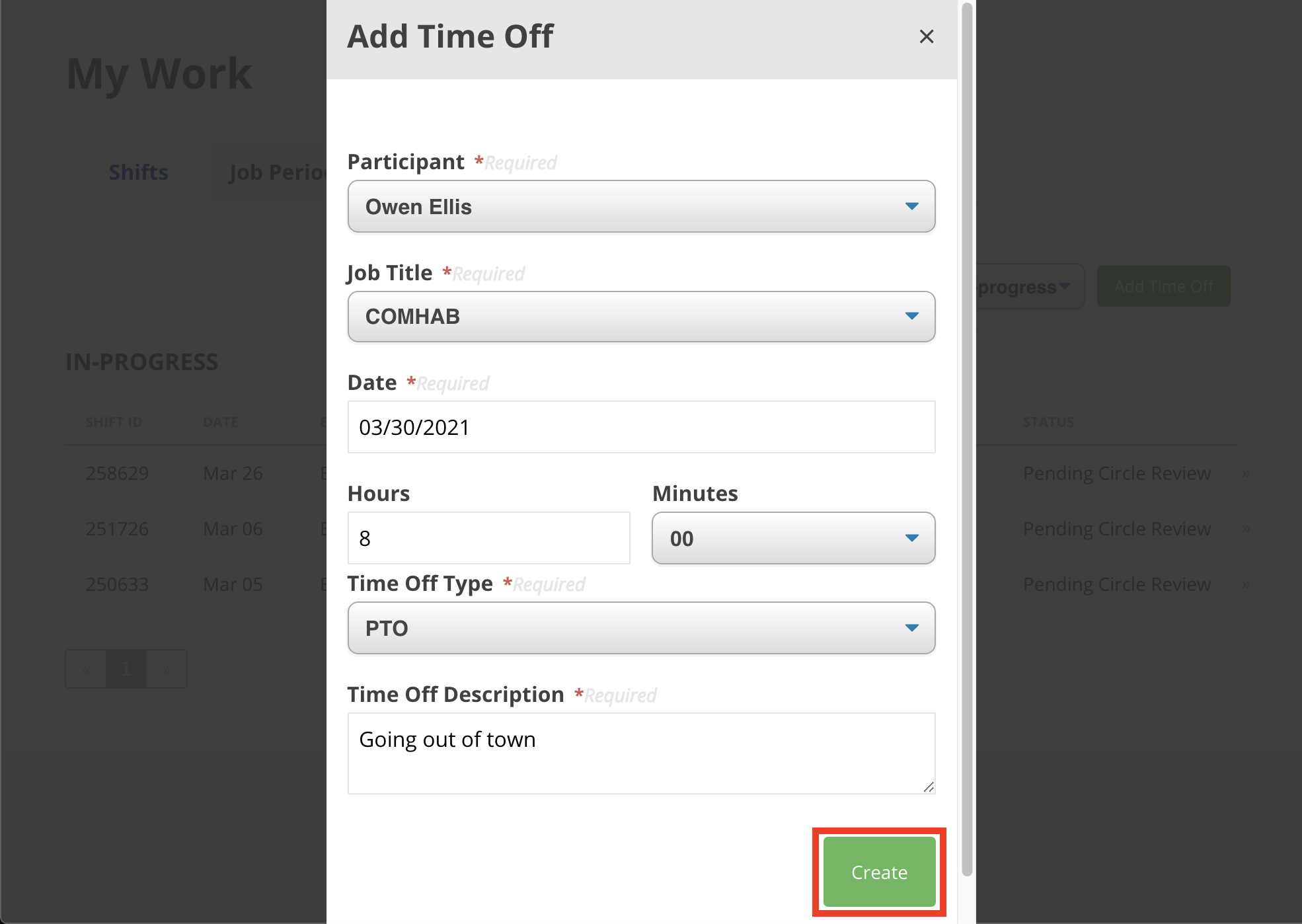
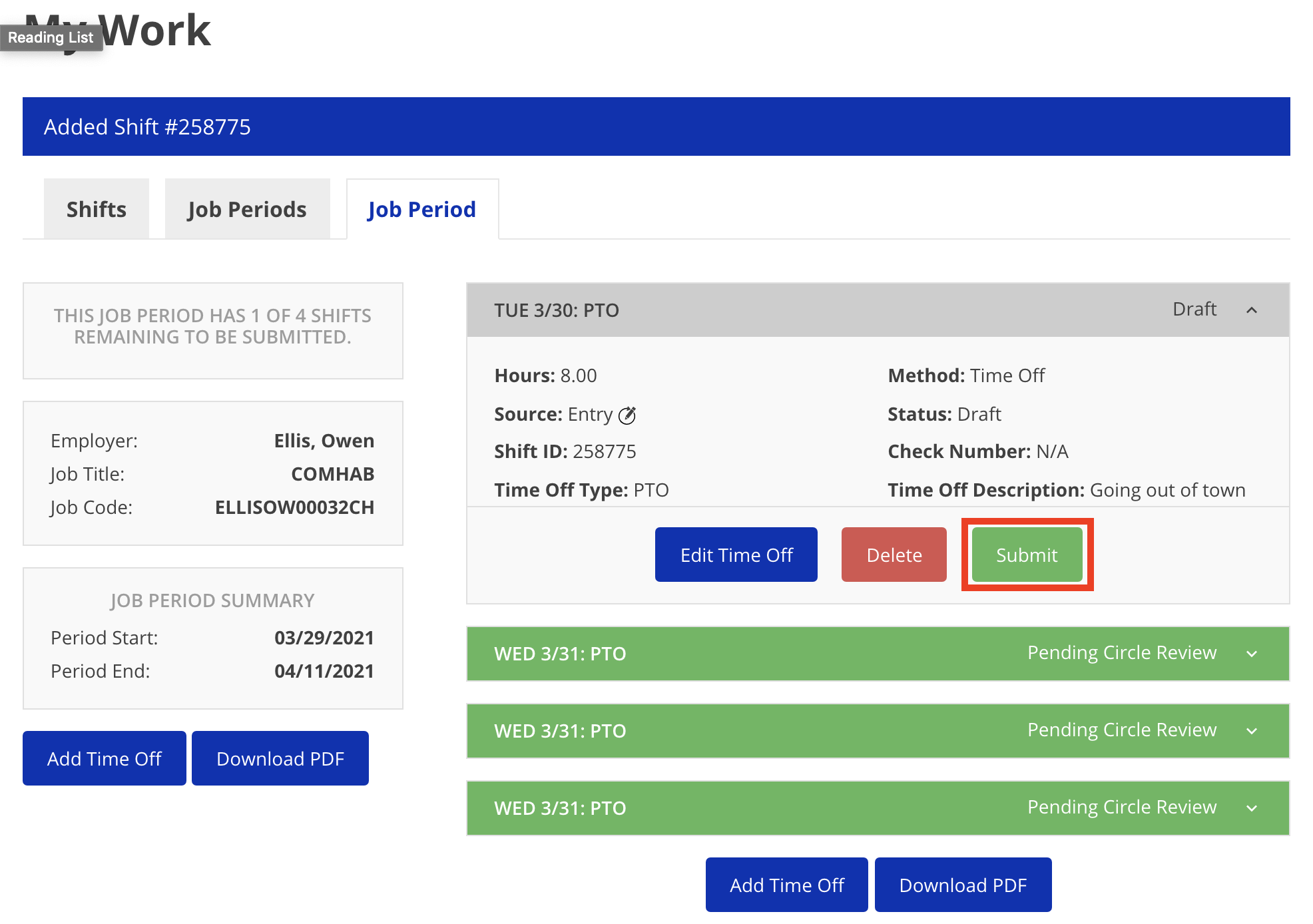
If the need to edit the type of time off or the associated description should arise, click theEdit Time Offbutton. After the details for the time off request have been verified, clickSubmit.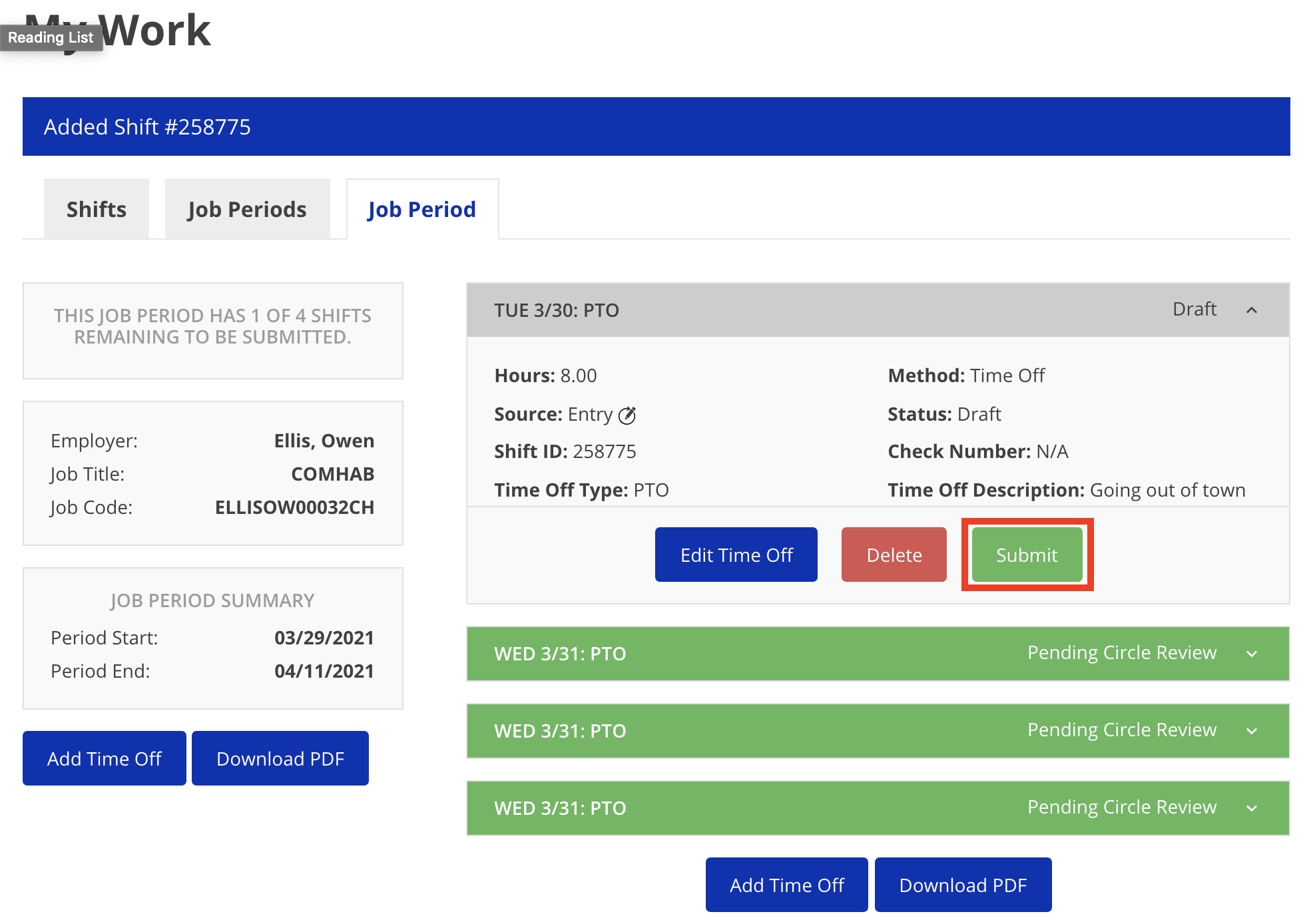
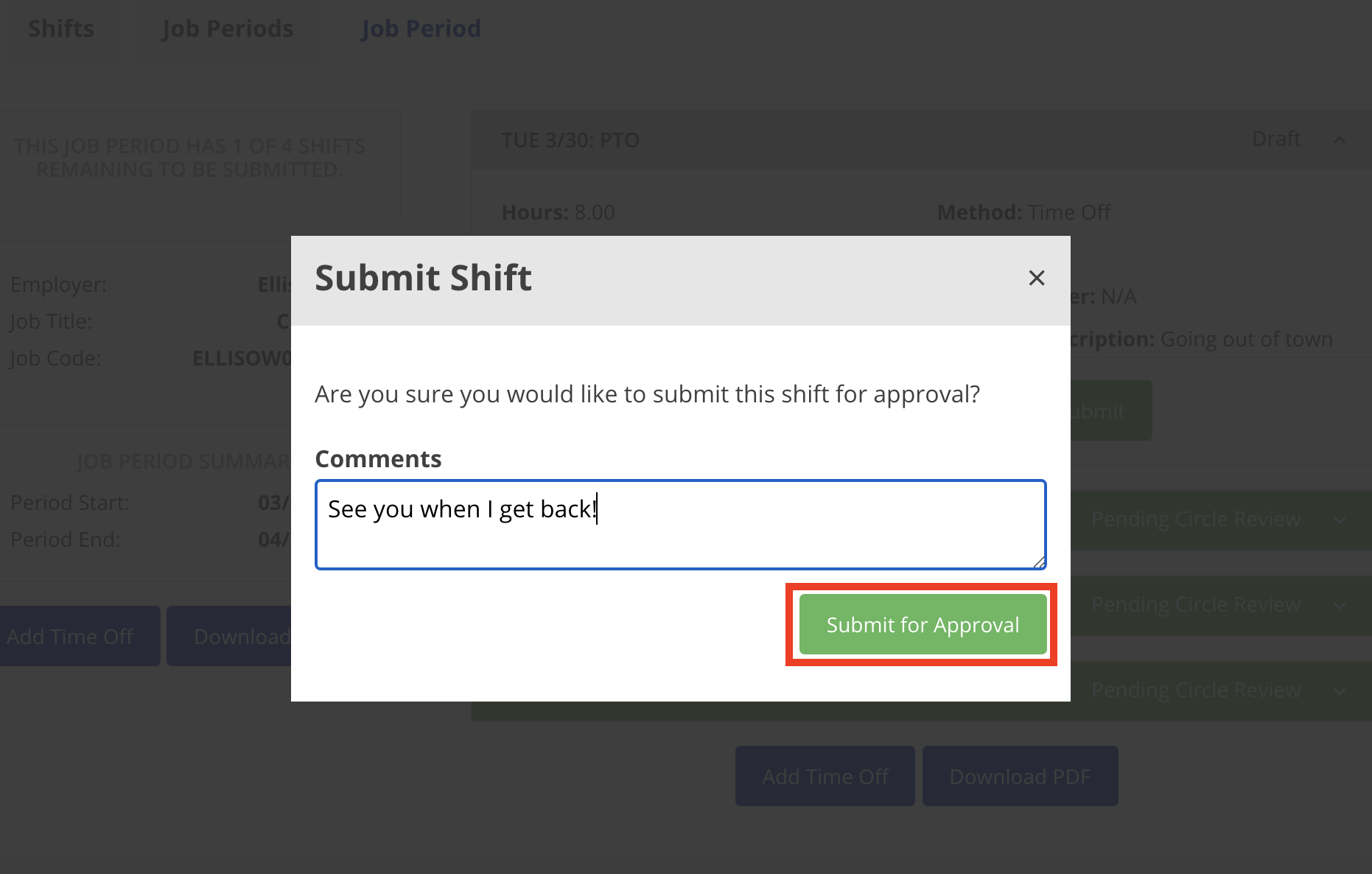
After clicking the submit button, a confirmation window pops up. Enter a comment if applicable and then clickSubmit for Approvalonce finished.

To request or enter time off from etime:
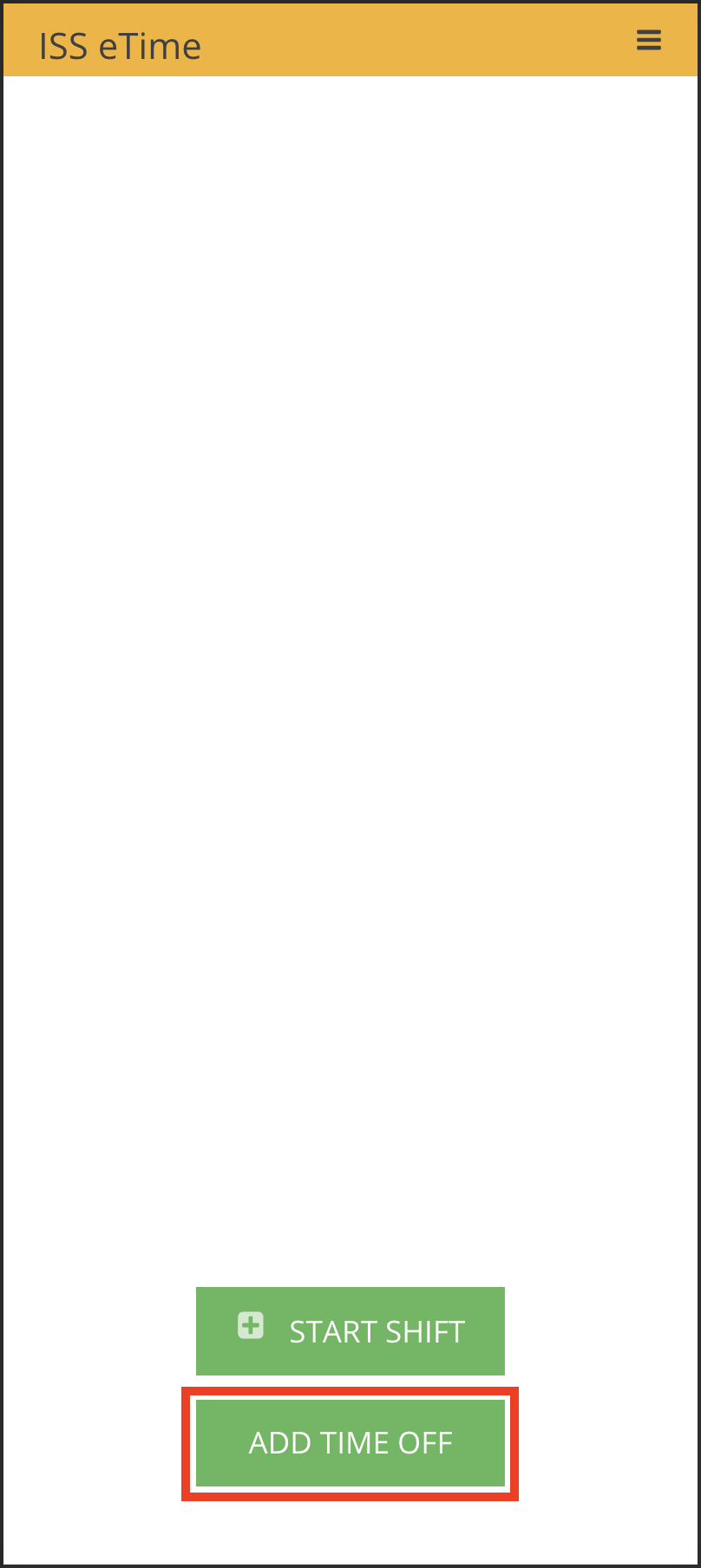
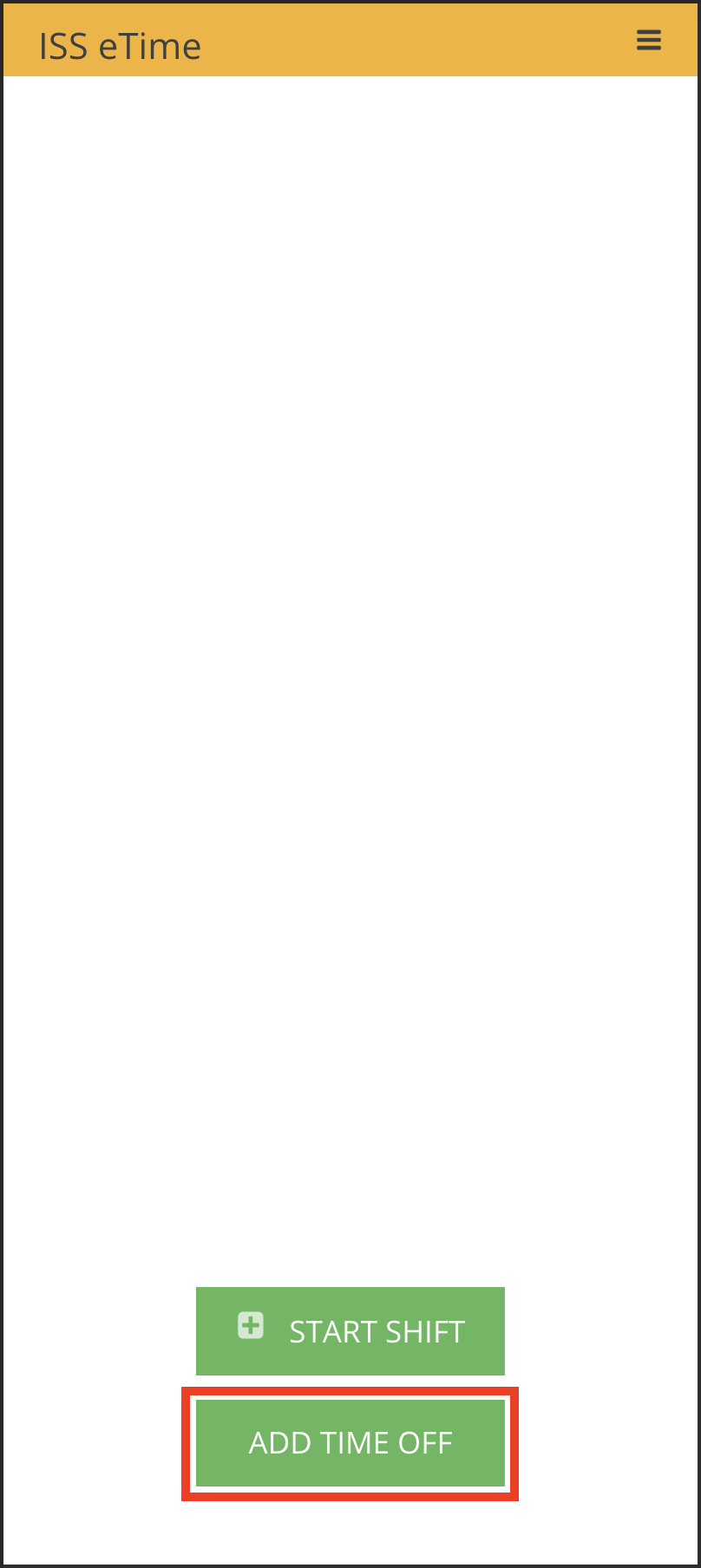
- Click Add Time Off at the bottom of eTime.
-
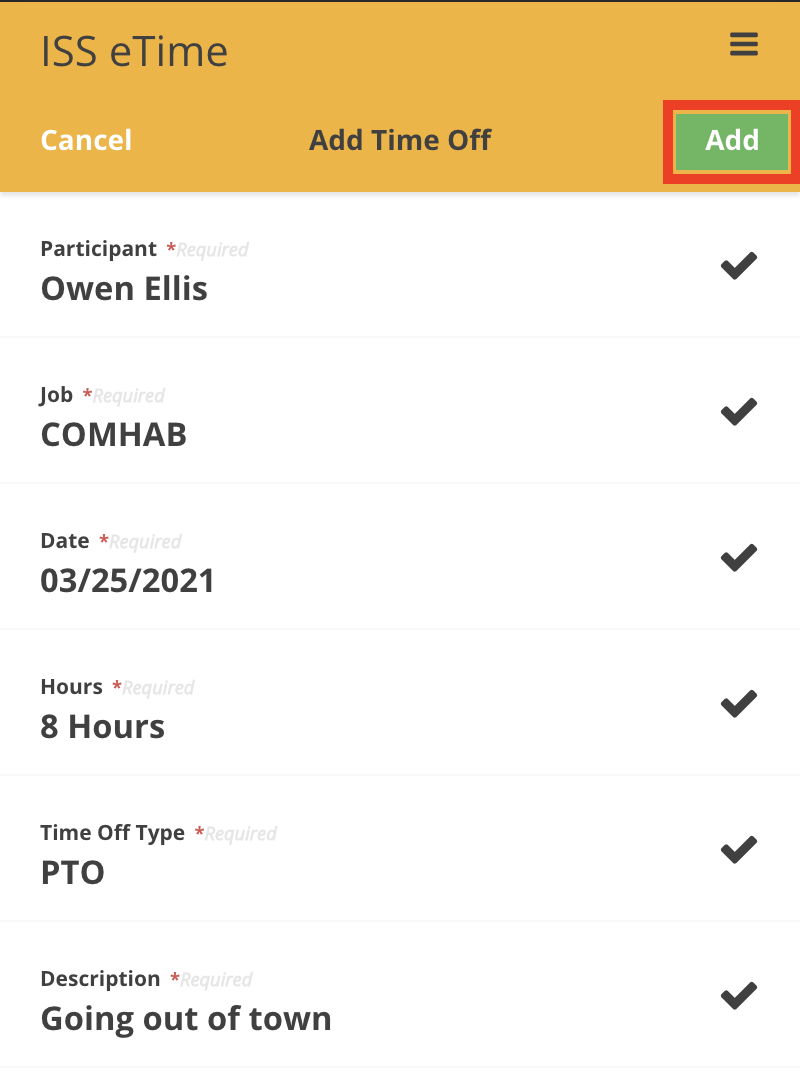
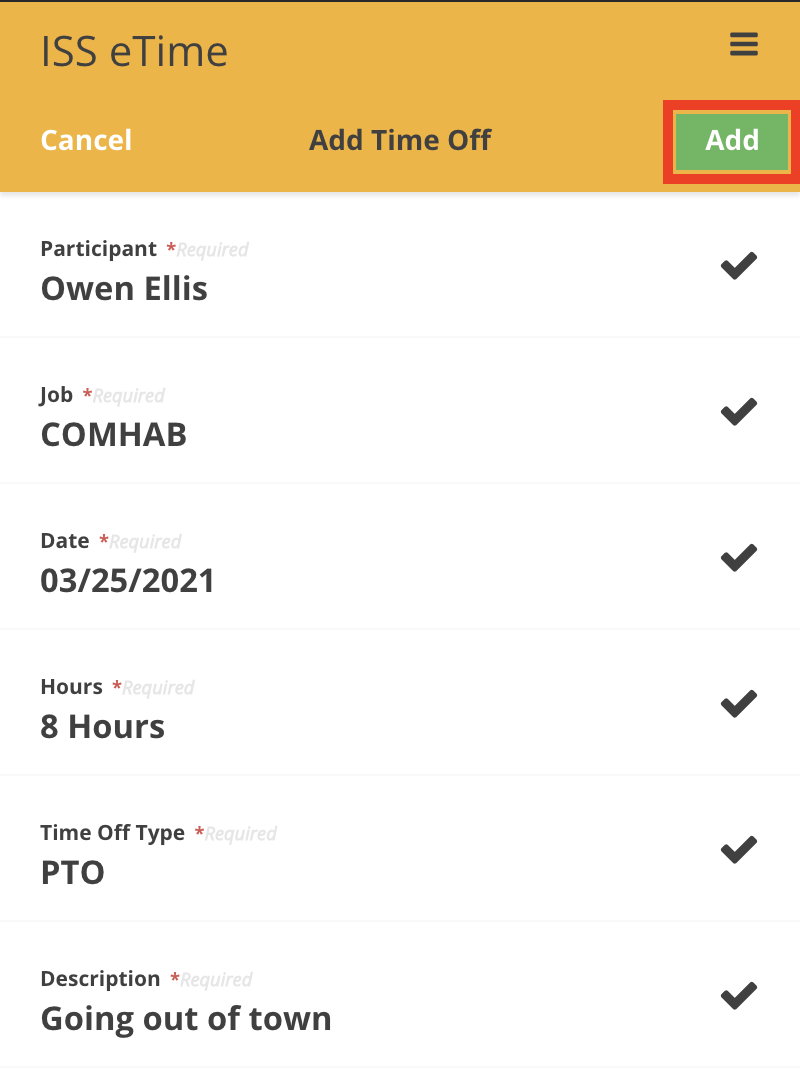
Choose the participant, the job, and fill in a date, the number of hours the time off will span, type of time off and provide a description. Once completed, click Add.
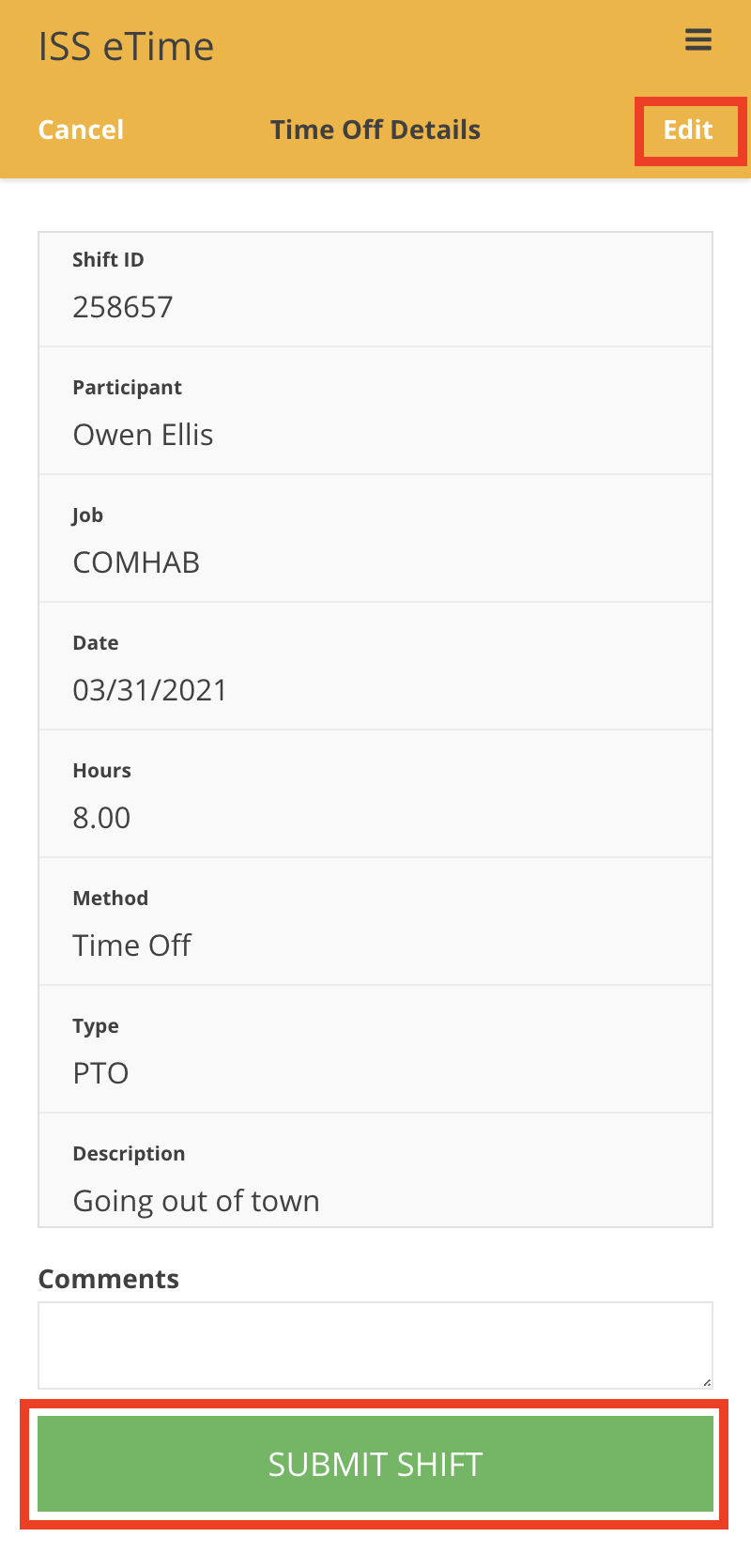
- If the need to edit the details of the time off request should arise, click the Edit button in the top right, make the desired changes and then click Update to save the changes. After the details have been verified, enter a comment if applicable and then click Submit Shift.
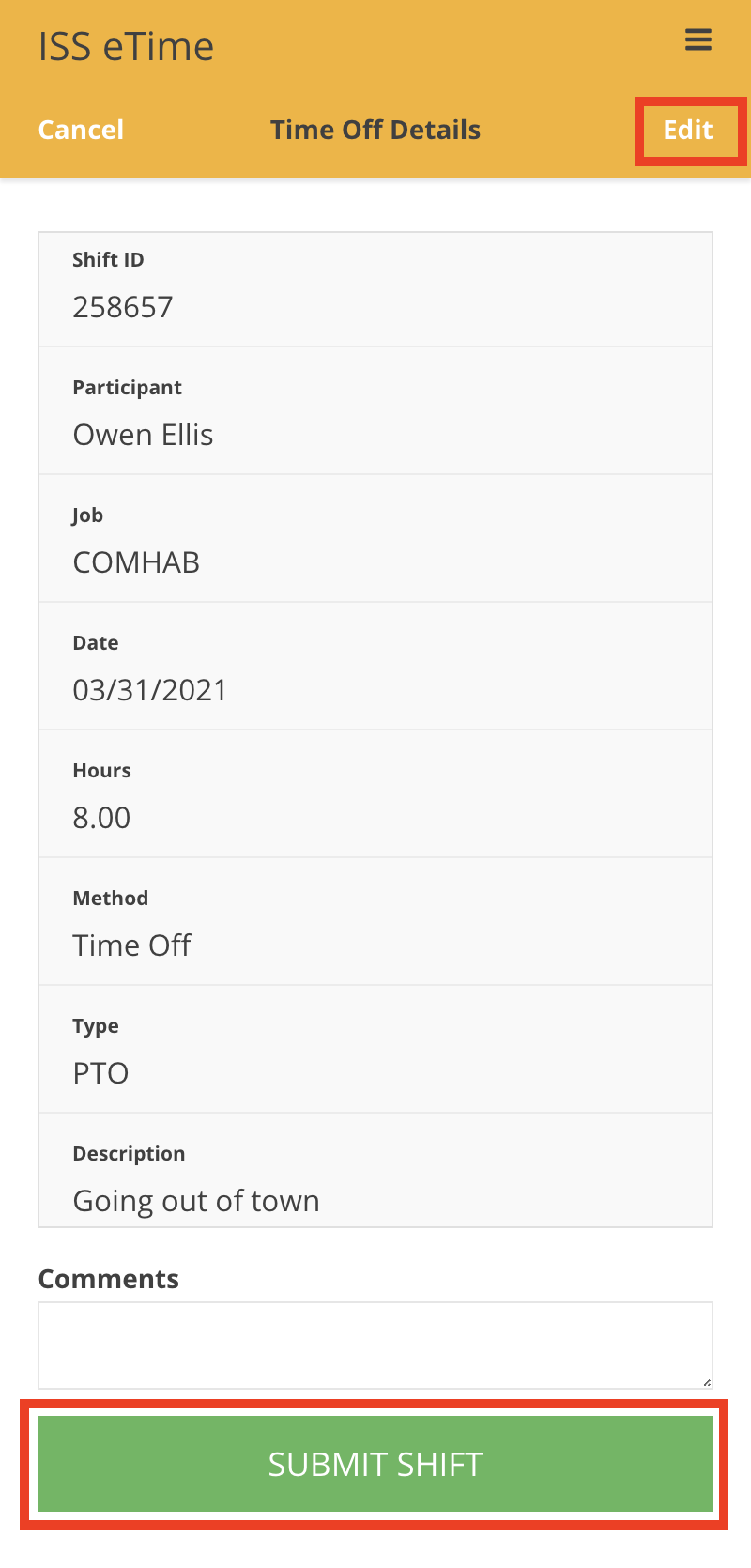
-
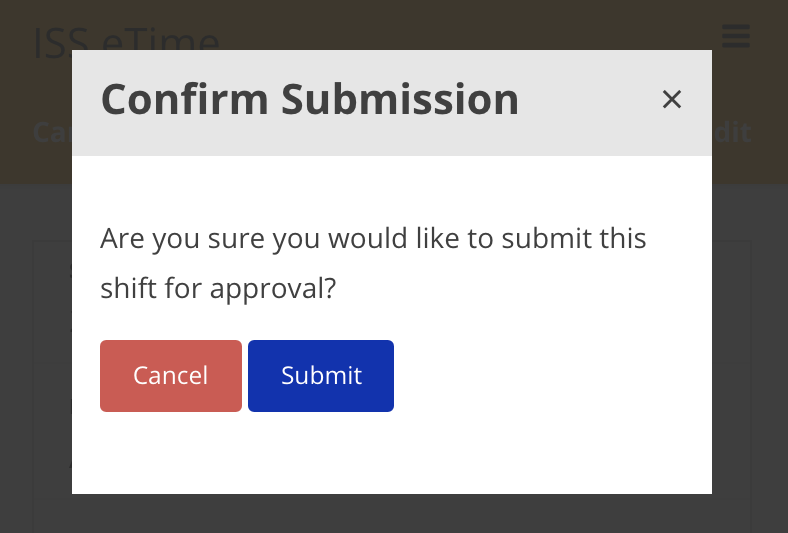
After clicking the Submit Shift button, a confirmation window pops up. Click Submit to finalize and send off the shift for circle approval.
Disclaimer: All names displayed in the above screen shots are fictional characters. No identification with actual persons (living or dead) is intended or should be inferred.